


Shopping for a fast IPS gaming display means juggling refresh rates, panel types, and response times, and the wrong pick leaves you with motion blur or washed-out colors in the middle of a ranked match. This list rounds up ten options covering compact 24-inch desks, immersive 32-inch panels, and high-refresh 240Hz screens built for competitive shooters. Each pick is evaluated on the attributes that actually affect how a first-person shooter feels: refresh rate, pixel response, panel tech, and how well the stand and ergonomics fit a real battlestation.
A Snapshot Of The Selections

KTC 27 Inch QHD 2K 120Hz Monitor (H27D9)

KTC 32 Inch 2K 120Hz Monitor (H32T13)
KTC 24 Inch QHD 100Hz Monitor (H24T27)
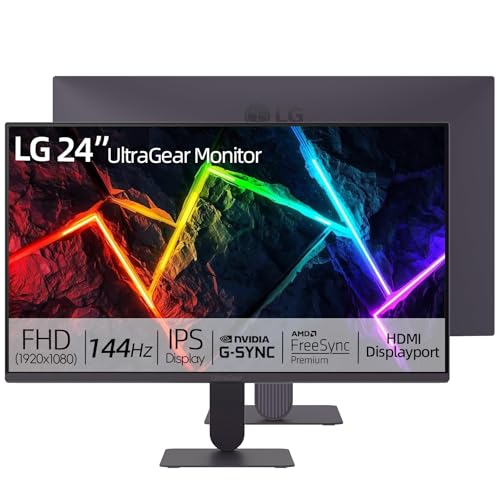
LG 24 Inch Ultragear FHD Gaming Monitor
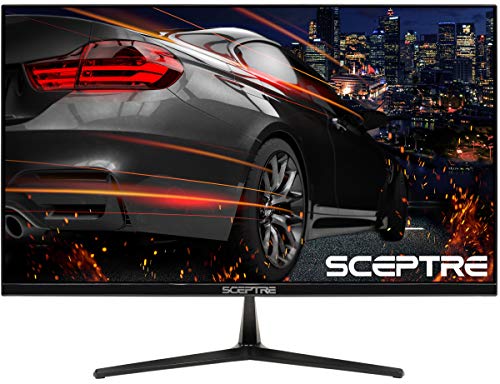
Sceptre E255B-1658A 25-Inch 165Hz Gaming Monitor

Pixio PX279 Prime Neo 27-Inch 240Hz Monitor
KTC 27 Inch QHD 144Hz Monitor (H27T27S)

KTC 32 Inch 2K 120Hz Monitor (H32D6)

KTC 27 Inch 240Hz Gaming Monitor (H27F7)

KTC 27 Inch 1440P 200Hz White Monitor (H27T6)
A Breakdown Of The Leading Choices
The KTC H27D9 aims at the spot where a lot of shoppers actually live: a 27-inch screen that splits time between spreadsheets and after-hours lobbies. The 2560×1440 panel (often called QHD) gives text enough sharpness that long doc days stop feeling like eye strain, and the 120Hz refresh keeps things smooth when the mood shifts to ranked play. It supports Adaptive Sync, which is the family of frame-syncing tech that stops screen tearing when your GPU and monitor fall out of step.
You also get HDR support and a quoted 123% sRGB coverage, which is the color space used for most web and game content. HDMI and DisplayPort inputs sit on the back, and a VESA mount pattern lets you swap the included stand for a monitor arm if your desk runs tight. Compared to the LG 24-inch Ultragear reviewed later, this KTC trades raw refresh ceiling for screen real estate and pixel density.
Positive Points
- QHD resolution keeps text and game UI crisp at typical desk distances
- Adaptive Sync support cuts tearing across both FreeSync and G-Sync setups
- HDR input gives compatible games a wider range between dark and bright scenes
- 27-inch size is the sweet spot for split-screen productivity tools
- VESA mount compatibility opens up monitor arm upgrades
Points To Keep In Mind
- 120Hz is plenty smooth but trails the 240Hz options for top-tier competitive play
- IPS glow around the edges can show up in very dim rooms
Key Specs
Who It Suits Best
Remote workers who want a single display that handles daytime documents and evening gaming without compromise.
Look Elsewhere When
Competitive Valorant or CS2 players should look at the Pixio PX279 Prime Neo, whose 240Hz ceiling gives more headroom for tracking fast targets.
Stepping up to 32 inches changes the way a first-person shooter feels, and the KTC H32T13 leans into that. The 2560×1440 resolution spread across a larger panel means each pixel is bigger than on a 27-inch screen, so you sit a touch farther back to keep edges in your peripheral. That extra real estate is great for inventory-heavy looters and for pulling up Discord or a guide on the side.
The 120Hz refresh and Adaptive Sync keep motion clean, while HDR support helps moody scenes in games like Alan Wake or Cyberpunk hold their detail. Build-wise, KTC keeps the bezel trim and the stand reasonably compact, though you may want a wider desk given the 32-inch footprint. For shoppers comparing this to the KTC H32D6 reviewed later, the H32T13 is the more cinematic option of the two.
Everyday Wins
- 32-inch panel makes open-world maps and minimap-heavy games easier to parse
- QHD resolution keeps text readable without Windows scaling tricks
- Adaptive Sync covers both FreeSync and G-Sync paths for GPU flexibility
- HDR input adds punch to compatible single-player titles
Trade Offs
- You sit roughly three feet back to take in the whole screen comfortably
- Smaller pixel density than the 27-inch QHD options above
- Stand adjustments may be limited depending on the included base
Made For
Single-player fans with deep desks who want a cinematic panel for narrative games and streaming.
A Better Fit Elsewhere
Esports-first players chasing 240Hz motion should choose the KTC H27F7 reviewed below, which keeps speed at the cost of an inch or two of diagonal.
Tight desk? The KTC H24T27 squeezes 1440p resolution into a 24-inch IPS panel, which gives you noticeably sharper text and game UI than the typical 24-inch 1080p screen. It runs at 100Hz, and while that is gentler than the 120Hz or 144Hz siblings in this list, the difference is subtle outside of competitive shooters. Compatibility with FreeSync and G-Sync helps keep frames smooth when your GPU dips below the cap.
This is a friendly pick for first-time builders, dorm desks, or anyone who already owns a deep monitor arm and wants a smaller panel that still looks crisp. Set side by side with the LG Ultragear 24-inch below, the KTC leans toward sharper detail while the LG leans toward speed and color accuracy.
Useful Touches
- 1440p in a 24-inch form factor gives very high pixel density for the size
- IPS panel gives wide viewing angles for shared screen time
- Adaptive Sync keeps frames tear-free across both AMD and NVIDIA cards
- Footprint stays small enough for narrow IKEA-style desks
Small Caveats
- 100Hz refresh trails the 144Hz LG and the 240Hz picks further down
- Smaller screen means HUD-heavy games can feel cramped
Right Fit For
Students and home-office users who want QHD sharpness without sacrificing desk space.
Swap It Out When
Gamers chasing faster motion at 24 inches should consider the LG 24-inch Ultragear, which boosts refresh to 144Hz for only a small trade in pixel density.
LG’s Ultragear line has a long reputation in esports, and the 24-inch FHD model brings that pedigree to mainstream prices. The IPS panel runs at 144Hz with a 1ms MBR response, where MBR is a motion-blur-reduction technique that strobes the backlight between frames to sharpen fast-moving targets. You also get HDR10 support and a quoted 99% sRGB color coverage, so games look closer to what their developers intended.
NVIDIA G-SYNC compatibility and AMD FreeSync support mean the display syncs cleanly with either GPU brand, which matters for anyone who upgrades parts over time. The included stand offers tilt adjustment, and the panel is VESA mountable if you prefer an arm. Compared to the KTC H24T27 above, the LG gives up a little pixel density for a meaningful jump in refresh rate and color tuning.
Useful Highlights
- 144Hz refresh rate is a strong match for 1080p esports titles
- IPS panel keeps colors accurate from off-center viewing angles
- HDR10 input helps compatible games pop without overcooking brightness
- Dual-brand Adaptive Sync coverage future-proofs GPU swaps
Areas To Watch
- 1080p at 24 inches looks soft to anyone used to QHD panels
- Tilt-only stand means serious ergonomic setups may need a separate arm
Feature Snapshot
Who Should Grab It
Esports mains running 1080p builds who want a polished, well-supported panel from a known brand.
Where Another Pick Suits Better
Content creators who want QHD for editing should consider the KTC H27T27S, which trades some refresh for sharper detail and stronger contrast.
The Sceptre E255B-1658A is the kind of monitor that lets a first-time PC builder get into high-refresh gaming without a major outlay. The 25-inch panel pushes 1080p at 165Hz with a 1ms pixel response, which is plenty for fast multiplayer games. AMD FreeSync support smooths out frames when your GPU struggles to keep up, and the anti-flicker backlight helps during long sessions.
You get two HDMI 2.0 ports and a DisplayPort, plus built-in speakers for casual use (headphones are the right call for FPS audio cues). The stand is tilt-only, but the panel is VESA-compatible, so a third-party arm is a clean upgrade path. Versus the LG 24-inch Ultragear above, the Sceptre saves money and gives up color tuning polish and IPS-class viewing angles.
Standout Benefits
- 165Hz refresh is a strong ceiling for the price bracket
- 1ms response keeps target tracking sharp in motion
- Dual HDMI ports make console-plus-PC setups painless
- Anti-flicker backlight reduces eye fatigue over long sessions
Honest Caveats
- Built-in speakers are fine for menus, weak for competitive audio
- TN-leaning feel in viewing angles compared with IPS panels
- Tilt-only stand may push shoppers toward a separate monitor arm
Quick Facts
Best Suited To
First-time builders and budget shoppers who care more about high refresh than color-perfect imagery.
Not Your Match When
Anyone who streams or edits video should look at the KTC H27T6, which delivers 1440p resolution and stronger color tuning at a similar size class.
For players who treat ranked FPS as a sport, the Pixio PX279 Prime Neo is built around a simple idea: more frames, less blur. The 27-inch Fast IPS panel hits 240Hz with a 1ms GTG response, where GTG (gray-to-gray) is the time it takes a pixel to shift between shades, so motion stays clean during long flicks and quick peeks. Adaptive Sync keeps things tear-free when frame rates bounce around.
The 1080p resolution at 27 inches is the trade-off, since pixels are larger than on a QHD panel, but competitive players generally accept that for the speed. The fully adjustable stand is a nice surprise at this tier, with tilt, swivel, pivot, and height covered. Compared to the KTC H27F7 below, this Pixio focuses purely on speed, while the KTC adds HDR brightness and a slightly different color profile.
The Practical Payoff
- 240Hz ceiling gives meaningful edge in CS2, Valorant, and Apex
- Fast IPS panel keeps colors and viewing angles in IPS territory
- Fully adjustable stand saves you from buying a separate arm
- Adaptive Sync handles frame drops without screen tearing
Factors To Consider
- 1080p resolution at 27 inches is noticeably softer than QHD
- You’ll want a strong GPU to actually feed 240 frames per second
Whose Shelf It Belongs On
Competitive ranked players who care more about motion clarity than pixel density and want an adjustable stand out of the box.
Another Choice May Suit
For shoppers who want both speed and 1440p sharpness, the KTC H27T6 below splits the difference at 200Hz with QHD.
Dark, atmospheric games live or die by contrast, and the KTC H27T27S leans into that. The HVA panel delivers a native 4000:1 contrast ratio, which is roughly twice what most IPS screens manage, so blacks stay deep without crushing the detail in shadows. The 2560×1440 resolution and 144Hz refresh are a balanced middle ground: sharp text, smooth motion, no GPU overkill required.
Adaptive Sync support keeps frame rates in step with your graphics card, and the 27-inch size remains the most desk-friendly sweet spot. Set beside the KTC H27D9 from pick 1, this H27T27S trades HDR brightness for deeper blacks and a snappier 144Hz ceiling. It is a good fit for horror, space sims, and any game where the mood matters as much as the action.
What Helps Most
- 4000:1 native contrast reveals shadow detail in dark games
- 144Hz refresh handles 3A titles and casual shooters alike
- QHD resolution keeps both UI and text sharp at 27 inches
- Adaptive Sync reduces stutter when frame rates dip
Soft Spots
- Color brightness trails IPS panels, so SDR work may look flatter
- HVA panels can show slight shifts at extreme angles
Key Product Details
Perfect Match For
Players who love atmospheric single-player games and want deeper blacks without moving to a Mini-LED price bracket.
Skip It When
Twitchy esports players should pick the Pixio PX279 Prime Neo, which offers 240Hz for the same screen size.
If you want a panel that leans into a 32-inch canvas without making you relearn how Windows scaling works, the KTC H32D6 is the calmer sibling of the H32T13 reviewed earlier. The IPS panel runs at 2560×1440 with a 120Hz refresh, and HDR support helps compatible games and movies pull a bit more dynamic range. IPS technology here means solid viewing angles if you ever share the screen.
Adaptive Sync works with both FreeSync and G-Sync, so the panel plays nicely with whatever GPU you already own. The 120Hz cap is a touch lower than the 144Hz H27T27S, but on a 32-inch screen you tend to sit farther back, which softens the perceived gap. For shoppers who like the spacious feel of a 32-inch screen but don’t need 144Hz gaming, this is a sensible middle ground.
Practical Pluses
- 32-inch IPS panel delivers consistent color at any viewing angle
- 1440p resolution keeps text clear without aggressive scaling
- HDR input adds depth to compatible media
- Adaptive Sync works across both major GPU brands
Things To Weigh
- 120Hz refresh trails the 144Hz and 200Hz options in this list
- You may need to push your desk back a few inches for the full effect
- Smaller pixel density than the 27-inch QHD models
Built With In Mind
Mixed-use households that want a big screen for movies, work, and casual gaming without paying for top-tier refresh rates.
Reach For A Different Pick When
Gamers who prioritize motion should choose the KTC H27F7, which trades screen size for 240Hz smoothness.
The KTC H27F7 brings 240Hz to a 27-inch Fast IPS panel with HDR10 support, which makes it a strong all-rounder for streamers and tournament players alike. The 1080p resolution is the same trade-off as the Pixio above, but this KTC adds a quoted 131% sRGB coverage, so colors lean a bit more vibrant out of the box. Adaptive Sync keeps the picture stable when frame rates spike or dip.
The stand is a real highlight: height, tilt, swivel, and pivot are all available, so you can rotate the panel vertically for code, streams, or documents without buying extra hardware. VESA mounting is supported, and the back panel houses both HDMI and DisplayPort inputs. Compared to the KTC H27T6 reviewed next, this H27F7 prioritizes pure speed over pixel density.
A Few Highlights
- 240Hz refresh handles fast competitive games with room to spare
- Fast IPS panel keeps motion and color both strong
- Full ergonomic stand reduces the need for a third-party arm
- HDR10 input gives compatible games a wider dynamic range
What To Weigh
- 1080p at 27 inches is softer than QHD for productivity
- You will want a capable GPU to push 240 frames in modern titles
Technical Reference
The Right Fit
Streamers and esports players who want a fast panel with a fully adjustable stand right out of the box.
Where A Sibling Pick Shines
Shoppers who want QHD detail at high refresh should consider the KTC H27T6, which delivers 200Hz at 1440p.
The KTC H27T6 is the cleanest blend of resolution, speed, and style in this lineup. The 27-inch Fast IPS panel runs at 1440p with a 200Hz native refresh and a 210Hz overclock option, which gives you motion smoothness close to the 240Hz picks without dropping down to 1080p. HDR400 support adds a measurable brightness boost for games and movies that take advantage of it.
The white chassis and matching stand are designed to slot into cable-clean, light-themed battlestations, and the height, tilt, swivel, and pivot adjustments match what the H27F7 offers. Built-in speakers are present for casual use, though serious play still calls for headphones. Versus the H27T27S from pick 7, this H27T6 is the faster, brighter, and more color-tuned sibling.
What Pays Off
- 1440p resolution keeps both UI and game worlds sharp
- 200Hz native refresh (210Hz OC) hits the sweet spot for most players
- Fast IPS panel balances speed with strong color
- HDR400 support raises peak brightness over standard HDR10
- Full ergonomic adjustments plus a white finish for clean builds
Trade-Offs To Consider
- Overclocking to 210Hz may require a high-quality cable
- White finish can show dust and fingerprints more easily than black
Who Will Love This
Shoppers who want one monitor that does both sharp QHD detail and fast-paced gaming, and care about a clean white aesthetic.
Consider Something Else When
Hardcore competitive players who need every frame should look at the Pixio PX279 Prime Neo, which delivers a flat 240Hz ceiling for similar money.
Choosing An Fps Monitor That Fits Your Setup
Refresh rate, measured in hertz (Hz), is the headline number for FPS displays, since more frames per second mean smoother target tracking. For casual play, 120Hz to 144Hz is a noticeable step up from 60Hz, and 200Hz to 240Hz is where competitive players start to feel a real edge. Pair a high refresh panel with a GPU that can actually push those frames, since a 240Hz display running 90 FPS behaves like a 90Hz screen in motion.
Panel type shapes the rest of the experience. IPS panels offer wide viewing angles and strong color, which is great for both work and games. HVA panels trade some viewing flexibility for deeper contrast, which is a quiet win in dark, moody games. Resolution matters too: 1080p is easy for GPUs to drive at high refresh, while 1440p demands more horsepower but returns sharper text and detailed game worlds.
Adaptive Sync is the feature that stops screen tearing without adding the input lag of traditional V-sync. Look for a panel that supports both FreeSync and G-Sync compatible modes if you ever switch GPU brands. A fully adjustable stand saves your neck during long sessions, and VESA mount compatibility opens up clean arm-mounted setups.
Key Considerations Across These Picks
Common Shopping Slip Ups
The most common mistake is chasing the highest refresh number without checking if your GPU can drive it. A 240Hz panel on a system that outputs 90 FPS is just an expensive 90Hz screen. Another trap is buying a 27-inch 1080p display and expecting it to look as sharp as a 24-inch 1080p screen, since the same number of pixels stretched over more space makes individual pixels visible. Check panel type and viewing angles too, since a glossy TN panel feels very different from a matte IPS one in the same size class.
What The Higher Tier Buys
Spending up on a premium Fps monitor usually buys brighter HDR, faster response, and a more flexible stand. Models like the KTC H27T6 add 200Hz at 1440p with HDR400, which makes single-player games look meaningfully better than on a basic 1080p panel. The upgrade is most worth it for shoppers who game in a well-lit room or who split time between competitive and cinematic titles, since the same panel covers both without compromise.
Frequently Asked Questions
Is 144Hz enough for Fps gaming?
Yes, 144Hz is a meaningful step up from 60Hz and handles most first-person shooters well. Going above 144Hz helps in highly competitive titles, but the difference is subtle outside of ranked play.
Do I need a 240Hz Fps monitor?
You need a 240Hz panel if you play competitive shooters and your GPU can push frame rates close to that ceiling. For casual or single-player games, the jump from 144Hz to 240Hz is far less important than color and resolution.
What resolution is best for Fps monitors?
1080p at 24 or 25 inches is the classic esports pick because GPUs can drive it at very high refresh. 1440p at 27 inches is the most balanced modern choice, since it stays sharp and still works with mid-range GPUs at high refresh.
Does Adaptive Sync really matter?
Adaptive Sync removes screen tearing without the input lag of V-sync, so yes, it matters for a clean Fps experience. A panel that supports both FreeSync and G-Sync compatible modes gives you the most flexibility across GPU brands.
Are curved Fps monitors better than flat ones?
Curved panels can feel more immersive on 32-inch and ultrawide screens because the edges match your natural field of view. For 24 and 27-inch Fps monitors, flat panels remain the popular choice for competitive play.
The Takeaway
The right Fps monitor depends on what you play and how you sit. Competitive players should chase 240Hz with a strong GPU, single-player fans should look for QHD resolution and deep contrast, and mixed-use shoppers get the best balance from a 27-inch 1440p panel that handles both work and play. Any of the ten picks above will serve you well; the trick is matching the panel to your desk, your games, and the hardware you already own.



