


A curved ultrawide reshapes how games feel, stretching your peripheral vision so a sprint through a forest or a dogfight across a nebula wraps around you instead of sitting in a small rectangle. Picking the right one matters more than picking the biggest one, because resolution, refresh rate, and curvature each change what your games actually look like. The list below covers ten strong options across budget 27-inch panels, 34-inch workhorses, and enormous 49-inch super-ultrawides.
The Shortlist At A Glance
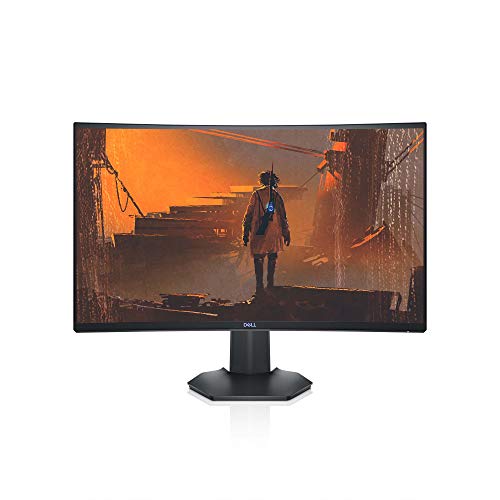
Dell S2721HGF 27 Inch Curved 144Hz Gaming Monitor FHD
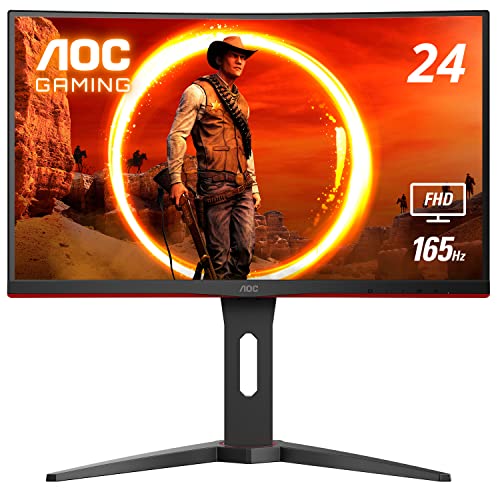
AOC C24G1A 24 Inch Curved Frameless Gaming Monitor 165Hz FreeSync Premium

INNOCN 34C1R 34 Inch WQHD 180Hz Ultrawide Curved Gaming Monitor IPS

INNOCN 49 Inch Curved DQHD 240Hz Ultrawide Gaming Monitor 1800R
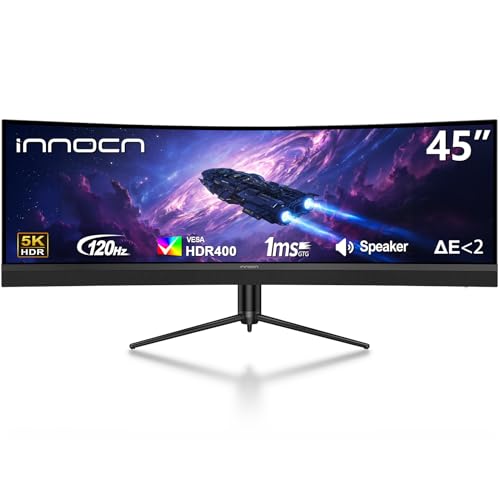
INNOCN 45 Inch 5K2K 120Hz Ultrawide Curved Gaming Monitor 1500R HDR400 USB-C

INNOCN 40 Inch WQHD 144Hz Ultrawide Curved Monitor IPS FreeSync HDR400 USB-C 90W

INNOCN 45C1R 45 Inch 5K2K Ultrawide Curved Gaming Monitor 1500R HDR400 USB-C 90W

INNOCN 49C1G 49 Inch Curved 144Hz Ultrawide Gaming Monitor 32:9 WDFHD

INNOCN 49Q1R 49 Inch QD-OLED 5K2K 144Hz Ultrawide Curved Monitor 0.03ms

INNOCN 40C1R 40 Inch WQHD 144Hz Ultrawide Curved Monitor IPS FreeSync HDR400
Taking A Closer Look At The Options
The Dell S2721HGF is the kind of monitor that makes sense when your desk is small and your budget is tighter. The 1500R curve is sharp enough to pull you in without forcing you to sit far back, and the 27-inch Full HD panel keeps the pixel density comfortable at typical viewing distances.
For most fast-paced shooters, the 144Hz refresh and 1ms (MPRT) response (a moving-picture response time measurement that strobes the backlight to reduce blur) deliver noticeably cleaner tracking than a 60Hz screen. Compared with the AOC pick below, this Dell trades a smaller panel and a slightly lower top refresh for a more conservative footprint and a familiar Dell stand with both height and tilt adjust.
The Practical Payoff
- Nvidia G-SYNC Compatible certification plus AMD FreeSync Premium keeps fast scenes from tearing and stuttering.
- 1500R curvature matches the natural arc of your eyes, so corners stay sharp without that washed-out far-edge look flat panels sometimes show.
- Height and tilt adjustments let you sit for hours without neck strain.
- A rear-mounted joystick makes the on-screen display menu far less painful than the button rows most budget monitors still use.
Points To Keep In Mind
- Full HD at 27 inches means individual pixels are easier to spot if you sit very close.
- No USB-C input, so laptop users will lean on HDMI or DisplayPort plus a separate charger.
Right Fit For
You game on a smaller desk, value responsive motion, and want a known brand with solid warranty support without paying for a wider 21:9 panel.
Swap It Out When
You crave more horizontal space and want to step into 21:9, the INNOCN 34C1R is the natural pivot to a wider canvas with higher resolution.
The AOC C24G1A is built for twitchy competitive play where frame rate beats panel size. The 24-inch class (23.6-inch viewable) VA panel pushes 165Hz over DisplayPort 1.2, with AMD FreeSync Premium keeping the frame pacing clean across a 48-165Hz range.
For most small-room setups, the 1500R curve still feels immersive despite the compact frame, and the three-sided frameless design lines up neatly for a multi-monitor array. Sitting next to the Dell S2721HGF above, this AOC gives up screen area but gains a higher top refresh and a slightly more aggressive curve.
Useful Highlights
- 165Hz refresh via DisplayPort 1.2 gives competitive players extra headroom over standard 144Hz screens.
- 1ms MPRT keeps fast camera swings from leaving a smearing trail.
- Height, swivel, and tilt adjustments come standard, plus quick-release stand for easier mounting.
- VESA-compatible, so it pops onto any monitor arm or wall mount you already own.
Some Limits To Know
- Full HD at 24 inches is sharp, but the 16:9 aspect ratio lacks the wraparound feel of the ultrawide options further down this list.
- VA panel contrast is solid for the price, though viewing angles are tighter than the IPS picks covered later.
Who Will Love This
You main Valorant, CS, or other esports titles and want the fastest motion clarity you can get in a sub-25-inch curved panel.
Another Choice May Suit
You want true ultrawide immersion for single-player or sim games, the INNOCN 34C1R steps up to a 21:9 canvas without losing a high refresh rate.
The INNOCN 34C1R is the 34-inch ultrawide most shoppers end up considering, and the spec sheet explains why. A 3440×1440 WQHD IPS panel running at 180Hz covers the resolution sweet spot where games look sharp without demanding a flagship GPU, and the IPS tech keeps colors consistent from edge to edge.
For most desks, the 21:9 ratio finally delivers that panoramic feel the smaller 16:9 panels above simply cannot match. Where the Dell S2721HGF and AOC C24G1A focus on raw speed in a tight frame, this INNOCN gives you a wider field of view that actually changes how open-world games look and feel.
The Value In It
- 180Hz refresh is meaningfully smoother than the 144Hz panels in the 27-inch tier, with Adaptive-Sync plus G-SYNC compatibility reducing tearing.
- Dual HDMI 2.0 ports, DisplayPort 1.4, and a 3.5mm audio jack cover PCs, laptops, PS5, and Xbox Series X without adapters.
- Picture-in-Picture and Picture-by-Picture modes let you run two inputs side by side, which is genuinely useful for console and PC at once.
- 130mm of height adjustment plus tilt range means you can dial in a comfortable posture for long sessions.
Trade Offs
- IPS glow (a faint brightness bleed in dark corners common to IPS panels) shows up in dark rooms, especially on near-black scenes.
- Built-in speakers are present but most owners route audio through external speakers or a headset for real impact.
Best Suited To
You want one panel that handles immersive single-player games, racing sims, and a full workday of spreadsheets or video timelines without compromise.
Skip It When
You want maximum screen real estate and 5K2K sharpness, the INNOCN 45C1R stretches the same ultrawide philosophy across a much wider 32:9 canvas.
The INNOCN 49-inch DQHD panel goes after a very specific audience: sim racers, flight sim pilots, and MMO players who want their cockpit or map to wrap around them. The 5120×1440 resolution gives you the same vertical real estate as a standard 27-inch monitor, just doubled in width, and the 1800R curve is gentler than the 1500R options above.
For most setups, you will need a deep desk, because a 49-inch super-ultrawide fills your vision in a way a 34-inch panel simply cannot. The 240Hz refresh rate is the headline number here, paired with a VA panel that handles the deep blacks of night-time tracks or dark sci-fi vistas with real punch.
Features That Help
- 240Hz refresh keeps fast motion smooth even when the on-screen content spans the full 32:9 width.
- DQHD 5120×1440 doubles horizontal pixel count over standard 1440p ultrawide, so text and UI elements stay sharp.
- Height, swivel, and tilt adjustments help position the wide panel comfortably across long sessions.
Practical Considerations
- You will need a strong GPU to push 240fps at 5120×1440 in modern games, and many titles still target 16:9 so you may see black bars or stretched UI.
- The 1800R curve is less aggressive than the 1500R panels above, so the wraparound effect feels slightly less enveloping on a desk that is not deep.
Perfect Match For
You play racing sims, flight sims, or MMOs and want maximum peripheral awareness and a refresh rate that handles twitch reactions.
Look Elsewhere When
You want OLED contrast in a similar footprint, the INNOCN 49Q1R brings QD-OLED color and true blacks to the same 49-inch form factor.
The INNOCN 45-inch 5K2K panel sits in an interesting middle ground between the 34-inch and 49-inch options above. The 5120×1440 resolution matches a pair of 1440p monitors placed side by side, but the 1500R curve keeps the experience feeling like one continuous canvas instead of two screens with a bezel gap.
For most creators and productivity-focused gamers, the 120Hz refresh rate is plenty smooth for daily work and gaming, and the 65W USB-C power delivery means a single cable can run your laptop, charge it, and feed the display at the same time.
Advantages To Know
- 5K2K resolution gives video editors and traders two full work windows without the panel gap that dual-monitor setups create.
- USB-C with 65W power delivery keeps a connected laptop charged while carrying display and data.
- HDR400 support lifts specular highlights (small bright areas like reflections or sparks) for more lifelike game lighting.
- Built-in speakers and Picture-in-Picture or Picture-by-Picture add flexibility for shared desks.
Honest Caveats
- 120Hz is a step down from the 180Hz and 240Hz gaming panels in this list, and the VA contrast advantage is modest compared with the OLED pick below.
Right Fit For
You split your day between content creation and gaming and want one wide panel that handles both jobs without forcing a second monitor.
A Better Fit Elsewhere
You prioritize pure speed at this size, the INNOCN 49-inch DQHD panel pushes 240Hz at a similar 32:9 ratio.
The INNOCN 40-inch WQHD lands as a step up from a 34-inch ultrawide without the commitment of a 49-inch super-ultrawide. With roughly 18 percent more viewable area than a typical 34-inch panel, the extra width gives games and timelines more breathing room while keeping the desk footprint manageable.
For most hybrid setups, the IPS panel combined with 95 percent DCI-P3 color coverage and 500 nits of brightness makes this a strong all-day display. The 90W USB-C power delivery is the real headline for laptop users: a single cable can run the display, transfer data, and charge most thin-and-light notebooks at full speed.
What Makes Sense
- 95 percent DCI-P3 color (a wide color gamut standard used widely in film and streaming) and 500-nit brightness make games and HDR400 content look vivid without obvious banding.
- AMD FreeSync Premium and a 144Hz refresh keep fast games smooth for most mid-to-high-tier GPUs.
- USB-C at 90W charges most modern laptops while carrying the display signal, cutting cable clutter to a single cord.
Soft Spots
- The 40-inch size is uncommon, so replacement VESA mounts or monitor arms may need an extra adapter plate for some setups.
Best Suited To
You dock a USB-C laptop at your desk and want a single-cable setup that doubles as a vibrant gaming display after hours.
Where Another Pick Suits Better
You want the widest possible gaming canvas, the INNOCN 49C1G delivers a 32:9 panel that genuinely replaces a dual-monitor rig.
The INNOCN 45C1R is the panel for people who want to replace two monitors with one without losing any pixels. The 5120×1440 5K2K resolution across a 45-inch canvas with a 1500R curve gives you the full width of a dual-monitor rig, but the single seam-free screen removes the bezel gap that always splits your focus.
For most power users, the 90W USB-C power delivery, height-adjustable stand, and built-in speakers cover the full desk experience without piling on accessories. Versus the 49-inch INNOCN 49-inch DQHD panel covered earlier, this 45C1R uses a gentler 1500R curve and a slightly more compact footprint that fits shallower desks.
Well-Handled Touches
- 5K2K resolution over a single ultrawide panel lets you snap three or four full-size windows side by side without overlap.
- 90W USB-C power delivery handles most thin-and-light laptops with one cable, removing charger clutter.
- Picture-in-Picture and Picture-by-Picture modes support a console and a PC at once, with the curved screen keeping both views comfortable.
- Height, tilt, and swivel adjustments let you shift the panel away from glare during the day.
Things To Consider
- 32:9 is still treated as an edge case by many games, so some titles will run with black bars or stretched UI until you adjust scaling.
- You will want a deeper desk to take full advantage of the 1500R wraparound; on a 24-inch-deep surface, the curve feels less dramatic.
Feature Card
Who Should Grab It
You stream, trade, or edit on one screen and want the dual-monitor experience without a bezel gap or a second panel to align.
Not Your Match When
You want the absolute best contrast and pixel response, the INNOCN 49Q1R QD-OLED delivers deeper blacks and a 0.03ms response time at a similar size.
The INNOCN 49C1G delivers the 32:9 super-ultrawide experience at a more approachable pixel count than its 5K2R siblings. The 3840×1080 resolution across a 49-inch panel keeps individual pixels larger, which makes the panel a little easier for mid-tier GPUs to drive, and the 1800R curve is gentle enough to keep the image flat-looking from the center while still adding wraparound at the edges.
For most living-room or large-desk setups, the 144Hz refresh and HDR400 support give games enough smoothness without demanding a flagship graphics card. Compared with the INNOCN 49-inch DQHD earlier, this model trades resolution for an easier drive load and a friendlier price tag.
The Case For It
- 32:9 aspect ratio feels like a true replacement for a dual-monitor rig without the bezel gap.
- 144Hz refresh rate and HDR400 support keep modern games responsive and reasonably bright.
- USB-C, DisplayPort, and HDMI inputs cover PCs, laptops, and consoles with the cables you already own.
Potential Compromises
- At 3840×1080 on 49 inches, text and small UI elements can look soft unless you sit a few feet back.
- Built-in speakers are functional but most owners plug in external speakers or a headset for real impact.
Made For
You want the wow factor of a 32:9 panel without the GPU demands of a 5K2K display, and you game from a deep desk or wall-mounted setup.
Where It Is Less Suited
You want crisp text for productivity and gaming alike, the INNOCN 45C1R uses a tighter pixel pitch for a sharper 5K2K experience.
The INNOCN 49Q1R is the display you reach for when image quality and panel technology matter more than budget. The QD-OLED panel (Quantum Dot OLED, which pairs a blue OLED backlight with quantum-dot color layers for richer hues and brighter highlights than traditional OLED) delivers per-pixel dimming, true blacks, and a quoted 0.03ms response time that puts an end to motion blur in a way VA and IPS panels cannot match.
For most buyers, the 5K2K resolution at 144Hz on a 49-inch curved panel is the dream combination, and the 90W USB-C plus built-in KVM (Keyboard, Video, Mouse switching that lets one set of peripherals control two computers) make it a true command center for work and play. Compared with the 49-inch DQHD panel covered earlier, this QD-OLED trades a higher top refresh for vastly better contrast and pixel response.
What Pays Off
- QD-OLED contrast makes dark games like space sims and horror titles look genuinely cinematic.
- 0.03ms response time eliminates the ghosting that even good VA panels can show in fast scenes.
- Built-in KVM lets you control two computers with one keyboard and mouse, which streamers and hybrid workers will appreciate.
- HDMI 2.1, DisplayPort, and 90W USB-C cover modern consoles, PCs, and laptops from a single panel.
Where Shoppers Go Wrong
- QD-OLED panels still carry a meaningful price premium, and brightness levels can dim slightly over years of static UI use, so desktop users often enable pixel-shift or panel-refresh features.
- 49 inches at 5K2K demands a deep desk and serious GPU horsepower for modern games.
Feature Card
Who Should Grab It
You want the best contrast and motion clarity a 49-inch curved ultrawide can deliver, and you are willing to pay for a flagship panel.
Where A Sibling Pick Shines
You want speed more than OLED contrast, the INNOCN 49-inch DQHD 240Hz panel keeps the same form factor with a higher refresh ceiling.
The INNOCN 40C1R is a sensible step up from a standard 34-inch ultrawide without crossing into 49-inch territory. The 3440×1440 WQHD panel uses an ADS (Advanced Super Dimension Switch) variant of IPS that handles color and viewing angles well, and the 40-inch size adds roughly 18 percent more viewable area than a 34-inch screen, with no change in vertical height.
For most desk setups, this is the size where ultrawide starts to feel truly immersive while still leaving room for a center speaker or microphone between the screen and your face. The 144Hz refresh over DisplayPort, 100Hz over HDMI, and 95 percent DCI-P3 color make this a strong hybrid display for gaming and creative work.
Why It Works Well
- 3440×1440 WQHD is the resolution most mid-to-high GPUs can push comfortably at high frame rates.
- AMD FreeSync Premium support keeps the picture stable across a wide refresh range, and 95 percent DCI-P3 color makes creative work easier.
- Tilt, swivel, and height adjustments help fine-tune the panel for long sessions.
- USB-C and HDMI inputs cover modern laptops and game consoles without adapters.
Trade-Offs To Consider
- The 40-inch ultrawide size is uncommon, so monitor arms sometimes need a wider VESA plate or a beefier arm rated for the weight.
Built With In Mind
You want more horizontal screen space than a 34-inch offers but a deeper desk than a 49-inch requires, and you value color accuracy for editing.
Reach For A Different Pick When
You want maximum immersion for sim games, the INNOCN 49C1G stretches the same idea into a 32:9 super-ultrawide format.
What Matters Before Choosing A Curved Ultrawide
Curvature Radius And Viewing Distance
The curvature number, expressed as R1500 or R1800, tells you how tight the bend is. A smaller R value means a more aggressive curve, and 1500R is the most common sweet spot for desk use, matching the natural arc of your eyes at typical viewing distances. R1800 is gentler and works better on deeper desks, while 1000R is rare outside very large displays.
Resolution, Aspect Ratio, And GPU Headroom
A 3440×1440 ultrawide is the modern sweet spot, sharp without demanding a flagship GPU. Stepping up to 5120×1440 (32:9) roughly doubles the pixel count, and at 49 inches your graphics card will need real muscle to push high frame rates. Make sure your GPU can handle the resolution and refresh rate you want before you fall in love with a spec sheet.
Refresh Rate, Response Time, And Sync Tech
Higher refresh rates make motion feel smoother, especially in competitive shooters and racing sims. Response time (G2G for gray-to-gray or MPRT for moving-picture response) tells you how quickly pixels change, and Adaptive-Sync, FreeSync, or G-SYNC compatibility eliminates screen tearing. For most gaming setups, 144Hz with a 1ms-class response is the comfortable baseline.
Panel Type, HDR, And Real-World Brightness
IPS panels (and their ADS variants) offer wide viewing angles and good color, VA panels deliver deeper contrast at the cost of slower response, and OLED or QD-OLED panels combine the best of both with per-pixel dimming. HDR400 is a baseline certification, while HDR600, HDR1000, and HDR True Black ratings add meaningful highlight punch in supported games.
What Separates Premium From Basic In This Category
Pitfalls Shoppers Hit
The most common mistake is chasing a 49-inch panel without checking desk depth, since a shallow surface kills the wraparound effect and forces you to turn your head. Another is buying a 5K2K 32:9 monitor without confirming your GPU can drive it at the refresh rate you want. Finally, ignoring the stand and VESA compatibility leads to wobble on light desks or arms that cannot handle the weight of a 49-inch panel.
Where The Extra Money Goes
Higher-tier models earn their premium with QD-OLED contrast, 240Hz refresh ceilings, and full KVM and USB-C power delivery that turns one panel into a docking station. The 1500R curve versus 1800R, HDR600 versus HDR400, and 90W versus 65W USB-C power each add real everyday value. When the upgrade matches your actual workload, the jump from mid-tier to premium feels earned rather than excessive.
Frequently Asked Questions
Is A Curved Ultrawide Actually Better For Gaming?
For most setups, yes. The curve reduces the visual distance between your eyes and the screen edges, so the image feels more immersive and your eyes track movement across the panel more naturally. A flat ultrawide can work, but the curve is what sells the format for sim and open-world games.
What Size Curved Ultrawide Is Best For Gaming?
34 inches at 3440×1440 is the comfortable mainstream sweet spot, while 49 inches at 32:9 is the choice for sim racers and multitaskers who want dual-monitor real estate in one panel. Smaller 27-inch 16:9 curved screens work well for tight desks but lose the panoramic feel of true ultrawide.
Do I Need A Powerful GPU For An Ultrawide?
Yes, more pixels mean more work. A modern mid-tier GPU can comfortably push 3440×1440 at high frame rates, while 5120×1440 32:9 panels usually need a high-end GPU to hit 120fps or higher in demanding games. Adaptive-Sync helps, but raw horsepower still matters.
Is A 1500R Or 1800R Curve Better?
For desk use, 1500R is usually the better match because the curve tracks your eye arc at typical viewing distances. 1800R is gentler and works well on deeper desks or wall-mounted setups where the viewer sits further back. The difference is subtle but real once you game on both.
Is OLED Or QD-OLED Worth The Premium?
If contrast, deep blacks, and pixel response matter to you, QD-OLED is a real upgrade. The trade-offs are price, a slightly lower brightness ceiling for sustained full-screen white scenes, and the small long-term risk of burn-in (permanent image retention from static UI elements) with heavy desktop use. For pure gaming, the picture quality jump is hard to beat.
Closing Remarks
A good curved ultrawide turns games from something you watch into something that surrounds you, and the right size depends on your desk, your GPU, and how much of your day happens on the same panel. Match the resolution and refresh rate to the hardware you already own, and the rest is personal taste.


