


Gaming on a tight budget used to mean blurry screens and laggy input, but that’s no longer the trade. Today’s affordable panels can push 144Hz refresh rates, sync cleanly with mid-range GPUs, and even tuck into a backpack for travel sessions. The right cheap monitors for gaming deliver smooth frames in fast-paced shooters, accurate color for single-player epics, and enough versatility to handle work tasks between raids. You don’t have to overspend to feel the upgrade, and these picks are proof.
A Side-By-Side Look

cocopar Portable Monitor 15.6 Inch 1080P FHD 60Hz Travel Monitor

VisionOwl Portable Monitor 16 Inch 2.5K QHD 144Hz Travel Monitor
kksmart Portable Monitor 15.6 Inch HDMI USB-C Travel Monitor
Dell S2721HGF 27 Inch 144Hz Curved Gaming Monitor

VisionOwl 18.5 Inch IPS USB-C HDMI Portable Monitor

Upperizon 18.5 Inch FHD 100Hz IPS HDR Travel Monitor

Alienware AW2521HF 24.5 Inch 240Hz IPS Gaming Monitor

BenQ Mobiuz EX2510 24.5 Inch 1080P 144Hz IPS Gaming Monitor
cocopar Portable Monitor 15.6 Inch 1080P with Full Cover Stand

SMISEACOW 15.6 Inch FHD Portable Monitor with Dual Stands
The Strengths Of Each Pick
Sliding this cocopar panel out of a backpack and plugging a single USB-C cable into a Switch or laptop feels like cheating. The 15.6-inch screen uses a 1920×1080 IPS panel with claimed 85% sRGB, which is plenty for casual RPG sessions and stream binges on the road. At 60Hz it’s not a competitive FPS screen, but for traveling gamers who dock at hotel desks or play docked console sessions, the dual USB-C and HDMI setup keeps cable juggling to a minimum.
Compared to the more desk-bound Dell S2721HGF later in this list, this cocopar trades raw size and refresh rate for pure portability. The included cover-stand folds flat to protect the glass during transport, and VESA mounting holes let you bolt it to a monitor arm once you’re back at home base. For anyone splitting time between a dorm, a café, and a console at a friend’s place, that flexibility is the whole pitch.
Positive Points
- Single-cable USB-C connectivity cuts clutter in tight spaces like hotel desks and coworking spots.
- IPS panel at 1920×1080 keeps colors consistent from off-center seats, useful when the only viewing spot is a kitchen counter.
- Built-in speakers handle basic game audio without forcing you to pack a separate pair.
- VESA mount support means you can graduate from a folding cover to a proper arm setup later.
Things To Consider
- 60Hz refresh is a real ceiling for fast shooters, so competitive Valorant or Apex players will feel the limit.
- The 15.6-inch diagonal can feel small for split-screen couch co-op.
Who It Suits Best
Travelers and dorm dwellers who split gaming between a laptop, a Switch, and a PS5 will appreciate the cable-light setup.
Where Another Pick Suits Better
Hardcore competitive players chasing 144Hz and above should look at the Alienware AW2521HF instead.
This VisionOwl is the rare portable that doesn’t ask you to surrender either pixels or speed. The 16-inch 2560×1600 panel pairs a 144Hz refresh rate with a 16:10 aspect ratio, giving MacBook users a full-screen mirror without black bars along the top and bottom. HDR support adds punch to cinematic games, while USB-C and HDMI inputs cover everything from a Steam Deck to a gaming laptop.
The build borrows from the previous cocopar but stretches the canvas a touch taller, which in our view gives side-by-side documents enough room to breathe. A built-in kickstand and VESA compatibility make it equally happy on a hotel nightstand or a permanent desk arm. For road warriors who refuse to game at 60Hz, this is the one that finally closes the gap between portable and proper desktop performance.
Everyday Advantages
- 2.5K resolution at 144Hz means sharp text and smooth frames, even on a cramped tray table.
- 16:10 aspect ratio mirrors MacBook screens with no wasted vertical space.
- Built-in kickstand folds flat for quick repositioning between rooms.
- Integrated speakers handle the basics, leaving your headset bag space.
Trade Offs
- 16-inch 2.5K at 144Hz demands a USB-C cable with adequate bandwidth, and not every console ships with one in the box.
- The higher spec sheet pushes this into a noticeably steeper price tier than 60Hz portables.
Feature Snapshot
Right Fit For
Road-warrior competitive gamers who want desktop-grade smoothness in a backpack-friendly form factor.
Skip It When
Casual players on tighter budgets will find the kksmart 15.6-inch a more sensible match.
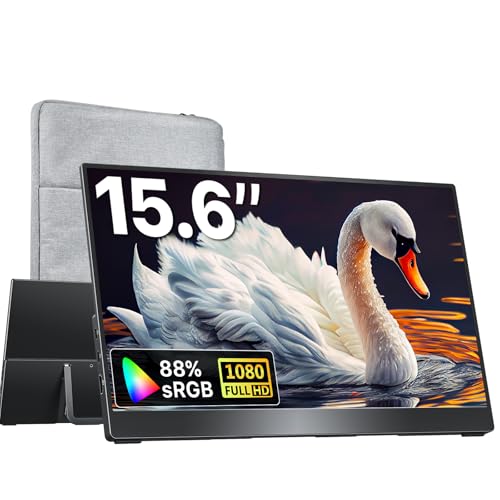
At roughly 1.5 pounds, the kksmart is the kind of second screen that disappears into a messenger bag until you need it. The 15.6-inch frameless panel runs 1920×1080 and pairs with dual USB-C ports plus HDMI, so it works with laptops, MacBooks, Surface devices, and current-gen consoles without hunting for adapters. Built-in speakers handle Discord pings in a pinch.
While it doesn’t push the 144Hz refresh of the VisionOwl 16-inch ahead of it, the kksmart trades raw speed for portability and price. VESA compatibility opens the door to a desk arm later, and the three-sided frameless design makes the screen feel larger than its 15.6-inch measurement. For students and remote workers who game on the side, it’s a practical balance.
Key Advantages
- 1.5-pound chassis is barely noticeable in a backpack built for daily commuting.
- Dual USB-C plus HDMI covers laptops, tablets, and consoles from a single screen.
- Three-sided frameless look keeps the panel feeling modern even at a desk.
- VESA mount ready for graduating to a proper arm setup.
Points To Note
- No high-refresh option, so it lands firmly in the productivity and casual-gaming lane.
- Built-in speakers are functional but thin, so most users will plug in headphones.
Best Suited To
Students and remote workers who want a featherweight second screen that doubles as a casual gaming display.
Not Your Match When
Players chasing 100Hz and above on a portable should step up to the VisionOwl 16-inch QHD option.
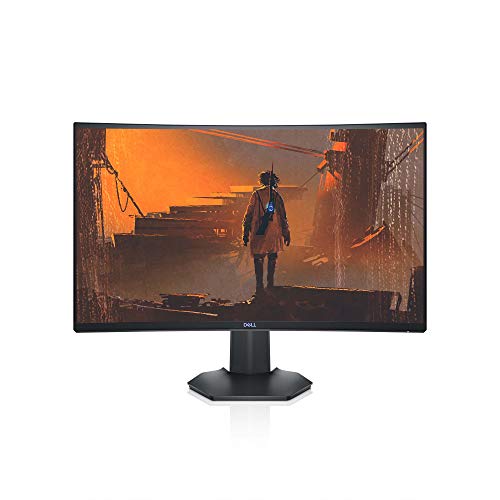
When portability isn’t the goal, the Dell S2721HGF plants a 27-inch curved canvas on your desk and leans into immersion. The 1500R curve wraps the edges closer to your peripheral vision, while a 144Hz refresh rate paired with 1ms MPRT response keeps motion sharp in twitchy shooters. AMD FreeSync Premium and Nvidia G-SYNC compatibility help the panel sync with whichever GPU brand you’re running.
Compared to the portable VisionOwl on this list, this Dell is firmly anchored: height- and tilt-adjustable stand, VESA mounting, and full-sized HDMI and DisplayPort jacks. The 1920×1080 resolution across 27 inches means pixels are visible up close, so sitting two to three feet back matters. For RPG fans and racing sim enthusiasts, the trade feels worth it.
Notable Gains
- 1500R curve pulls the edges of the screen into your peripheral vision for deeper immersion in open-world games.
- 1ms MPRT response keeps fast motion readable in FPS and racing titles.
- Height and tilt adjustment supports long sessions without neck strain.
- Joystick and shortcut buttons on the back make OSD navigation painless.
Small Caveats
- 1080p stretched across 27 inches looks soft at close desk distances, so it works best pushed back.
- The 144Hz ceiling is a step behind the Alienware AW2521HF for players chasing 240Hz.
Spec Overview
Whose Shelf It Belongs On
Single-player and sim fans who want a big, immersive desktop panel without stepping into premium pricing.
Reach For A Different Pick When
Competitive FPS players chasing 240Hz should look at the Alienware AW2521HF instead.
The VisionOwl 18.5-inch trades a bit of backpack space for noticeably more screen real estate. The 1080p IPS panel keeps colors consistent across wide viewing angles, which matters when you’re sharing a docked Switch session on a hotel room desk. At 2.7 pounds and roughly a half-inch thick, it’s still light enough to throw in a laptop sleeve.
Unlike the smaller 15.6-inch cocopar and kksmart panels earlier, this VisionOwl gives split-screen co-op a fighting chance. USB-C and HDMI inputs cover laptops, MacBooks, PS5, and Xbox, while the built-in kickstand props the screen at a stable angle on flat surfaces. For console travelers who want desktop-style immersion without hauling a full-size monitor, this lands in a useful middle ground.
A Favorable Mix
- 18.5-inch canvas is roomy enough for split-screen co-op and document work side by side.
- IPS panel preserves color when the viewing angle isn’t perfectly centered.
- Built-in kickstand sets up in seconds on any flat surface.
- Compatible with VESA mounts for permanent desk installations.
Honest Caveats
- 2.7 pounds is heavier than 15.6-inch portables, so it adds real weight to a daily commute.
- 1080p stretched across 18.5 inches looks slightly soft, depending on how close you sit.
Who Will Love This
Console travelers and shared-room gamers who want a noticeably larger screen than a typical 15.6-inch portable.
A Better Fit Elsewhere
Backpack-only commuters will find the kksmart 15.6-inch easier to carry every day.
The Upperizon takes the 18.5-inch portable form factor and pushes it toward creative work. Claimed 125% sRGB coverage, an 8-bit color depth, and a 1200:1 contrast ratio give games and indie films a richer palette than typical budget panels offer. The 100Hz refresh rate is a useful middle ground between 60Hz casual panels and 144Hz speedsters.
Where this screen separates itself from the VisionOwl 18.5-inch ahead of it is in the spec sheet aimed at color-sensitive buyers. HDR support lifts highlights in cinematic games, while the integrated kickstand and VESA compatibility keep setup flexible. The honest read is that hybrid creatives who game on the side will appreciate the wider color gamut more than pure competitive players will.
What Works In Its Favor
- 125% sRGB coverage produces more vivid colors in indie games and animated films.
- 100Hz refresh rate adds visible smoothness over standard 60Hz screens.
- Built-in kickstand and VESA support keep the desk setup flexible.
- HDR support brings extra punch to cinematic single-player experiences.
Points To Keep In Mind
- 100Hz falls short of 144Hz panels for hardcore competitive players.
- 18.5-inch size adds bulk compared to standard 15.6-inch travel monitors.
Quick Facts
Made For
Hybrid creators and gamers who want extra color depth from a portable second screen.
Swap It Out When
Competitive players chasing 144Hz motion should consider the VisionOwl 16-inch QHD portable instead.
The Alienware AW2521HF is the panel competitive players end up dreaming about. A 240Hz refresh rate combined with a 1ms GtG response time turns fast camera turns and flick shots into readable motion, and the fast IPS panel keeps colors looking right from off-center seats. Up to 99% sRGB coverage means skins and environments look as intended, not washed out.
Compared to the Dell S2721HGF curved panel earlier, this Alienware swaps screen size and curvature for raw speed and color accuracy. AMD FreeSync Premium and Nvidia G-SYNC compatibility keep the picture tear-free across GPU brands, and a unique top-and-bottom venting design helps the panel stay cool during marathon sessions. For Valorant and CS2 mains who count frames, this is the honest top tier of the cheap monitors for gaming conversation.
Features That Help
- 240Hz refresh rate delivers noticeably smoother aim tracking than 144Hz panels.
- 1ms GtG response keeps ghosting minimal during sudden direction changes.
- Up to 99% sRGB coverage preserves character and skin color fidelity.
- Cooling vents at the top, bottom, and rear help the panel stay cool during long sessions.
Room For Improvement
- 24.5-inch diagonal is small by modern standards, so it suits competitive desks more than living-room setups.
- To push 240Hz, your GPU needs real horsepower, so older graphics cards will leave frames on the table.
Perfect Match For
Competitive FPS players who prioritize frame timing and motion clarity above all else.
Where Another Pick Suits Better
Single-player fans chasing immersion will find the Dell S2721HGF curved 27-inch a friendlier fit.
BenQ’s Mobiuz EX2510 leans into the side of gaming monitors that doubles as a media display. The 24.5-inch 1080p IPS panel runs at 144Hz with a 1ms MPRT response time, but the real story is HDRi, BenQ’s own take on HDR that adjusts contrast and color frame by frame. Built-in speakers round out a setup that doesn’t demand an extra sound system on a small desk.
Compared to the Alienware speedster ahead of it, this BenQ gives up the 240Hz ceiling for a more cinematic visual treatment and integrated audio. Light Tuner and Black eQualizer help in dark and bright scenes, which matters for horror and exploration games. For mixed-use desks where games, films, and music all share the same space, the EX2510 earns its spot.
The Helpful Details
- HDRi optimization fine-tunes contrast and color on the fly, lifting detail in moody games.
- Built-in speakers free up desk space for smaller setups.
- Black eQualizer reveals detail in dark scenes without washing out bright areas.
- Bezel-less design keeps the screen feeling open during immersive sessions.
Softer Spots
- 144Hz is a step behind the Alienware AW2521HF for hardcore competitive play.
- HDRi is a software enhancement rather than full HDR1000, so expectations should be tempered.
Who Should Grab It
Mixed-use gamers who split time between competitive titles, single-player epics, and movies on the same screen.
Look Elsewhere When
Players chasing 240Hz should step up to the Alienware AW2521HF instead.
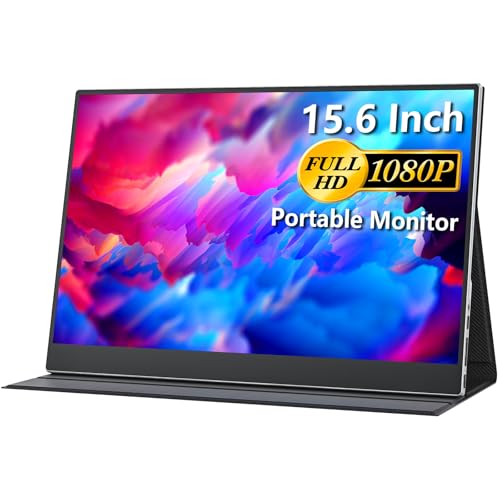
The second cocopar on this list earns its spot by wrapping the 15.6-inch 1080p IPS panel in a full-coverage folding stand. The cover protects the glass during daily backpack trips, which is the kind of detail that pays off after months of use. IPS viewing angles and 85% sRGB coverage keep colors looking right in cafés and shared workspaces.
Where this differs from the earlier cocopar in the lineup is the stand design. Instead of a slim cover that props a single angle, the full-coverage version feels sturdier in lap and tray-table setups. At 60Hz it’s still a casual-gaming panel, so don’t expect it to keep up with the VisionOwl 16-inch QHD. For travelers who treat their gear roughly, the protective shell is the real story.
What Stands Out
- Full-coverage folding stand doubles as screen protection in transit.
- USB-C and HDMI inputs cover laptops, MacBooks, and current-gen consoles.
- Built-in speakers add basic audio without filling the bag.
- VESA compatibility opens the door to permanent desk mounting.
Less Ideal Details
- 60Hz refresh rate is a hard cap for fast-paced competitive titles.
- The protective cover adds slight bulk compared to a bare panel design.
Right Fit For
Travelers who pack light and often worry about screen scratches on the road.
Another Choice May Suit
Buyers who want smoother motion should consider the VisionOwl 16-inch 2.5K portable instead.
The SMISEACOW 15.6-inch extender takes a different angle on portable screens, doubling as a productivity sidekick for laptop work. The FHD panel pairs with dual stands that clamp alongside an open laptop, transforming a single-screen setup into a two-screen workflow. It’s built for spreadsheet warriors and coders who occasionally unwind with a quick gaming session.
Where this contrasts with the gaming-leaning portable VisionOwls and cocopars on this list is the focus on stability over speed. The dual-stand design keeps the panel firmly planted on uneven surfaces like café tables or airline tray tables. Casual titles and indie games look fine at 1080p, but anyone chasing 144Hz should stick with the VisionOwl 16-inch QHD instead.
Points In Its Favor
- Dual stands clamp to a laptop for a stable side-by-side screen arrangement.
- 1080p FHD panel is sharp enough for productivity tasks and casual gaming.
- Compact form factor fits alongside most 13- to 16-inch laptops in a backpack.
A Few Limitations
- No high-refresh option, so competitive motion will feel limited.
- Dual-stand clamp works best on standard laptop lids, depending on thickness and bezel design.
Built With In Mind
Productivity-first laptop users who want a portable second screen for work and casual gaming on the side.
Consider Something Else When
Gamers who want 144Hz or higher should look at the VisionOwl 16-inch 2.5K portable instead.
Picking The Right Panel Without Overspending
Refresh rate sits at the top of the priority list for most cheap monitors for gaming, because it dictates how smooth motion looks during gameplay. A 144Hz panel offers a clear jump over 60Hz for shooters and racing games, while 240Hz makes sense mainly for competitive titles on a strong GPU. Match the refresh rate to the genres you play most, since chasing 240Hz on a casual RPG setup usually means wasted frames.
Panel type changes the experience in subtler ways. IPS panels, the “in-plane switching” technology used in nearly every pick on this list, deliver wide viewing angles and solid color accuracy. VA panels, common in curved screens like the Dell S2721HGF, push deeper contrast at the cost of slightly slower response. For mixed gaming and movie use, IPS is the safer bet, while VA shines in moody single-player titles.
Sync support matters more than people expect. AMD FreeSync and Nvidia G-SYNC compatibility align the monitor’s refresh with your GPU’s frame output, which reduces screen tearing and stutter without a noticeable input lag penalty. Most modern budget panels support at least one of these standards, and a few, like the Alienware AW2521HF, cover both.
Connectivity determines how clean your desk stays. USB-C input is a quiet hero for laptops, because a single cable carries video, data, and sometimes power. HDMI remains the lingua franca for consoles, and DisplayPort still shows up on desktop GPUs. Picking a screen with the right ports for your existing devices saves the cost and clutter of adapters.
Key Considerations Across These Picks
Common Shopping Slip Ups
A frequent misstep is chasing a large diagonal at the cost of resolution. A 27-inch 1080p screen, like the Dell S2721HGF, looks soft up close and rewards pushing the chair back. The smarter play is matching screen size to viewing distance: 24 to 25 inches works well at arm’s length for competitive play, while 18.5-inch portables like the VisionOwl and Upperizon suit close-quarters travel setups.
Another trap is ignoring sync support. Budget panels without FreeSync or G-SYNC compatibility will show visible tearing once frame rates climb above the refresh ceiling. Before committing, confirm the screen works with your GPU brand, since AMD and Nvidia each have specific certification requirements that affect real-world performance.
Where The Extra Money Goes
Spending more on a budget gaming screen typically buys you a higher refresh rate, a faster response time, or better color coverage. The jump from 60Hz to 144Hz is the most noticeable for most players, while 240Hz panels like the Alienware AW2521HF make sense only for serious competitive play. Wider color gamuts and HDR support matter more for cinematic and creative titles, where 125% sRGB coverage on the Upperizon 18.5-inch adds visible depth.
Build quality and adjustability also scale with price. Stand ergonomics, VESA mount compatibility, and integrated speakers show up more often in mid-range panels. The honest read is that paying a bit more usually buys longevity, since a sturdier stand and proper cooling vents extend the panel’s usable life in heavy gaming sessions.
Frequently Asked Questions
What refresh rate matters most for budget gaming?
A 144Hz panel hits the sweet spot for most cheap monitors for gaming, delivering visibly smoother motion than 60Hz without the GPU demands of 240Hz screens. Competitive FPS players gain the most from pushing to 240Hz, while casual gamers usually find 144Hz more than enough.
Are portable monitors good for console gaming?
Portable screens work well for console gaming in tight spaces, since USB-C and HDMI inputs cover the Switch, PS5, and Xbox directly. Models like the VisionOwl 16-inch 2.5K add high refresh rates that benefit docked Switch and PS5 sessions in a dorm or travel setup.
Does panel type affect gaming performance?
IPS panels offer the best balance of color accuracy and response time for mixed gaming, which is why most picks on this list use IPS. VA panels in curved screens like the Dell S2721HGF deliver deeper contrast for single-player titles but trade a bit of response speed.
How important is FreeSync or G-SYNC support?
Sync support reduces screen tearing and stutter by matching the monitor’s refresh to your GPU’s frame output. Budget gamers with AMD or Nvidia cards benefit equally when a panel supports both standards, as seen in the Alienware AW2521HF and Dell S2721HGF.
Can a budget monitor handle both work and gaming?
Many cheap monitors for gaming double as solid work displays, especially IPS panels with accurate color and adjustable stands. The BenQ Mobiuz EX2510 and the Upperizon 18.5-inch portable both serve as productive daytime screens and capable gaming panels after hours.
Closing Remarks
The right cheap monitors for gaming depend on the games you play and the space you fill. Competitive players chasing frame timing will feel at home on the Alienware AW2521HF, while travelers and dorm dwellers get a lot of mileage from the VisionOwl 16-inch QHD or the slim cocopar 15.6-inch. Curved immersion fans find a natural fit in the Dell S2721HGF, and mixed-use desks land well with the BenQ Mobiuz EX2510. Match the screen to your setup, your genres, and your gear, and the upgrade pays off every time you sit down to play.


