


Spending less on a gaming display does not have to mean living with blur. A solid 144Hz panel turns aim tracking and camera pans from stuttery guesswork into actual readable motion, which is a real upgrade for anyone moving up from a 60Hz office screen. The trick is finding a cheap 144Hz gaming monitor that does not cut corners on the things that matter: variable refresh support, a response time quick enough for fast games, and a stand that lets you sit comfortably for hours.
The eight picks below cover the kinds of setups people actually run at home. Some lean hard on speed for competitive shooters, others favor deeper color and richer sound for RPG nights, and a few squeeze big-screen immersion into a small desk. Every one keeps the price tag approachable, and the guide after the reviews walks through what to weigh before committing.
How The Shortlist Stacks Up
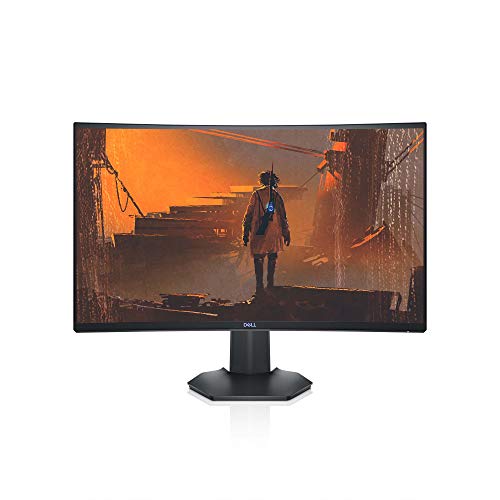
Dell S2721HGF 27″ 144Hz Curved Gaming Monitor

ASUS TUF VG27VH1B 27″ 165Hz Curved Monitor
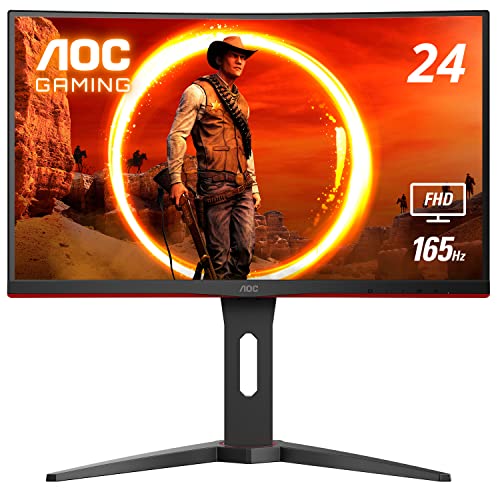
AOC C24G1A 24″ 165Hz Curved Frameless Monitor
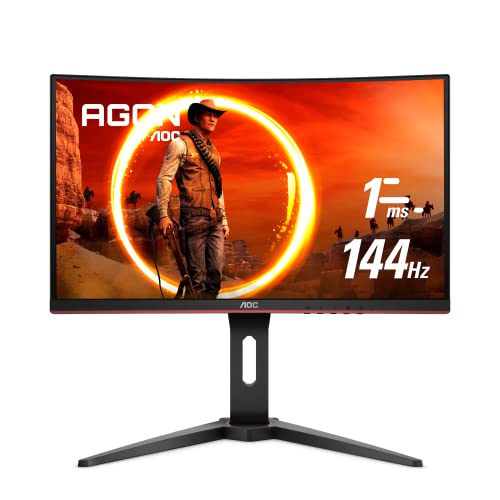
AOC C24G1 24″ 144Hz Curved Frameless Monitor

BenQ Mobiuz EX2510 24.5″ 144Hz IPS Monitor

BenQ Mobiuz EX2780Q 27″ QHD 144Hz IPS Monitor

ASUS TUF VG27VQ 27″ 165Hz Curved Monitor
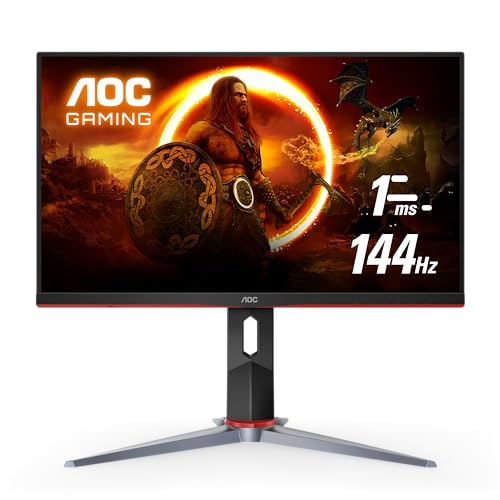
AOC 24G2 24″ 144Hz IPS Frameless Monitor
A Breakdown Of The Leading Choices
Single-screen immersion seekers who want the curve to do the heavy lifting should give the Dell S2721HGF a serious look. The 1500R curvature wraps the edges of the panel closer to your sightline, which helps RPGs and open-world games feel less like you are watching a window and more like you are standing inside the scene. For an apartment setup where one display handles everything, the bigger 27-inch canvas is the kind of upgrade you notice every night, not just on launch day.
Compared to the smaller AOC panels coming up later, this one trades some desk-friendly size for that wraparound feel. A height- and tilt-adjustable stand keeps long sessions from becoming a neck problem, and a rear joystick shortcut system makes menu diving a one-thumb job. It is the kind of pick that quietly outlasts a few GPU upgrades.
Key Advantages
- 1500R curve pulls peripheral content closer to your eyes, helping night-driving sims and open-world games feel more grounded.
- Nvidia G-SYNC Compatible and AMD FreeSync Premium support cut screen tearing without forcing a brand loyalty decision.
- 1ms MPRT response keeps fast motion readable when a competitive match suddenly turns chaotic.
- Height and tilt adjustments let you dial in a neutral neck angle, which matters on multi-hour evenings.
Worth Noting
- Full HD resolution on a 27-inch panel means fine text and dense HUDs look softer than they would on a QHD screen.
- At 27 inches with a curve, deep desks show the wraparound effect, but shallow IKEA-style desks may feel cramped.
Key Specs
Made For
Single-monitor setups in apartments or bedrooms where you want the screen to disappear into the game.
Look Elsewhere When
The BenQ Mobiuz EX2780Q is a stronger fit if you want sharper 1440p text and built-in speakers that can carry quieter indie games.
Competitive players chasing clean motion tend to end up at the ASUS TUF VG27VH1B, and for good reason. The 165Hz panel supports 144Hz with headroom to spare, and the brand’s Extreme Low Motion Blur technology is built to handle the ghosting that shows up when a fast flick lands badly. ELMB, in plain terms, strobes the backlight between frames so the image you see is closer to a true snapshot than a smeared trail.
Versus the Dell S2721HGF from the first slot, this ASUS panel runs slightly hotter on frame throughput and offers a comparable 1500R wrap, but it adds ELMB for the moments when the action gets genuinely fast. It is a practical pick for ranked grinders who play at a desk for hours and want the screen to keep up without paying for a 240Hz tier.
Practical Pluses
- 165Hz refresh ceiling gives competitive games a bit of future-proofing over strict 144Hz panels.
- FreeSync Premium support keeps frame pacing smooth when frame rates wobble in heavier scenes.
- Eye Care features reduce blue light output during late-night sessions, which helps when work runs late.
Trade Offs
- Only HDMI and D-Sub inputs on some configurations mean older DisplayPort-only GPUs may need an adapter.
- Curved 27-inch FHD shows visible pixel structure at typical desk distances for users sensitive to it.
Right Fit For
Esports and ranked play where every frame of motion clarity helps the read on enemy movement.
A Better Fit Elsewhere
The AOC 24G2 is a sharper competitive pick at 24 inches if your desk is shallow and you want a flat IPS panel instead of a curve.
Tighter desks, dorm rooms, and shared bedrooms all benefit from the AOC C24G1A’s compact footprint. The 1500R curvature is more pronounced at 24 inches than on a 27-inch panel, which actually helps the wraparound effect feel intentional rather than subtle. For first-timers stepping up from a 60Hz office display, the difference is visible within a single match.
Where the ASUS TUF above leans into competitive motion clarity, this AOC leans into a tidy, multi-monitor-friendly design. Three-sided frameless borders mean stacking two of them for a wider battle station stays affordable, and the height-adjustable stand tilts and swivels enough to share a desk with a laptop. For a small apartment battlestation, that flexibility is the real draw.
Everyday Wins
- 165Hz refresh ceiling over DisplayPort 1.2 leaves headroom for 144Hz gaming today and faster panels tomorrow.
- Height, tilt, and swivel adjustments suit small desks where chair and monitor positions shift often.
- FreeSync Premium support across a wide refresh range keeps frame drops from showing as visible judder.
- Three-sided frameless design cleans up multi-monitor setups without visible bezels breaking the wrap.
Points To Keep In Mind
- 165Hz operation requires the DisplayPort input, so HDMI users stay capped at 144Hz.
- VA panel contrast is high, but viewing angles are narrower than IPS, so off-center seating washes out color.
Quick Facts
Best Suited To
Small-room setups where the desk doubles as a workspace during the day and a battle station at night.
Skip It When
The BenQ Mobiuz EX2510 is a better match for anyone who values IPS color and built-in speakers over a curved VA panel.
First-time 144Hz upgraders looking for the lowest reasonable entry point tend to gravitate toward the AOC C24G1. It is the predecessor to the C24G1A above and covers the same 1500R curve at 24 inches, but the 144Hz ceiling keeps the price honest. For someone whose current setup is a 60Hz office screen, this is the kind of jump that genuinely changes how games feel without forcing a full rebuild.
Set against the C24G1A, you give up the 165Hz headroom and the slightly newer stand ergonomics, but the core experience stays familiar. The three-sided frameless design still handles a side-by-side pair, and the height-adjustable base is still here. It is the practical pick when every dollar saved goes back into a GPU or a new headset.
What It Does Well
- 1500R curvature at 24 inches keeps immersion strong even on shallow dorm-room desks.
- AMD FreeSync support smooths frame delivery across a wide refresh window on compatible GPUs.
- Height-adjustable stand adapts to chairs of different heights across a household.
Honest Caveats
- Native 144Hz refresh caps the ceiling for users who want 165Hz or higher down the road.
- VA panel contrast is great for dark rooms, but bright daylight near a window can wash out the image.
Feature Rundown
Who It Suits Best
First-time upgraders on a tight budget who want a reliable curved panel without paying for speed headroom they will not use.
Swap It Out When
The AOC 24G2 is a stronger fit if you want flat IPS color for a brighter room and slightly better viewing angles for couch co-op.
Players who want both smooth motion and accurate color in a single panel tend to land on the BenQ Mobiuz EX2510. The IPS panel keeps colors consistent from a wider range of seating positions, which is the kind of thing you stop noticing only because it stops being a problem. HDRi pushes contrast and color tweaks in supported games, and built-in speakers free up desk space where a separate set would be overkill.
Where the AOC C24G1A above pushes a curve, this BenQ goes flat and slightly bigger at 24.5 inches. That size hits a sweet spot: more screen than 24, less desk hog than 27, and easier viewing from the couch during a movie break. For mixed-use setups, the all-in-one package is the real appeal.
What Makes Sense
- IPS panel keeps color consistent at the edges, helpful for co-op play from a shared couch.
- FreeSync Premium support pairs cleanly with mid-range AMD and Nvidia cards.
- HDRi adjusts contrast and color per scene, making story-driven games more readable in dim rooms.
- Built-in speakers handle casual sessions and Discord calls without crowding the desk.
Small Caveats
- IPS panels show some backlight glow in dark scenes, visible mostly in a fully blacked-out room.
- Built-in speakers are convenient but lack the depth of a dedicated 2.1 setup.
Feature Snapshot
Perfect Match For
Mixed-use setups where the same screen handles competitive play, story games, and casual movie nights in equal measure.
Consider Something Else When
The BenQ Mobiuz EX2780Q is a stronger fit if you want a bigger 27-inch QHD panel and a USB-C single-cable connection for a laptop.
The BenQ Mobiuz EX2780Q sits at the higher end of the cheap 144Hz gaming monitor conversation, and the bump in pixel density is what earns its place. A 1440p IPS panel on a 27-inch screen makes text sharp, makes dense UI elements readable, and gives single-player games the kind of clarity that makes screenshots look intentional. The 144Hz ceiling keeps motion smooth without demanding a flagship GPU.
Versus the flat EX2510 from the previous slot, this one stretches to 27 inches, doubles the vertical pixels, and adds a USB-C input. That USB-C port turns the monitor into a dock for a modern laptop, sending video, data, and power over a single cable. For anyone bouncing between work and play on the same desk, the convenience is hard to overstate.
Useful Strengths
- 1440p resolution keeps small text crisp during productivity hours, so it doubles as a work display.
- USB-C input simplifies laptop connections, reducing cable clutter on a shared desk.
- 2.1 channel audio with a 5W subwoofer delivers fuller sound for late-night sessions without external speakers.
- 95% DCI-P3 coverage supports photo and video work between gaming sessions.
Where It Is Less Suited
- QHD at 144Hz demands a mid-range or better GPU to keep frame rates up in modern AAA titles.
- 27 inches and QHD sit at the upper limit of what counts as a budget pick in this category.
Key Product Details
Whose Shelf It Belongs On
Hybrid work-and-play setups where the same monitor handles daytime productivity and evening gaming without compromise.
Another Choice May Suit
The Dell S2721HGF is a better value if you do not need QHD sharpness and would rather put the savings toward a stronger GPU.
Long-session heavy users who push their gear hard should give the ASUS TUF VG27VQ a closer look. The TUF line is built around durability, and the stand and chassis feel a step more solid than a typical budget curved panel. ELMB and a 165Hz refresh ceiling keep the action sharp, and FreeSync support smooths out the frame-rate dips that show up in longer open-world sessions.
Compared to the ASUS TUF VG27VH1B earlier, this 27-inch sibling trades HDMI-only flexibility for DisplayPort and HDMI together, which is the practical combination most people actually want. The curve stays at 1500R, the panel response stays at 1ms MPRT, and the build feels like it is ready to survive a few moves between apartments.
What Works In Its Favor
- TUF-grade build quality stands up to daily adjustments and the occasional desk shuffle.
- DisplayPort and HDMI inputs cover modern GPUs and consoles from a single panel.
- Eye Care features help reduce eye strain during late-evening ranked sessions.
Possible Compromises
- 27-inch FHD means pixel density trails smaller curved panels like the AOC C24G1A.
- Curved 27-inch footprint demands a deeper desk to feel comfortable, especially for taller users.
Who Should Grab It
Gamers who treat their setup as a long-term investment and want a sturdier stand and chassis than most budget panels offer.
Reach For A Different Pick When
The AOC 24G2 is a smarter fit for tight desks where a flat 24-inch IPS panel fits the space better than a 27-inch curve.
Flat-panel loyalists and tournament-style players tend to end up at the AOC 24G2, and it is easy to see why. The 24-inch IPS panel delivers consistent color from off-center angles, which matters when a teammate is watching your screen mid-match. A 144Hz refresh rate combined with a 1ms response keeps crosshairs honest, and FreeSync Premium adds a layer of smoothness when frame rates wander.
Versus the curved AOC C24G1A, this 24G2 goes flat, which makes it more forgiving in shared rooms and brighter lighting. The three-year zero dead pixel coverage is unusually generous, and the included VGA port keeps it compatible with older office PCs. For a clean, no-nonsense competitive setup, it is hard to argue with.
Practical Advantages
- IPS panel keeps color and contrast consistent from the sides, helpful for observers and coaches.
- FreeSync Premium support pairs with both AMD and compatible Nvidia GPUs for tear-free play.
- Three-year zero dead pixel warranty protects against the most common panel defect.
- Height-adjustable stand with tilt fits a range of seating positions across long sessions.
Things To Weigh
- Only HDMI, DisplayPort, and VGA inputs mean no USB-C for laptop docking.
- 144Hz ceiling is solid, but speed-focused players might want 165Hz headroom over time.
Feature Card
Who Will Love This
Competitive players who prefer a flat IPS panel and value clean, consistent color during long ranked sessions.
Not Your Match When
The AOC C24G1A is a better alternative if you prefer a curved panel and want 165Hz headroom on DisplayPort.
Matching The Panel To Your Play Style
Picking a cheap 144Hz gaming monitor comes down to a few honest questions about how you actually use your desk. The first is panel type, which shapes the entire feel of the screen. IPS panels, like the AOC 24G2 and the BenQ Mobiuz models, keep colors consistent from wider angles and work well in brighter rooms. VA panels, found in the Dell S2721HGF and the AOC C24G1A, push deeper blacks for moody games but can wash out when viewed off-center. TN panels show up less in this category, but they remain the fastest option for pure speed.
Curved Or Flat
Curved panels, measured by their radius (1500R being more curved than 1800R), wrap the edges of the screen closer to your eyes. For solo play at a centered desk, that wrap makes open-world games feel grounded. For shared viewing or wall-mounted setups, a flat panel is usually easier to live with.
Response Time And Variable Refresh
A 1ms response figure, whether MPRT (Moving Picture Response Time) or GtG (gray to gray), is the headline number most people chase. MPRT measures how long a frame stays visible, while GtG measures pixel transitions. Both are useful, but the practical difference shows up during fast camera turns. Pairing that response time with FreeSync Premium or G-SYNC Compatible support, which synchronizes the monitor’s refresh to the GPU’s frame delivery, keeps tearing in check when frame rates wobble.
Resolution, Size, And GPU Headroom
Full HD panels stretch 1920 x 1080 pixels across 24 to 27 inches, which keeps the cost and GPU demands low. QHD panels at 2560 x 1440 demand a mid-range or better graphics card to keep frame rates up. If your GPU is a few generations old, FHD remains the more sensible pairing. If you can push the pixels, QHD on a 27-inch IPS panel is the visual sweet spot for mixed use.
Stands, Mounts, And Daily Comfort
Height and tilt adjustments are not a luxury on a panel you stare at for hours. VESA compatibility (a 100 x 100mm mounting standard on the back of the monitor) lets you swap the included stand for a wall mount or monitor arm, which clears desk space and gives finer position control. For a small apartment desk, that swap can be the difference between a clean setup and a cluttered one.
Smart Considerations Before You Commit
Common Shopping Slip Ups
The most frequent mistake in this category is chasing the highest refresh number while ignoring the panel type. A 165Hz VA panel with narrow viewing angles can look worse in practice than a 144Hz IPS panel, especially if you share the screen. Another trap is assuming every cheap 144Hz gaming monitor ships with the cables you need. Some include only HDMI, others only DisplayPort, and a missing cable means an extra trip before the first match.
It is also easy to forget that a 27-inch FHD panel shows visible pixel structure at typical desk distances. For text-heavy work, that softness adds up over a day. Picking a smaller curved panel or stepping up to QHD solves the issue, but only if the rest of the setup justifies it.
Where The Extra Money Goes
Higher-tier panels in this category earn their cost through sharper resolution, wider color coverage, USB-C connectivity, and better-built stands. The BenQ Mobiuz EX2780Q is a clear example: it adds 1440p resolution, 95% DCI-P3 color, a USB-C input, and a 2.1 speaker system with a subwoofer. For a single-cable laptop setup or a shared work-and-play desk, those upgrades are worth the jump. For a pure 1080p gaming rig, the savings on a panel like the AOC C24G1 go further toward a faster GPU or more storage.
Frequently Asked Questions
Is 144Hz enough for competitive gaming?
For most players, 144Hz is a meaningful jump from 60Hz and handles ranked play in shooters, MOBAs, and fighting games without issue. Going higher to 165Hz or 240Hz helps most in very fast scenarios, but the difference narrows as your skill climbs. For everyday play, 144Hz is plenty.
Do I need a curved monitor for gaming?
Curvature is a preference, not a requirement. Curved panels help solo, centered play feel more immersive, especially on 27-inch screens. Flat panels are easier to mount, share, and read in bright rooms. Pick the shape that matches how and where you sit.
Will my current GPU handle a 144Hz monitor?
Most modern GPUs from the last several generations can push 144 frames per second in esports titles at 1080p. Heavier single-player games at higher settings may not reach 144, which is where FreeSync or G-SYNC Compatible support earns its keep by smoothing the frame rate that does come through.
What cables do cheap 144Hz gaming monitors need?
Most 144Hz panels expect a DisplayPort cable for full speed, especially for refresh rates above 144Hz. HDMI 2.0 handles 144Hz at 1080p on many panels, but older HDMI versions cap lower. Check the included accessories before buying a second cable.
Can I use a cheap 144Hz monitor for work too?
Yes, and IPS panels in this category are comfortable for spreadsheets, documents, and video calls. QHD panels at 27 inches keep text crisp, while 24-inch FHD panels are sharp enough for everyday office tasks. Built-in speakers on models like the BenQ Mobiuz EX2510 also help with casual calls.
Closing Remarks
A cheap 144Hz gaming monitor is one of the best upgrades you can make on a budget, and the eight picks above cover the most useful shapes, sizes, and panel types in the category. Match the screen to your desk, your GPU, and the kind of games you play most, and the difference over a 60Hz office display shows up the moment you load a match. The right panel is the one that disappears into your routine, not the one with the loudest spec sheet.


