


Gaming on a tight budget used to mean blurry screens, washed-out colors, and panel ghosting that ruined every firefight. The current crop of budget Pc monitors for gaming has quietly closed the gap, offering 144Hz refresh rates, FreeSync support, and IPS panels that would have looked midrange a couple of years ago. The trick is sorting the genuinely capable panels from the ones that just look fine on a spec sheet. This roundup focuses on monitors that deliver smooth motion, honest build quality, and real-world value for casual through to competitive players who refuse to overspend.
The Leading Options At A Glance
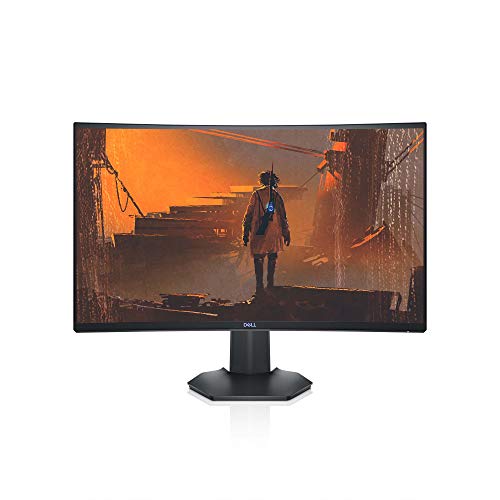
Dell S2721HGF 27 Inch Curved 144Hz Gaming Monitor

HP 24mh 23.8-Inch IPS FHD Monitor
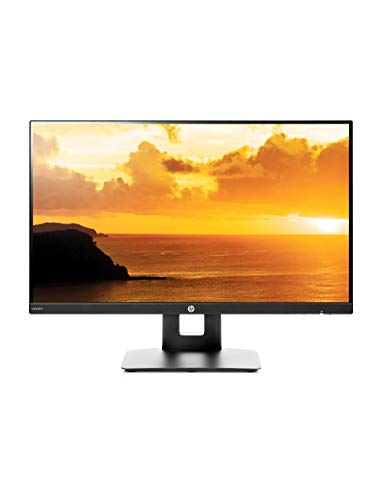
HP VH240a 23.8-Inch Full HD IPS Monitor
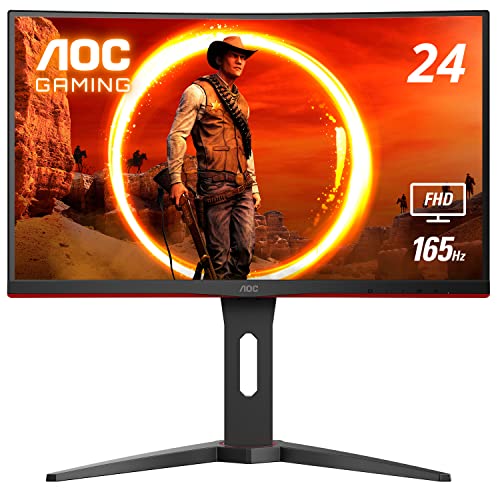
AOC C24G1A 24 Inch Curved 165Hz Gaming Monitor

BenQ GW2480 24 Inch FHD IPS Eye-Care Monitor
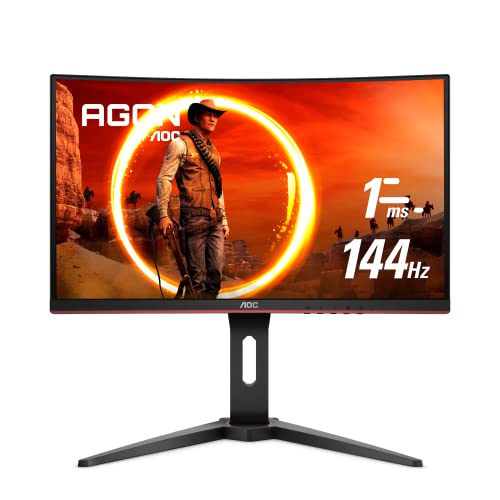
AOC C24G1 24 Inch Curved 144Hz Gaming Monitor

BenQ Mobiuz EX2510 24.5 Inch 144Hz IPS Monitor

Dell SE2725HM 27 Inch FHD IPS 100Hz Monitor

BenQ MOBIUZ EX2510S 25 Inch 165Hz IPS Gaming Monitor
Meet The Standout Selections
A 27-inch curved screen with a 144Hz refresh rate and 1ms response sets a strong foundation, especially when paired with both Nvidia G-SYNC Compatible Certification and AMD FreeSync Premium support to cut screen tearing. The 1500R curvature pulls the edges of the action into your peripheral vision, which feels more cinematic in single-player titles and less helpful in strict esports play. Dell’s height and tilt adjustment keeps the panel steady through long sessions, and the rear-mounted joystick simplifies on-screen display navigation.
For gamers who want one big immersive display on a desk that still leaves room for a keyboard and mouse, the S2721HGF hits a familiar sweet spot. Compared with the smaller HP 24mh reviewed below, this Dell trades office polish for raw motion clarity, which competitive players will appreciate. Anyone chasing top-tier color volume should look elsewhere, but for general play the panel pulls its weight.
What Stands Out
- 144Hz refresh rate with 1ms (MPRT) response keeps fast movement readable
- Dual adaptive-sync support covers most modern GPUs without extra setup
- 1500R curve wraps the action for solo single-player sessions
- Height and tilt adjustments help with long-day comfort
Points To Note
- VA panel contrast is strong, but viewing angles are narrower than IPS
- No USB-C input, so laptop users may need an extra adapter
Key Specs
Built With In Mind
Single-screen gamers chasing immersion who also want reliable adaptive sync across both major GPU brands.
Skip It When
Color-critical creators should reach for the BenQ MOBIUZ EX2510S, which pairs IPS viewing angles with a higher 165Hz ceiling.
The HP 24mh leans into a slim, micro-edge design that keeps the focus on the IPS panel rather than the bezel. Height and tilt adjustment make it easier to dial in a comfortable eye line during long working days, and the built-in speakers remove the need for a separate desktop audio setup in a dorm or small home office. HDMI and DisplayPort inputs cover the modern laptop and PC crowd without asking anyone to dig out a legacy cable.
This is a strong generalist monitor for someone who games a few nights a week and works the rest of the time. Compared with the AOC C24G1A further down, the 24mh trades raw speed for cleaner text and wider viewing angles. The 75Hz ceiling is the obvious ceiling for anyone chasing competitive frames, but for the price the IPS image quality is hard to argue with.
Well-Handled Touches
- IPS panel delivers consistent color and wide viewing angles
- Height adjustment plus tilt helps posture during long sessions
- Built-in speakers keep the desk minimal for students
Trade-Offs To Consider
- 75Hz refresh rate is fine for casual play but lags behind the 144Hz competition
- Built-in speakers are fine for calls, not for serious gaming audio
Feature Snapshot
The Right Fit
Students and remote workers who want a clean IPS panel for weekday tasks and a few rounds of gaming at night.
Look Elsewhere When
Competitive players chasing high refresh rates should pick the AOC C24G1A, which delivers 165Hz motion in a similar size class.
The VH240a has earned its reputation as a versatile home-office pick that doubles as a casual gaming panel. The stand rotates between portrait and landscape, tilts freely, and supports VESA mounting, which is more flexibility than most budget monitors bother to offer. The 23.8-inch IPS display renders documents and browser tabs with the kind of color stability that students and remote workers appreciate.
Gaming-wise, the 60Hz refresh rate keeps the VH240a firmly in casual territory, so anyone planning ranked sessions should set expectations. Where the monitor shines is in mixed-use households where one screen handles spreadsheets in the morning, shows in the afternoon, and a few rounds of lighter games in the evening. The built-in speakers handle video calls without hogging desk space.
Where It Delivers
- Rotating portrait and landscape stand is rare at this price
- IPS panel keeps colors consistent across wide viewing angles
- VESA mounting support frees up desk real estate for arm setups
Worth Bearing In Mind
- 60Hz refresh rate is limiting for fast-paced competitive play
- Built-in speakers are functional but lack bass for movie nights
Whose Shelf It Belongs On
Home users who split time between productivity software, streaming, and occasional single-player gaming.
Swap It Out When
Hardcore FPS players will find the AOC C24G1A’s 144Hz refresh and curved VA panel a more compelling daily driver.
Esports-minded shoppers on a budget will find a lot to like in the C24G1A. A 165Hz refresh rate over DisplayPort, paired with 1ms MPRT response, gives fast-paced shooters a noticeably cleaner image during flick shots and quick camera pans. The 1500R curve matches the natural shape of your field of view, and AMD FreeSync Premium support keeps frame delivery smooth when the action gets heavy. Low Framerate Compensation is a useful safety net for GPUs that occasionally dip below 48 fps.
The trade-off is the VA panel, which produces deeper blacks than the IPS competition but slightly narrower viewing angles. The height-adjustable stand with swivel, tilt, and quick-release design is a rare find at this price point, especially with VESA compatibility for arm mounting. For anyone who plays one or two competitive titles competitively, the C24G1A is the panel that justifies the budget most directly.
A Few Strong Suits
- 165Hz refresh rate over DP for genuinely fast motion clarity
- 1500R curve deepens the sense of immersion in single-player titles
- FreeSync Premium plus LFC handles frame-rate dips gracefully
- Height, swivel, and tilt adjustments come standard
Honest Caveats
- VA viewing angles are slightly tighter than IPS, so off-center viewing shifts color
- No built-in speakers, so a separate audio setup is required
Quick Facts
Best Suited To
Competitive FPS and MOBA players who want genuine high-refresh performance without stretching into premium pricing.
Where Another Pick Suits Better
Single-player fans chasing richer color and HDR-style contrast should consider the BenQ Mobiuz EX2510 for its HDRi optimization.
The GW2480 is the rare budget monitor that prioritizes how your eyes feel at the end of a long day. BenQ’s eye-care technology combines low blue light filtering, flicker-free backlighting, and adaptive brightness that responds to the lighting in your room. The 24-inch IPS panel renders text crisply enough for spreadsheet work and handles weekend gaming sessions without the washed-out look older TN panels often show.
Connectivity covers DisplayPort, HDMI, and VGA, which is a thoughtful touch for anyone upgrading from an older system. The slim bezel keeps multi-monitor builds looking clean, and the built-in speakers handle voice calls without a fuss. Refresh rate sits at 60Hz, so this monitor leans toward mixed-use households rather than esports, but the comfort focus is a genuine differentiator.
Notable Upsides
- Eye-care tech eases fatigue during extended screen time
- IPS panel keeps text and color looking sharp across the screen
- Adaptive brightness responds to ambient light for a softer viewing experience
Trade Offs
- 60Hz refresh rate is limiting for fast-paced competitive games
- Stand offers tilt only, no height adjustment out of the box
Feature Snapshot
Right Fit For
Remote workers, students, and anyone logging long hours who values eye comfort over peak refresh rates.
Consider Something Else When
Esports-focused players will be better served by the AOC C24G1A and its 165Hz motion handling.
The original C24G1 remains a sensible entry point for anyone stepping into curved gaming monitors. A 144Hz refresh rate, 1ms MPRT response, and FreeSync support cover the core needs of fast play, while the 1500R VA panel delivers contrast that makes dark scenes in single-player games feel weightier. The three-sided frameless design is a thoughtful touch for multi-monitor battle stations where bezels tend to break immersion.
Compared with the newer C24G1A reviewed earlier, this model sticks to 144Hz rather than pushing to 165Hz, but most gamers will not notice the gap in regular play. Height adjustment, VESA compatibility, and a 3-year zero dead pixel policy add peace of mind for first-time curved-monitor shoppers. This is a clean, no-nonsense panel that does what it says on the box.
What Pays Off
- 144Hz refresh with 1ms response handles competitive genres comfortably
- 1500R curve gives a tangible sense of immersion in story-driven games
- Frameless design works well for dual or triple monitor setups
Some Limits To Know
- VA panel contrast is great, but off-angle color shifts more than IPS
- No USB-C input means laptop users may need a docking adapter
Who Should Grab It
First-time curved-monitor shoppers who want a capable 144Hz panel without paying for the newest refresh tier.
Another Choice May Suit
Players who prefer IPS color and eye comfort should consider the BenQ GW2480, especially for daytime work and lighter gaming.
BenQ’s Mobiuz EX2510 focuses on image polish in a way most budget monitors skip. HDRi optimization adjusts contrast and color in real time, while the built-in speakers deliver cleaner audio than the average panel. The 144Hz IPS panel balances motion clarity with consistent color, which makes story-driven games look as good as they play. FreeSync Premium support handles frame pacing so on-screen action stays clean.
The 24.5-inch panel size sits in a comfortable middle ground for desks that feel cramped with 27-inch screens. Light Tuner and Black eQualizer features help you find details in dark areas without washing out the rest of the image. For gamers who play narrative titles more than ranked shooters, the EX2510 leans into the experience rather than raw speed.
Bright Spots
- HDRi optimization adds depth and color nuance in supported games
- IPS panel keeps color consistent at off-center angles
- Built-in speakers are cleaner than typical monitor audio
Possible Compromises
- 144Hz ceiling trails the 165Hz options in this roundup
- Smaller 24.5-inch size may feel tight on deeper desks
Perfect Match For
Single-player and RPG fans who value color depth and image polish over maximum frame rates.
Reach For A Different Pick When
Esports players chasing the smoothest motion should look at the AOC C24G1A, which pushes 165Hz with a curved VA panel.
The SE2725HM is a practical home monitor built for households where the same screen handles work, school, and casual play. A 100Hz refresh rate sits comfortably above standard 60Hz, giving smoother scrolling and noticeably cleaner motion in everyday games. The 27-inch IPS panel delivers wide viewing angles that make it easy to share a video or presentation with someone sitting next to you, and the ComfortView Plus feature reduces blue light without yellowing the image.
Gaming performance tops out well below the 144Hz competition, so this is not the monitor for ranked play. For mixed-use rooms, though, the SE2725HM is a sensible centerpiece that pairs with HDMI and VGA inputs and uses a tilt-adjustable stand to fit common desk heights. Anti-glare coating helps in sunlit rooms where reflections would otherwise ruin the experience.
The Helpful Details
- 27-inch IPS screen gives family or roommates a comfortable shared view
- 100Hz refresh rate makes everyday scrolling feel smoother
- ComfortView Plus reduces blue light without heavy color shifts
Things To Weigh
- 5ms response time lags behind the 1ms gaming panels in this roundup
- Stand supports tilt only, so VESA mounting may be needed for proper height alignment
Who It Suits Best
Family setups and home offices where one monitor needs to handle work, school, and lighter gaming in the same day.
A Better Fit Elsewhere
Dedicated gamers chasing smooth motion should pick the Dell S2721HGF, which delivers 144Hz on a curved panel in a similar size class.
The EX2510S is the polished choice for gamers who want a 165Hz IPS panel without stepping up to premium pricing. A 1ms MPRT response time keeps motion sharp, and FreeSync support handles frame pacing on both AMD and compatible Nvidia cards. HDRi technology, the Light Tuner, and the Color Optimizer all give you tools to dial the image toward your taste rather than the factory default.
Eye-care features carry over from BenQ’s productivity line, which makes the EX2510S a strong fit for streamers and creators who game and edit on the same panel. Adjustable height, swivel, and tilt let the stand adapt to different desks and seating positions. For a tidy setup, the built-in 2.5W speakers handle voice chat and casual audio without a separate sound system.
What Helps Most
- 165Hz refresh rate on an IPS panel balances speed and color
- HDRi and Color Optimizer give meaningful control over image quality
- 99% sRGB coverage helps content look right for basic editing
Less-Strong Areas
- 25-inch screen may feel small if you sit farther from your desk
- Built-in speakers are functional but not a substitute for dedicated audio
Technical Highlights
Made For
Streamers, casual creators, and gamers who want a color-accurate IPS panel with serious motion headroom.
Not Your Match When
Shoppers who prefer the wraparound feel of a curved panel should consider the Dell S2721HGF, which pairs a 1500R curve with 144Hz speed.
What Matters Most Before Choosing Budget Pc Monitors For Gaming
A monitor is the part of your gaming setup you look at the longest, so the right panel matters more than any other upgrade. Refresh rate is the headline number, but the right value depends on what you play and what your GPU can actually push.
Refresh Rate And Response Time
A higher refresh rate, measured in hertz (Hz), means the screen redraws more often per second, so motion looks smoother. 144Hz has become the practical sweet spot for budget Pc monitors for gaming, while 165Hz panels like the AOC C24G1A and BenQ MOBIUZ EX2510S offer a small extra bump. Response time, measured in milliseconds (ms) and often quoted as MPRT (Moving Picture Response Time) or GtG (gray to gray), describes how quickly pixels change. A 1ms response keeps fast action readable, which matters most in competitive shooters.
Panel Type And Image Quality
IPS panels offer wide viewing angles and accurate color, which is why they tend to dominate creative work. VA panels, like the ones in the Dell S2721HGF and AOC C24G1A, deliver deeper blacks and stronger contrast, which helps cinematic games look richer. TN panels are the oldest technology here, and most budget Pc monitors for gaming in 2026 lean toward IPS or VA. The honest read is that VA excels for darker single-player content, while IPS wins for general play and color work.
Adaptive Sync And Compatibility
Screen tearing happens when the GPU sends frames faster than the monitor can draw them, producing visible horizontal lines. FreeSync and G-SYNC, both adaptive sync technologies, match the monitor’s refresh rate to the GPU’s output for cleaner motion. AMD FreeSync Premium, available on several picks here, includes Low Framerate Compensation for smoother play during dips. Check that your GPU brand matches the monitor’s supported sync standard before committing.
Size, Ergonomics, And Desk Fit
Screen size affects how much of your field of view the panel covers, while the stand affects how comfortably you can use it. Height, tilt, swivel, and pivot adjustments are worth prioritizing in shared or multi-monitor setups. Curved panels pull the edges of the image closer to your eyes, which feels more immersive but takes a day or two to adjust to. For deep desks, 27 inches works well. For tighter spaces, 24 to 25 inches keeps the corners readable.
Key Considerations Across These Picks
Wrong Turns To Avoid
The most common mistake is chasing a high refresh rate on a panel with weak color accuracy, only to find single-player games look flat. A second trap is buying a curved monitor without checking desk depth. The 1500R curve on the Dell S2721HGF works best when you sit about two feet from the screen, so measure first. A third slip-up is ignoring stand adjustability, since a fixed tilt often forces neck strain during long sessions.
Where The Extra Money Goes
Stepping up from a 75Hz IPS monitor to a 144Hz or 165Hz panel is the upgrade most gamers feel immediately, since motion gets visibly smoother. Moving to a curved VA panel adds immersion in story-driven games, and IPS high-refresh options like the BenQ MOBIUZ EX2510S add color accuracy that benefits both gaming and creative work. Premium pricing mostly buys tighter factory calibration, better stands, and HDR-style processing that can make the same game look noticeably richer.
Frequently Asked Questions
Is 144Hz enough for competitive gaming on a budget?
A 144Hz refresh rate is the practical starting point for competitive play, and most esports players notice the jump from 60Hz more than the jump from 144Hz to 165Hz. Pairs like the AOC C24G1 and Dell S2721HGF cover the essentials without inflating the budget.
Do I need FreeSync for gaming?
Adaptive sync removes screen tearing and reduces stutter when your GPU’s frame rate fluctuates. For anyone running a midrange GPU that occasionally dips below the panel’s maximum refresh, FreeSync support is a worthwhile feature to keep on the checklist.
IPS or VA panel for gaming?
IPS panels handle color accuracy and viewing angles well, while VA panels produce deeper blacks and stronger contrast for cinematic games. Competitive players often prefer IPS for color consistency, while immersive single-player fans lean toward VA.
What size monitor is best for gaming?
A 24 to 25 inch monitor works well for tight desks and competitive play, while 27 inch screens give more room for story-driven games. The AOC C24G1A and HP 24mh cover the smaller end, and the Dell S2721HGF covers the larger curved option.
Are built-in monitor speakers good enough for gaming?
Built-in monitor speakers handle voice calls and casual video audio, but most gamers want a separate headset or speaker setup for richer sound. None of the picks here replace a dedicated audio system for serious competitive play.
Closing Remarks
The right budget monitor comes down to the games you play, the desk you have, and how long your sessions usually run. Curved VA panels like the Dell S2721HGF and AOC C24G1A bring immersion and speed, while IPS options like the BenQ MOBIUZ EX2510S and HP 24mh balance color accuracy with everyday comfort. Pick the panel that matches the way you actually play, and the budget you set will stretch further than you expect.


