


OLED picture quality used to live behind a paywall steep enough to scare off most gamers. The category has matured: smaller panels, last-gen flagships on clearance, and aggressively priced mid-tier sets now make true self-lit pixels reachable for ordinary living rooms. If your priority is deep blacks, low input lag, and HDMI 2.1 features without draining your savings, the shortlist below lines up the most realistic routes in 2026. You’ll find desktop-sized options for serious PC setups, room-filling 77-inch panels for couch co-op, and a few middle-ground picks that hold their own for both work and play.
A Closer Look At The Lineup

Z Z-EDGE X27 27 inch QHD OLED Gaming Monitor 240Hz

LG OLED C1 Series 55 inch 4K Smart TV
LG OLED C1 Series 77 inch 4K Smart TV
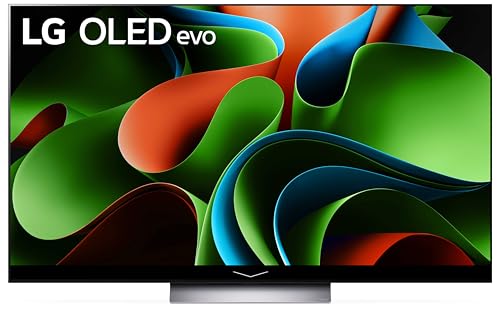
LG C3 Series 77 inch OLED evo Smart TV

LG 65 inch OLED AI 4K B5 Series Smart TV

Samsung 65 inch OLED S90F 4K Smart TV 2025

Sony A80J 55 Inch BRAVIA XR OLED 4K Smart TV

Samsung 32 inch Odyssey OLED G7 Gaming Monitor 4K

Sony 65 Inch BRAVIA XR8B OLED 4K Smart TV
Taking A Closer Look At The Options
For desk-bound players, a 27-inch OLED hits a sweet spot the bigger living room sets in this roundup can’t touch. The Z-Edge X27 pairs a 1440P panel with a 240Hz refresh rate, which is the combo most competitive PC titles actually demand today, since the GPU isn’t choking to push 4K at full frame rate. Response time is rated at 0.03ms GTG, meaning pixel transitions are essentially instant, so motion stays clean during flick shots in Valorant or rapid camera turns in racing sims.
Dual DisplayPort and HDMI 2.1 inputs let you swap a PC and a console without cable juggling. The stand rotates and adjusts for height, which matters more than spec sheets admit during long sessions. Versus the Samsung Odyssey G7 in slot 8, this one trades true 4K resolution for a higher refresh ceiling and a smaller desk footprint.
Useful Highlights
- 240Hz refresh rate keeps fast-paced play buttery smooth without GPU strain
- 0.03ms response eliminates the smearing some LCD panels show during quick pans
- Adjustable stand helps you dial in posture across long LAN parties
- Pixel-level contrast gives darker single-player games a filmic, inky look
- Dual DisplayPort plus HDMI 2.1 covers modern GPUs and current-gen consoles
Trade Offs To Consider
- 1440P resolution looks softer than true 4K for productivity and text-heavy work
- 27 inches can feel cramped for split-screen couch play or shared viewing
- OLED burn-in risk is real for static UI elements like HUDs, so varied content helps
Key Product Details
Best Suited To
Competitive PC players who want OLED motion clarity and high refresh rates without giving up desk space.
Where A Sibling Pick Shines
Shoppers wanting 4K at a desktop size should consider the Samsung 32″ Odyssey OLED G7 in slot 8 instead.
The 55-inch C1 sits at the comfortable middle of LG’s OLED stack, big enough for a typical living room without dominating a small apartment wall. It carries the α9 Gen 4 AI processor, which upscales older cable and streaming content closer to native 4K, and supports Dolby Vision IQ and Dolby Atmos for cinematic nights in. Four HDMI 2.1 ports make it painless to plug in a console, a soundbar, and a streaming box at the same time.
For gaming, the C1 ticks the boxes that matter: 4K at 120Hz, Variable Refresh Rate support, Auto Low Latency Mode, and certification with both NVIDIA G-SYNC and AMD FreeSync. That flexibility means the panel behaves well whether your rig is a PlayStation, an Xbox, or a beefy gaming PC. Compared with the LG C3 77-inch in slot 4, this set sacrifices the newer evo brightness boost and processing refinements for a friendlier footprint and pricing that often lands at a discount.
The Value In It
- 55-inch size fits the average living room without demanding a major furniture shuffle
- Four HDMI 2.1 ports keep consoles, PCs, and soundbars connected simultaneously
- G-SYNC and FreeSync compatibility reduce screen tearing across gaming platforms
- Dolby Vision IQ adjusts HDR output based on ambient room light
Worth Noting
- Not the newest panel generation, so peak HDR brightness trails the LG C3
- Reflection handling can struggle in sun-drenched rooms with direct window light
Right Fit For
Households wanting a versatile OLED for nightly streaming and weekend gaming sessions at a more approachable size.
Consider Something Else When
Shoppers prioritizing the brightest HDR picture should look at the LG C3 Series 77-Inch in slot 4 instead.
The 77-inch C1 transforms any dimly lit room into a private screening space. That extra diagonal really does change the experience: racing games gain a cockpit feel, open-world RPGs feel closer to theater scale, and 4K Blu-rays look genuinely cinematic. The α9 Gen 4 processor still holds up well, even a few generations later, and gamers get the same HDMI 2.1 quartet, 4K at 120Hz support, and VRR handshakes that the 55-inch version provides.
Versus the LG C3 77-inch in slot 4, this panel predates the evo brightness upgrade, so very bright HDR highlights look slightly less punchy in well-lit rooms. For shoppers in a basement den or a controlled-light media room, though, the size advantage often wins out. The thin OLED profile also makes wall-mounting easier, since the panel barely protrudes past standard mounting hardware.
Notable Upsides
- 77-inch screen turns single-player narratives into a near-cinematic experience
- Thin OLED panel sits close to the wall for a clean mounted look
- Identical gaming feature set as the smaller C1 in slot 2
Points To Keep In Mind
- Requires significant wall space and a stand rated for the larger weight
- Peak brightness is modest compared to newer evo panels in brighter rooms
- Best viewed from a dedicated media setup rather than a multi-use family room
Built With In Mind
Dedicated media rooms and basement setups where the screen can dominate a single wall and ambient light is controlled.
Look Elsewhere When
Daylight-heavy living spaces benefit more from the brighter LG C3 Series 77-Inch in slot 4.
The C3 keeps the 77-inch canvas that works so well for immersive play and adds LG’s evo panel tech, which means a Brightness Booster that pushes OLED highlights noticeably harder than the older C1 series in slot 3. The α9 AI Processor Gen6 brings smarter upscaling and scene analysis, so even mid-tier streaming content looks cleaner. The result is a panel that holds up far better in sun-drenched living rooms than its predecessor.
Gamers still get the full HDMI 2.1 suite: 4K at 120Hz, Variable Refresh Rate, Auto Low Latency Mode, and platform-agnostic FreeSync and G-SYNC support. webOS has matured too, with the Magic Remote making app navigation less frustrating than earlier iterations. For shoppers who want the largest OLED in this roundup without jumping to LG’s flagship G-series, the C3 77-inch is the sensible middle ground.
Standout Benefits
- Brightness Booster lifts HDR highlights for clearer viewing in lit rooms
- Refined α9 Gen6 processor handles motion and upscaling more naturally than older models
- 77-inch screen still creates an enveloping experience for RPGs and racers
- Full HDMI 2.1 gaming suite across all four ports
A Few Limitations
- Carries a higher cost than the older C1 77-inch in slot 3
- Requires careful measuring for wall-mounting and furniture placement
Who Should Grab It
Big-screen shoppers who want a brighter OLED that performs well even with afternoon sun pouring through the windows.
Skip It When
Budget-focused shoppers in dimmer rooms can save more by considering the LG C1 77-inch in slot 3.
The B5 is LG’s doorway into the OLED lineup for 2025, and it earns that role by trimming some of the niceties found on the C-series without gutting the picture fundamentals. The α8 AI Processor Gen2 handles scene-by-scene optimization and AI Super Upscaling, so older content gets a respectable lift toward 4K. Dolby Vision and Dolby Atmos arrive baked in, and the panel’s 8.3 million self-lit pixels still deliver the perfect blacks OLED fans expect.
For gaming, you get HDMI 2.1 connectivity, Variable Refresh Rate, and Auto Low Latency Mode, which covers the essentials for current consoles. The trade-off shows up in raw processing muscle and peak brightness compared with the LG C3 65-inch or C1 55-inch earlier in this list. For many shoppers that gap is invisible during regular viewing, and the B5 hits a friendlier price tier that opens OLED ownership to first-timers who don’t need flagship polish.
Good Reasons To Consider
- Entry-level OLED pricing opens the door for first-time buyers
- Self-lit pixel contrast still beats most LED alternatives at the same size
- AI Super Upscaling cleans up lower-resolution streaming content
Softer Spots
- Peak HDR brightness trails the C-series evo panels in well-lit rooms
- Processor refinements are pared back compared to flagship siblings
Key Product Details
Perfect Match For
First-time OLED shoppers who want self-lit pixels without paying flagship prices and don’t need top-tier HDR brightness.
Another Choice May Suit
Buyers wanting the newer evo panel and brighter HDR should consider the LG C3 Series 77-Inch in slot 4.
The S90F is Samsung’s 2025 OLED play, and it leans hard on AI processing. The NQ4 AI Gen3 chip runs across 128 neural networks to upscale everything on screen to near-4K quality, which makes a difference when watching older cable broadcasts or streamed shows that don’t arrive in native 4K. Motion Xcelerator pushes the panel to 144Hz for gaming, which is a step beyond the 120Hz ceiling most of the LG sets in this roundup offer.
HDR+ support brightens highlights dynamically, and Samsung’s Tizen smart platform keeps streaming apps organized without too much hunting. Gamers get FreeSync Premium Pro support and a Game Mode that drops input lag noticeably. Compared with the LG B5 65-inch in slot 5, the S90F is a more current panel with more aggressive processing, though it tends to land in a higher price bracket.
Notable Gains
- 144Hz motion handling gives competitive console and PC play extra headroom
- AI-driven upscaling noticeably improves sub-4K streaming sources
- HDR+ dynamically adjusts brightness per scene for more vivid highlights
- FreeSync Premium Pro reduces tearing across supported GPUs
Practical Considerations
- Costs more than the LG B5 entry-level OLED in slot 5
- Samsung’s Tizen interface can feel cluttered compared with webOS
Who Will Love This
Mixed-use households that stream older content, watch live sports, and want gaming features that push past 120Hz.
Reach For A Different Pick When
Shoppers who want a more affordable route into OLED should look at the LG B5 Series 65-inch in slot 5.
The A80J shows what Sony does best with OLED: natural color and sound that feels deliberate rather than overcooked. The Cognitive Processor XR is the heart of the experience, analyzing scenes the way your eyes would and adjusting contrast, color, and detail in ways that feel subtle but make prestige TV dramas and nature documentaries look stunning. Acoustic Surface Audio+ turns the panel itself into a speaker, so dialogue appears to come from the actor on screen rather than from a separate soundbar.
For gaming, you get 4K at 120Hz, VRR support, and ALLM across the HDMI 2.1 ports, which covers the essentials for current consoles. The Google TV interface pulls streaming apps and recommendations together more cohesively than older smart platforms. Compared with the LG C1 55-inch in slot 2, the A80J tends to cost a touch more but rewards cinephile viewers with its image processing pedigree.
Practical Pluses
- Cognitive Processor XR delivers natural color and lifelike contrast for movie nights
- Acoustic Surface Audio+ produces sound directly from the panel for cleaner dialogue
- Google TV consolidates streaming apps and watchlists in one interface
Honest Caveats
- Older generation panel, so peak HDR brightness trails newer OLEDs
- Pricing sometimes runs higher than equivalently sized LG alternatives
Made For
Movie and prestige TV enthusiasts who value Sony’s color science and unique sound-from-screen experience.
Swap It Out When
Gaming-first shoppers wanting a newer panel can look at the Samsung S90F 65-inch in slot 6.
The 32-inch Odyssey G7 is the rare 4K monitor that doesn’t force you to pick between resolution and speed. The Dual Mode feature lets you toggle between 4K at 165Hz for visually rich single-player adventures and Full HD at 330Hz for competitive shooters where frame rate wins. Response time sits at 0.03ms GtG, so motion stays clean across both modes.
The 32-inch form factor splits the difference between the Z-Edge X27 in slot 1 and a living room TV. It works on most desks with a sturdy arm or stand, and VESA mount support gives you ergonomic flexibility for long sessions. The glossy OLED finish brings out color punch but can catch reflections in sunlit rooms, so positioning matters. For desk setups where 4K detail and high refresh both matter, this is a strong fit.
The Case For It
- Dual Mode toggles between 4K/165Hz and 1080p/330Hz for varied gaming styles
- 0.03ms response keeps motion clear in fast camera turns
- 32-inch size balances desktop real estate with immersive single-player visuals
Things To Consider
- Glossy screen finish can show reflections in bright rooms
- Smaller than the living room OLEDs, so it isn’t a shared-viewing solution
Feature Snapshot
Whose Shelf It Belongs On
PC gamers who split time between cinematic single-player titles and competitive esports matches.
A Better Fit Elsewhere
Couch-focused console players should look at the LG OLED C1 55-inch in slot 2 instead.
The XR8B brings Sony’s current OLED thinking to a 65-inch frame, with the brand’s signature inky blacks and refined color science front and center. The panel doubles as a speaker, so sound tracks the action on screen rather than feeling detached, which is genuinely useful for buyers who don’t want a separate soundbar cluttering the room. Slim bezels and a low-profile stand keep the visual emphasis on the picture.
For gaming, you get the modern HDMI 2.1 essentials, including Variable Refresh Rate and Auto Low Latency Mode, so current consoles and gaming PCs behave as expected. The Google TV smart platform pulls streaming apps and live TV together in a single watchlist. Compared with the Samsung S90F in slot 6, the XR8B leans more toward cinematic image quality than AI-driven processing, which appeals to a different kind of viewer.
Features That Help
- Sound-from-screen audio delivers clean dialogue without requiring a soundbar
- Slim bezel design keeps attention on the picture rather than the frame
- Google TV interface unifies streaming and live TV recommendations
Some Limits To Know
- Pricing may sit higher than equivalently sized LG OLED alternatives
- Peak HDR brightness trails the evo-equipped LG C3 in slot 4
Who It Suits Best
Design-focused households that want a refined OLED with strong cinema appeal and don’t mind paying for Sony’s image pedigree.
Not Your Match When
Shoppers wanting the brightest HDR at this size should consider the LG C3 Series 77-Inch in slot 4.
What To Weigh Before Choosing Your OLED
A few variables matter more than marketing copy when picking a budget OLED. The first is panel generation: older flagship sets like the LG C1 series often land at friendlier prices than current mid-tier models, but they trade the latest brightness and processing refinements for that discount. If your living room is dimly lit most of the time, an older OLED will likely look excellent. If you game in a sun-drenched family room, evo-grade brightness on the LG C3 77-inch is worth prioritizing.
The second is refresh rate and HDMI 2.1 support. For console gamers, 4K at 120Hz with VRR and ALLM is the modern baseline, and most of the TVs on this list hit that mark. PC gamers pushing competitive esports should look at the Samsung Odyssey G7 32-inch or Z-Edge X27 27-inch, where refresh ceilings climb to 240Hz and beyond. The third is size versus viewing distance: a 77-inch screen overwhelms a small apartment, while a 55-inch panel underwhelms a dedicated media room.
Finally, consider the room’s ambient light. OLED handles dark spaces beautifully, but bright windows can wash out the picture. Higher-tier panels with brightness boosters compensate, though they cost more. Match the panel to your environment, and the rest of the decision falls into place.
Picking Smart Across The Shortlist
Mistakes Worth Dodging
Don’t shop on screen size alone, because two 65-inch OLEDs can behave very differently depending on panel generation and processor. A current mid-tier set often outperforms a discounted older flagship once you account for brightness and smart platform polish. Always confirm HDMI 2.1 ports and VRR support if you plan to game, since older OLEDs sometimes ship with limited bandwidth on certain inputs.
What Separates Premium From Basic
The price gap between entry-level and flagship OLEDs mostly funds two things: peak HDR brightness and smarter processing. Evolved panels like the LG C3 77-inch push highlights noticeably harder, which helps in bright rooms. Newer AI processors also upscale sub-4K content with more confidence, so older cable broadcasts and streaming shows look cleaner. If you mostly watch native 4K content in dim rooms, a value pick like the LG B5 65-inch delivers most of the magic. If your room stays bright and you watch varied sources, the upgrade to evo or the Samsung S90F 65-inch tends to pay off.
Frequently Asked Questions
Are budget OLED gaming TVs reliable for long gaming sessions? Modern OLED panels include pixel refresher cycles and screen-shift features that mitigate burn-in risk during extended play. Varying the content you display, mixing in TV shows and movies, helps the panel age evenly. For static HUD-heavy games played for hours daily, consider lowering brightness or using dark mode where available.
What’s the minimum HDMI 2.1 spec I need for 4K gaming? Look for HDMI 2.1 ports that support 4K at 120Hz, Variable Refresh Rate, and Auto Low Latency Mode. That combination covers current consoles and most gaming PCs. Without VRR, you may see screen tearing during fast camera movement.
Is a 55-inch or 65-inch OLED better for a small living room? A 55-inch OLED generally suits viewing distances of around 5 to 7 feet, while a 65-inch panel needs 6 to 8 feet to feel comfortable. Measure your seating distance and the wall space before committing, since larger screens can dominate compact rooms quickly.
Do OLED TVs suffer from burn-in with HUD elements? Burn-in is possible with static images displayed for very long periods, though current OLED panels include countermeasures. Gamers who run the same title with persistent HUDs for hours on end can lower OLED brightness or enable screen shift features. Most households mix content enough that burn-in rarely becomes a practical concern.
Can I use an OLED TV as a PC monitor? Yes, and a 32-inch 4K OLED like the Samsung Odyssey G7 works especially well. Larger OLED TVs can double as monitors, but sitting 2 to 3 feet from a 65-inch panel causes eye strain. For desk setups, the 27 to 32 inch range hits the right balance between immersion and ergonomic comfort.
Bottom Line
Your best pick depends on the room you game in and the size of screen that fits. Couch-first console players will find a lot to like in the LG C1 55-inch or the newer LG B5 65-inch. Bright-room shoppers should aim for evo-grade panels like the LG C3 77-inch or the Samsung S90F. PC gamers chasing speed will feel at home on the Z-Edge X27 or the Samsung Odyssey G7 32-inch. The category has finally reached a place where genuine OLED picture quality is within reach without flagging a flagship budget.


