


A budget gaming PC is only as stable as the power supply feeding it, and that’s the part most first-time builders underspend on without realizing it. You don’t need platinum-rated gear to run a mid-range GPU and a modern CPU, but you do need clean voltage delivery, sensible efficiency, and enough wattage headroom for the next upgrade. The eight picks below cover the sweet spots: 500W entry builds, 650 to 750W mid-tower workhorses, and a 1000W option for anyone planning a flagship GPU down the line.
The Shortlist At A Glance
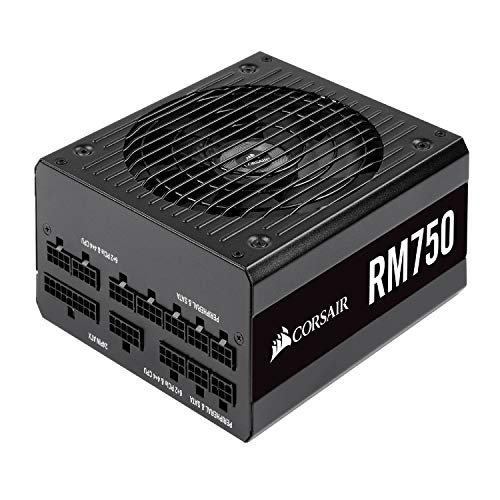
Corsair RM750 Fully Modular Gold PSU (CP-9020195-NA)
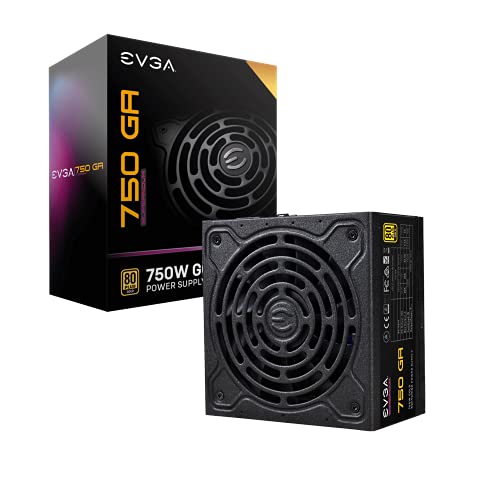
EVGA SuperNOVA 750 GA Gold Fully Modular PSU
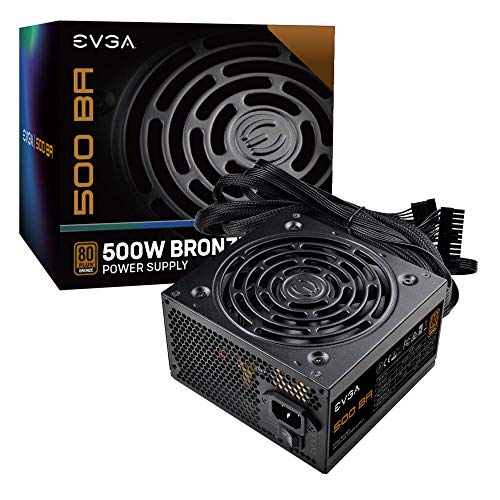
EVGA 500 BA Bronze 500W PSU (100-BA-0500-K1)

CORSAIR TXM Series TX650M Semi Modular PSU

EVGA 500 BR Bronze 500W PSU
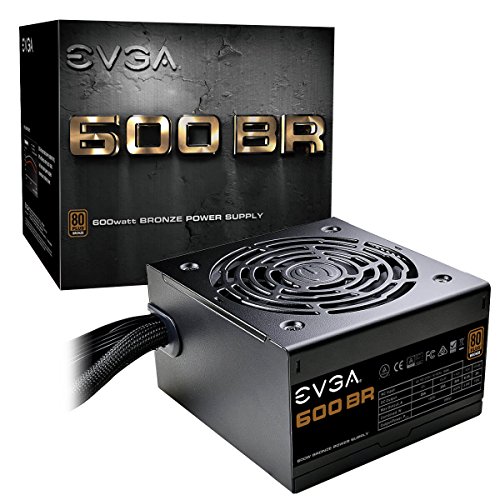
EVGA 600 BR Bronze 600W PSU

ASUS ROG Strix 1000W Platinum PSU
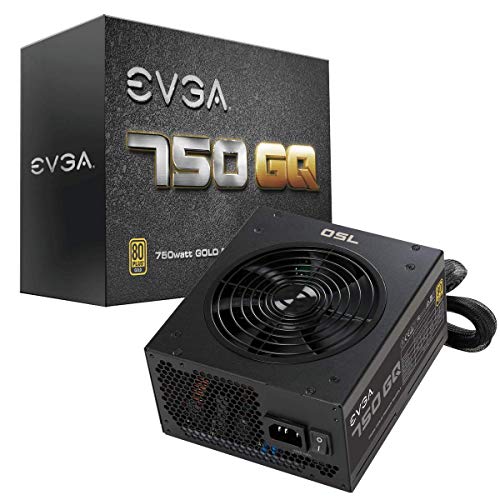
EVGA 750 GQ Gold Semi Modular PSU
What Each Pick Brings To The Table
The Corsair RM750 is the kind of power supply you can install once and forget about. Built around 80 Plus Gold efficiency, it wastes less energy as heat and keeps your electricity bill reasonable during long gaming sessions. The fully modular cable design means you only plug in the cables you actually need, which is a small thing until you build your first PC and notice how much cleaner the inside of the case looks without a bundle of unused wires.
For a mid-range gaming rig running a single GPU and a modern multi-core CPU, 750W gives you a comfortable margin for future upgrades. The zero-RPM fan mode keeps things silent at idle, then ramps up only when load climbs. You’re paying a bit more for a name-brand unit, but the long warranty window and consistent voltage delivery make it a sensible anchor for any first serious build.
What Stands Out
- 80 Plus Gold efficiency keeps heat and wasted power low during extended gaming sessions.
- Fully modular cabling means a tidier case and better airflow around the GPU.
- Zero-RPM mode delivers near-silent operation while you’re browsing or watching video.
- Plenty of wattage headroom for adding storage or upgrading the GPU in a year or two.
- Industrial-grade capacitors suggest long-term reliability under sustained load.
Worth Noting
- Costs more than bronze-rated alternatives that handle lighter loads just fine.
- Fully modular cables can be slightly stiff to route in very tight compact cases.
Key Specs
Made For
First-time builders assembling a mid-range gaming tower who want clean power delivery and quiet idle behavior in one package.
Consider Something Else When
The EVGA SuperNOVA 750 GA is a better match for small form factor cases, where its 150mm length slips into tighter enclosures more easily.
Most ATX power supplies run 160 to 180mm long, which sounds fine until you try to fit one in a small form factor case. The EVGA SuperNOVA 750 GA trims that to 150mm, a small change that pays off when every millimeter behind the front fan matters. It still delivers 80 Plus Gold efficiency and the same fully modular experience as the Corsair RM750, just in a more compact shell.
The Japanese capacitor design and LLC resonant circuit (a topology that smooths power delivery and reduces switching noise) suggest solid long-term stability, and the double-ball bearing fan handles the heat without sounding like a desk fan. For a builder who cares about both clean cabling and chassis compatibility, this one slots in nicely.
Positive Points
- Compact 150mm length opens up small form factor and Mini-ITX cases that reject longer units.
- Japanese capacitors and LLC resonant design improve voltage stability on the 3.3V and 5V rails (the lower-voltage lines that feed RAM, drives, and motherboard circuitry).
- Fully modular cabling reduces clutter and supports stronger airflow paths.
- Double-ball bearing fan rated for long operating life under continuous load.
Points To Note
- Shorter chassis depth may leave excess cable behind in full mid-tower builds.
- Same price band as longer units, so you’re paying a small premium for the size cut.
Right Fit For
Compact case builders who refuse to sacrifice efficiency or modular cabling just to save space.
Look Elsewhere When
The Corsair RM750 makes more sense for full mid-towers, where its longer body and silent zero-RPM mode get more breathing room.
You don’t need 750W to run a basic gaming build with a mid-tier GPU and a six-core CPU. The EVGA 500 BA delivers 80 Plus Bronze efficiency at the lower end of the budget spectrum, which is enough for entry-level 1080p gaming without paying for wattage you’ll never use. Active power factor correction (a circuit that shapes how the PSU draws current from the wall, reducing waste and strain on household wiring) keeps the electrical side tidy.
The single 12V rail (a design where one high-capacity line feeds the CPU and GPU, simplifying power delivery) is paired with a DC-DC converter for stable 3.3V and 5V output, which is a small detail that matters for the longevity of storage drives and motherboard components. This is a workhorse pick for someone who wants a name-brand PSU without the premium-tier price.
What Works In Its Favor
- 80 Plus Bronze efficiency keeps running costs reasonable for everyday gaming.
- Single 12V rail with DC-DC converter improves stability for storage and memory.
- Active PFC supports cleaner power draw from the wall outlet.
- Modest 500W capacity fits entry-level builds with one mid-range GPU.
Honest Caveats
- 500W limits future GPU upgrades to mid-tier cards; flagship GPUs will outgrow it.
- Non-modular cabling means unused leads must be tucked somewhere in the case.
- Bronze efficiency loses a few percentage points to Gold-rated alternatives under load.
Best Suited To
First-time PC builders on a tight budget who need a stable 500W unit for a 1080p gaming setup.
Skip It When
The EVGA 600 BR is the better call if you want to leave room for a future GPU upgrade without stepping up to a Gold-rated unit.
Semi-modular is the middle ground between fixed cables and full modularity, and the Corsair TX650M shows why the format still matters. The essential 24-pin motherboard and 8-pin CPU cables stay attached, while the PCIe (graphics card power) and peripheral leads detach. You get most of the cable management benefits of a fully modular unit without the higher price.
Tight voltage regulation is the real story here, since clean power delivery protects components during sudden load spikes in games. The 80 Plus Gold efficiency and Japanese 105°C-rated capacitors (a temperature rating that indicates the capacitors can handle high heat for years without degrading) point to long-term durability under sustained load. It’s a sensible middle-tier pick for a mainstream gaming tower.
The Upside
- Semi-modular design cuts clutter from the PCIe and peripheral cables you might not need.
- Tight voltage regulation protects components during sudden gaming load spikes.
- Japanese 105°C-rated capacitors support years of continuous operation.
- 650W capacity suits mainstream GPU pairings without overspending on headroom.
Points To Keep In Mind
- Fixed 24-pin and CPU cables can be harder to tuck cleanly in compact cases.
- 650W may feel tight if you plan to add a power-hungry flagship GPU later.
Who Will Love This
Mainstream builders who want Gold-tier efficiency and a clean interior without paying for full modularity.
Reach For A Different Pick When
The Corsair RM750 is worth the stretch for a fully modular layout, especially if you swap parts often and want every cable detachable.
The EVGA 500 BR sits at the entry point of the budget power supply market, and for an office PC, a home theater build, or a starter gaming rig, it covers the basics well. The “BR” stands for Bronze Reliable, which is a fair description: 80 Plus Bronze efficiency, 500W continuous output, and a layer of protection circuitry that includes OVP, UVP, OCP, OPP, SCP, and OTP. Those acronyms cover over-voltage, under-voltage, over-current, over-power, short-circuit, and over-temperature protection, and they matter when a power surge could otherwise fry a motherboard.
There’s nothing fancy about the cable set or the fan curve, but that’s the point. You plug it in, it works, and the three-year warranty covers the long stretch where most failures show up. For a budget build that doesn’t need a flagship GPU, this is a safe starting point.
Everyday Perks
- Full protection suite covers the failure modes that matter most in budget builds.
- 80 Plus Bronze efficiency keeps wasted energy reasonable under typical loads.
- 500W continuous output suits basic gaming and productivity builds.
- Three-year warranty provides cover for the early-failure window.
Soft Spots
- Non-modular cables force unused leads to be bundled inside the case.
- 500W is too tight for any current or upcoming flagship GPU.
- Bronze efficiency trails Gold units by a few percentage points at half load.
Perfect Match For
Office and home builds where stable power delivery and basic protection matter more than efficiency ratings.
A Better Fit Elsewhere
The EVGA 500 BA is a smarter pick if you want active PFC and a DC-DC converter for slightly cleaner voltage on the lower rails.
The 500W-to-600W jump is small on paper but meaningful in practice. Stepping from the EVGA 500 BR to the 600 BR gives you an extra 100W of headroom, which is the difference between squeezing in a mid-range GPU and having room to breathe. You also get the same protection suite and 80 Plus Bronze efficiency, so the trade-off is mostly about future-proofing.
For a budget gaming build that may grow over the next year or two, 600W is a sensible anchor. It covers the current mid-range cards comfortably and still leaves some headroom for a future upgrade, without the cost jump to a Gold-rated unit. The catch is the same non-modular cable layout as the 500 BR, which is the price you pay at this tier.
Real Benefits
- 600W headroom supports mid-range GPUs and a future upgrade without a PSU swap.
- Full protection circuitry covers over-voltage, under-voltage, and short-circuit events.
- 80 Plus Bronze efficiency holds steady under typical gaming loads.
- Three-year warranty covers the early-failure period and beyond.
Less Ideal Details
- Non-modular cables add clutter you can’t fully eliminate in the build.
- Still falls short of Gold-tier efficiency under sustained load.
- 600W won’t cover the latest flagship GPUs at full power.
Who Should Grab It
Budget builders who want enough wattage for a current mid-range card plus room to upgrade the GPU within a year or two.
Swap It Out When
The Corsair TX650M is the right step up if you want 80 Plus Gold efficiency and semi-modular cabling in the same wattage range.
Most budget builders don’t need 1000W, and pretending otherwise would be dishonest. The ASUS ROG Strix 1000W Platinum is the pick for someone running a power-hungry flagship GPU, planning a multi-GPU configuration, or simply wanting the highest efficiency tier available. The GaN MOSFET (gallium nitride transistor) design runs cooler and more efficiently than traditional silicon, which is a real engineering upgrade rather than a marketing flourish.
The GPU-First voltage stabilizer prioritizes clean power delivery to the graphics card, which is where the heaviest load spikes happen in modern games. ATX 3.1 compliance means the unit is built to handle the latest power excursion standards, so it’s a safer bet for next-generation GPUs. This is a premium price for a premium build, but for the right configuration, the headroom and efficiency pay off.
Good Reasons To Consider
- 80 Plus Platinum efficiency cuts wasted energy to roughly 10% or less under typical loads.
- GaN MOSFET design improves power efficiency and reduces heat output.
- GPU-First voltage stabilizer smooths power delivery during heavy load spikes.
- ATX 3.1 compliance prepares the build for next-generation GPU power demands.
Practical Considerations
- 1000W is overkill for any current mid-range gaming build.
- Premium price tier makes it a tough sell for budget-focused shoppers.
- Full feature set only pays off when paired with high-end components.
Quick Facts
Built With In Mind
High-end builders running flagship GPUs or planning a future multi-GPU configuration who want platinum efficiency and modern standards.
Not Your Match When
The Corsair RM750 is a more sensible anchor for a single mid-range GPU build, where the extra 250W and premium features would go unused.
The EVGA 750 GQ has been around long enough to earn a quiet reputation as a value workhorse. You get 80 Plus Gold efficiency, 750W of capacity, and a semi-modular layout at a price that usually sits below the fully modular competition. The 135mm fluid dynamic bearing fan (a fan design that uses a thin layer of oil to reduce friction and noise) supports long operating life, and the ECO mode keeps the fan off during low loads for near-silent idle behavior.
For a builder who wants Gold efficiency and decent headroom without paying the premium for full modularity, this is a sensible middle path. The 5-year warranty is generous for the price tier, and the operating temperature range up to 50°C is plenty for a standard desktop case. It’s not the flashiest unit, but it covers the bases without overcharging for the brand name.
Benefits That Matter
- 80 Plus Gold efficiency (roughly 90% at 115V, 92% at higher voltages) keeps running costs low.
- ECO mode disables the fan at low loads for silent idle operation.
- Semi-modular layout reduces cable clutter without the full modular price.
- 135mm fluid dynamic bearing fan rated for long operating life.
- Five-year warranty covers the early-failure window and beyond.
Some Limits To Know
- Semi-modular means the 24-pin and CPU cables are fixed, which limits case flexibility.
- Older design lacks the latest ATX 3.1 compliance for next-gen GPUs.
Whose Shelf It Belongs On
Value-focused mid-range builders who want Gold efficiency, quiet idle behavior, and reliable headroom without paying for a flagship-tier unit.
Where A Sibling Pick Shines
The EVGA SuperNOVA 750 GA is the upgrade path for small form factor builds, where the 150mm length fits where the 750 GQ won’t.
Choosing the Right Wattage, Efficiency, and Modularity for Your Build
A power supply is the single component that protects every other part of your PC from electrical damage, which is why it’s worth thinking through three core decisions before picking a unit. The first is wattage, and the honest approach is to calculate your system’s expected draw and add 20 to 30% headroom. A mid-range gaming build with one GPU and a modern CPU usually lands between 400 and 500W under load, so a 650W unit gives you growth room. If you plan to upgrade to a flagship GPU, step up to 750W or higher.
Efficiency ratings matter for running costs and heat. 80 Plus Bronze units (the EVGA 500 BA, 500 BR, and 600 BR here) hit around 85% efficiency under typical loads. Gold units reach roughly 90%, which means less wasted energy and lower case temperatures. The difference over a year of heavy gaming adds up, though the upfront cost gap is real.
Modularity affects how clean the build looks and how well air flows through the case. Fully modular units (the Corsair RM750 and EVGA SuperNOVA 750 GA) let you plug in only the cables you need. Semi-modular (the Corsair TX650M and EVGA 750 GQ) keeps the essential motherboard and CPU cables attached, with the rest optional. Non-modular is the cheapest option but means tucking unused leads somewhere inside the case.
A quick note on physical size: standard ATX power supplies run around 150 to 180mm long. Small form factor cases often need a unit under 160mm, which is where the EVGA SuperNOVA 750 GA’s compact 150mm body becomes a real advantage.
Common Shopper Traps and What the Higher Tier Buys You
Traps First Timers Fall Into
The most common mistake is buying more wattage than the system needs, which inflates the upfront cost without any real-world benefit. The opposite mistake is worse: picking a 500W unit for a build that draws 450W under load leaves no headroom for power spikes, and power spikes are what trip protection circuits. Always add 20 to 30% buffer above your calculated draw.
Another trap is ignoring protection circuitry. The acronyms OVP, UVP, OCP, OPP, SCP, and OTP look like alphabet soup, but they cover the failure modes that can fry a motherboard or GPU. The EVGA 500 BR and 600 BR both include the full suite, while some cheaper units cut corners on under-voltage or over-temperature protection.
When Paying More Pays Off
The jump from Bronze to Gold efficiency costs more upfront, but for a system that runs four to eight hours a day, the energy savings add up over a few years. More importantly, Gold and Platinum units typically use better capacitors and tighter voltage regulation, which translates to cleaner power delivery and longer component life. If your build includes a higher-end GPU or CPU, the protection and stability are worth the stretch. For an entry-level office PC, Bronze is honestly enough.
Frequently Asked Questions
How much wattage do you really need for a budget gaming PC?
For a 1080p gaming build with a mid-range GPU and a modern CPU, 500 to 650W covers the load with room for a future GPU upgrade. If you plan to run a flagship graphics card, step up to 750W or higher to handle the power spikes.
What does 80 Plus Gold actually mean for everyday use?
80 Plus Gold means the PSU converts at least 90% of wall power into usable system power under typical loads. The remaining 10% becomes heat, so a Gold unit runs cooler, wastes less energy, and reduces strain on the fan over time.
Is a fully modular power supply worth the extra cost?
Fully modular PSUs let you use only the cables you need, which makes the inside of the case easier to build and improves airflow. The trade-off is a higher price, so for tight budgets a semi-modular unit offers most of the benefit at a lower cost.
Can a cheap power supply damage other PC components?
Yes. A low-quality PSU without proper protection circuitry can deliver unstable voltage during power spikes, which stresses and eventually damages the motherboard, GPU, and storage drives. That’s why established brands with full protection suites are worth the modest premium over unbranded alternatives.
How long should a budget gaming power supply last?
With decent capacitors and proper ventilation, a budget PSU should run reliably for five to seven years under typical gaming loads. Warranties from three to ten years give a good sense of expected lifespan, since manufacturers usually cover the early-failure period generously.
Final Verdict
The right power supply depends entirely on the components you’re pairing it with and how far you plan to take the build. A 500W Bronze unit covers an entry 1080p rig, while a 650 to 750W Gold PSU suits a mid-range gaming tower with room to grow. Pick the wattage that matches your actual draw, leave a buffer, and don’t underspend on the single component that protects everything else.


