


A gaming PC already burns serious horsepower on frames, streams, and downloads, and a chatty antivirus suite can choke that pipeline fast. Lag spikes during a raid boss, pop-ups mid-match, scans hogging the CPU when you alt-tab to a launcher: these are the everyday headaches for anyone running Windows 10 or 11 on a real rig. The picks below are scoped for gamers, so each one balances active threat blocking with low system drag, sensible bundled extras, and pricing tiers that fit solo setups, family households, and multi-device households alike.
The Lineup, Simplified

ESET Home Security Premium Antivirus 2025 Edition (3 Devices)

ESET NOD32 Antivirus 2025 Edition (1 Device)

Bitdefender Total Security 2026 (5 Devices, 1 Year)

Webroot Antivirus Software 2025 (3 Devices, 2 Years)

Webroot Antivirus for PC Gamers 2026 (1 Device)

Malwarebytes Premium Security + VPN (4 Devices, 1 Year)
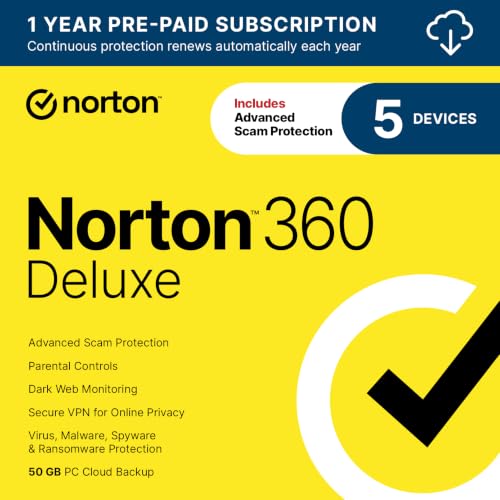
Norton 360 Deluxe Antivirus (5 Devices, 1 Year)

Norton 360 Platinum Antivirus (20 Devices, 1 Year)
What Each Pick Brings To The Table
ESET Home Security Premium leans into breadth, bundling an unlimited-bandwidth VPN, a hardened browser, and ransomware shielding under one subscription. For a gamer who also works from the same machine, that mix is hard to beat, since you can route a work call through the VPN and still keep a Discord session open on a second monitor without juggling separate apps.
The router check, a tool that scans your home network for weak passwords and firmware gaps, is a quiet bonus if you stream from a console or a second PC. Folder Guard locks down trusted-app behavior, and the Browser Privacy and Security extension cleans cookies and blocks phishing in real time.
The Case For It
- Unlimited VPN across 40 countries on three devices, with no bandwidth caps to throttle your downloads
- Folder Guard adds a ransomware-specific layer that blocks untrusted apps from touching protected files
- Router and connected-device scanner catches weak Wi-Fi passwords before they become a problem
- Browser Privacy extension actively filters phishing links and trackers, useful when hunting game giveaways
Things To Consider
- The VPN lacks the deep customization power users expect, so tweaking routes takes extra effort
- Three-device coverage gets tight fast if you count a phone, a tablet, and a gaming laptop separately
Feature Snapshot
Right Fit For
Streamers and remote workers who split time between gaming, video calls, and downloads on a single tower.
Look Elsewhere When
ESET NOD32 fits better when you only need core antivirus on one rig and care more about background lightness than bundled extras.
ESET NOD32 is the lean sibling of the Premium suite, and that focus shows in how it treats gaming sessions. Gamer Mode pauses pop-ups, holds off scheduled scans, and silences notifications while still running background protection, so your raid night never gets interrupted by a “we found something” toast. The small system footprint is the real headline, and it suits competitive players with mid-range rigs that can’t spare CPU cycles.
Compared with the Premium suite, this strip-down loses the VPN and Folder Guard, but it keeps the Ransomware Shield, anti-phishing, and an Exploit Blocker that hardens browsers, PDF readers, and similar apps against targeted attacks. The result is a tight core package that handles the actual security jobs without piling on extras you might never open.
Real-World Strengths
- Gamer Mode suppresses pop-ups and defers scheduled tasks during fullscreen play
- Light memory and CPU usage keeps frame times steady on mid-tier hardware
- Exploit Blocker reinforces browsers and PDF readers, common entry points for malware-laden downloads
Honest Caveats
- Single-device license, so your phone and laptop sit unprotected unless you stack another plan
- No VPN included, which is fine for most LAN players but limiting for anyone on public Wi-Fi
- You may find the interface spartan compared with feature-heavy suites from Norton or Bitdefender
Best Suited To
Single-rig competitive players who want background-grade protection with the smallest possible performance tax.
A Better Fit Elsewhere
ESET Home Security Premium makes more sense if you also need VPN and folder-level ransomware defense on the same subscription.
Bitdefender Total Security 2026 plays the role of the all-rounder, covering Windows, macOS, iOS, and Android under one license. For a household that includes a gaming PC, a MacBook, and a couple of phones, that cross-platform reach is the central appeal, since you stop juggling separate apps per OS. Game, Movie, and Work Modes then take a page from NOD32’s playbook, dimming notifications and pausing heavy tasks when you launch a fullscreen title.
Underneath, the suite layers real-time data protection, multi-layer ransomware defense, social network protection, microphone and webcam monitoring, and an anti-tracker that helps keep targeted ads from following you around. A dedicated secure browser handles banking and storefronts, and 200MB per day of bundled VPN covers light use without bumping into a data cap.
Strong Points
- Single license covers five devices across Windows, macOS, iOS, and Android
- Game, Movie, and Work Modes tailor behavior to fullscreen sessions
- Webcam and microphone monitors add a layer against creeping privacy leaks
- File Shredder, anti-tracker, and phishing filters round out a broad toolkit
Worth Noting
- The 200MB daily VPN allowance runs out fast on big game downloads
- Eco-friendly mailed keycard means a short wait for the activation code
- Full feature list can feel busy, so first-time users may need a few days to tune notifications
Quick Facts
Made For
Mixed-device households that want a single subscription covering a gaming PC alongside laptops and phones.
Consider Something Else When
Webroot Antivirus for PC Gamers is a leaner fit if you only run one rig and want a system optimizer instead of cross-platform extras.
Webroot takes a different angle, offloading most scanning work to the cloud so the local client stays feather-light. For gamers, that translates to fast install times, near-instant scans, and very little RAM or disk pressure during background work, which matters on systems where every percent of CPU headroom counts.
The two-year license on three devices gives this pick a long horizon that few others match, and the identity theft protection layer watches for keyloggers and spyware that try to grab account credentials. Real-time blocking against new threats is the everyday workhorse, and the cloud-first design means the client updates itself without dragging down your bandwidth.
Advantages To Know
- Cloud-based scans finish quickly and use minimal local resources
- Two-year term on three devices covers a longer stretch than most annual plans
- Identity protection focuses on keyloggers and credential-stealing spyware
Small Caveats
- No dedicated gamer mode toggle, so you rely on default behavior during fullscreen play
- Cloud dependency means a flaky internet connection can slow initial scans
- Fewer bundled extras, so anyone wanting a VPN needs a separate tool
Whose Shelf It Belongs On
Set-and-forget households that want long-term coverage with a small footprint and minimal tinkering.
Swap It Out When
Webroot Antivirus for PC Gamers makes more sense for single-rig players who also want the bundled system optimizer.
This is the Webroot build aimed squarely at the gaming crowd, pairing the same cloud-driven antivirus engine with a System Performance Optimizer. The optimizer hunts down unnecessary files, stale system clutter, and background apps that quietly nibble at frame times, which is the kind of housekeeping competitive players tend to do manually but rarely keep up with. Coverage focuses on viruses, ransomware, and phishing, the three threats most likely to derail a session.
The single-device, single-year plan reflects the audience: a dedicated gamer running one main rig and not interested in cross-platform sprawl. Set it once, let the cloud engine do its work, and run the optimizer during off-hours.
Standout Benefits
- Cloud-based scanning keeps CPU and memory use minimal during matches
- System Performance Optimizer clears clutter that drags down frame rates
- Real-time blocking covers ransomware, phishing, and emerging malware variants
Where It May Fall Short
- Single-device license leaves phones and laptops uncovered
- No VPN or password manager, so those layers need separate subscriptions
- Optimizer works best on a clean baseline, so very cluttered systems may need manual prep first
Key Product Details
Who Should Grab It
Competitive esports players running one main rig who value steady frame times and want help clearing system clutter.
Not Your Match When
Bitdefender Total Security 2026 covers a household better, since it spreads across phones, laptops, and a gaming PC under one plan.
Malwarebytes has long been the second-opinion scanner, and this Premium build turns that heritage into a full primary suite with a bundled VPN. It works across Windows, Mac, iOS, Android, and Chromebook, which makes it a good fit for households where the gaming PC is just one of several daily devices. The Browser Guard extension adds another layer in Chrome, Edge, Firefox, and Safari, filtering ads, blocking trackers, and stopping tech-support scam pages before they load.
For gamers, the appeal is more about clean coexistence than headline features. The suite is light enough to leave running in the background, and the VPN handles casual browsing and storefront traffic without slowing downloads the way heavier clients sometimes do.
Bright Spots
- Browser Guard extension blocks ad trackers and scam pages in the four major browsers
- Real-time protection runs across Windows, Mac, iOS, Android, and Chromebook on four devices
- VPN inclusion covers light browsing, including in-game store sessions on shared networks
Possible Compromises
- Lacks a dedicated gamer mode for fullscreen play, so default behavior applies during matches
- VPN data allowance is fine for browsing but tight for large update downloads
Who Will Love This
Shoppers who already use a baseline antivirus and want Malwarebytes as a layered supplement with VPN and browser guard.
Reach For A Different Pick When
Norton 360 Deluxe fits better if you want AI scam protection, dark-web monitoring, and a larger bundled feature set in one plan.
Norton 360 Deluxe leans into threat intelligence and identity protection, adding an AI scam assistant to the usual antivirus foundation. The Genie-powered helper is genuinely useful for gamers, since phishing attempts dressed up as game-key giveaways, fake tournament invites, and impersonated store pages show up constantly in chat apps. Five devices under one plan covers a typical family of phones, laptops, and a gaming tower without juggling logins.
The bundle stretches well beyond basic virus scans, with VPN for everyday browsing, dark-web monitoring that flags leaked credentials, and PC cloud backup for safeguarding save files and screenshots. Auto-renewal is on by default, so anyone sensitive to that should review the renewal settings during setup.
Useful Touches
- AI scam assistant flags suspicious offers in chat and SMS, useful during in-game trade chats
- Dark-web monitoring notifies you when credentials appear in leaked databases
- Cloud backup covers important game save files and documents on Windows PCs
Some Limits To Know
- Auto-renewal is on by default, so set a calendar reminder to revisit before the term ends
- Full feature count can feel heavy, and turning off unused modules helps keep the client light
- Some perks require a constant internet connection to sync threat data in real time
Feature Card
Perfect Match For
Multi-device family households that want scam awareness, identity monitoring, and PC backup alongside gaming protection.
Skip It When
ESET Home Security Premium is a stronger fit for solo users who care more about VPN and folder-level ransomware than family-scale features.
Norton 360 Platinum is the heavy hitter, lifting the device ceiling to twenty and keeping the same AI scam and dark-web features from the Deluxe tier. Power households, shared housing, and small LAN-party crews benefit most, since twenty slots easily cover multiple gaming PCs, consoles paired with media PCs, phones, tablets, and laptops. The three-month extra term is a small bonus at activation.
Real-time protection handles existing and emerging malware, and Norton emphasizes that the client won’t drag down your device during normal use. The trade-off, of course, is the price, and that only makes sense when you actually use the full device allowance rather than leaving slots empty.
What It Does Well
- Twenty-device ceiling covers entire households and shared gaming setups
- AI scam protection surfaces risky offers in chat and SMS before you click
- Dark-web monitoring and VPN round out a broad identity-and-privacy bundle
Trade Offs
- Auto-renewal is enabled by default, so track the renewal date to avoid unwanted charges
- Overkill for solo users, since most of the device count goes unused on a single-rig setup
Built With In Mind
Power households and shared rigs that can actually fill twenty device slots with phones, laptops, and gaming PCs.
Where Another Pick Suits Better
Webroot Antivirus for PC Gamers is the leaner choice for solo players who just want low overhead on one rig.
Picking Smart For A Gaming PC: What To Weigh
Real-time threat detection matters most, since the gaming ecosystem runs on constant downloads: patches, mods, launcher clients, and indie builds from storefronts. Choose a suite that updates its threat database frequently, so a fresh keygen scam or cracked-game trojan is caught before it lands on disk.
System footprint runs a close second. Look for a Gamer Mode or an equivalent fullscreen-aware mode that defers scans and mutes notifications during play. Cloud-based scanners tend to be the lightest on CPU and memory, which keeps frame times consistent on mid-tier GPUs.
Bundled extras deserve a critical eye. A VPN is useful for protecting logins on hotel or café Wi-Fi at tournaments, but a daily data cap quickly turns the feature into a marketing checkbox. Folder-level ransomware guards, anti-phishing, and webcam or microphone monitors are the extras that pull weight for gamers, while password managers and parental controls are situational. Cross-platform support matters if you also game or work on a Mac or Android phone, since running two separate security apps just creates overlap.
Finally, device count and term length are where the real value shows up. A two-year plan for three devices often undercuts annual renewals, and a five-device plan covers a typical household without paying per slot. Match the plan to your actual setup, since unused device slots are wasted money.
Key Considerations Across These Picks
Where Shoppers Go Wrong
Treating antivirus as a “set and forget” install leads to two common problems. The first is leaving every default module on, which piles pop-ups and background tasks on top of an already busy gaming session. The second is forgetting that subscription tiers matter, and buying a one-device plan when three phones and a laptop also need coverage leaves gaps that malware will happily exploit.
When Paying More Pays Off
Higher tiers on this list typically buy three things: more device slots, identity protection like dark-web monitoring, and AI-driven scam helpers that catch phishing attempts a basic signature scanner would miss. The upgrade makes sense if you actually use those extras, and it falls flat when you pay for a twenty-device plan to cover a single rig. Match the tier to the household, and the premium is easier to justify.
Frequently Asked Questions
Does antivirus software slow down gaming performance?
Modern suites use Gamer Mode or fullscreen detection to postpone scans and silence alerts during play. Cloud-based engines are typically the lightest on CPU, and any noticeable drop in frame rate usually traces to a specific scheduled scan rather than the software as a whole.
How often should I run a full system scan?
Weekly full scans paired with always-on real-time protection is the typical balance for active gaming machines. Heavy downloaders who pull mods and betas may want to schedule a full scan for off-hours.
Is a free antivirus enough for a gaming PC?
Free tools cover basic signature scanning, but they usually omit the ransomware guards, VPN, and identity monitoring that paid suites bundle. The trade-off depends on how many devices you protect and which extras you value.
Do I need a VPN with my antivirus?
A bundled VPN helps on public Wi-Fi and casual browsing, and it adds a small layer of privacy for store logins. It is not a substitute for a full-featured standalone VPN if you stream or torrent heavily.
What is the difference between antivirus and internet security?
Antivirus focuses on local file scanning and known malware. Internet security adds network-level tools like firewalls, anti-phishing, and safer-browsing features that watch for threats arriving over the connection itself.
The Takeaway
The right antivirus for a gaming PC is the one you barely notice during a match, and the eight picks above all keep a low profile while running real threat defense. Match the plan to your device count, lean into suites with Gamer Mode if frame times matter, and choose a tier that bundles the extras you will actually use. Browse the lineup, weigh your household’s coverage needs, and grab the subscription that fits your setup best.


