


Most wireless mice still feel like a compromise. You accept a bit of cable freedom and pray the polling rate (how often the mouse reports its position to your PC each second, measured in hertz) holds up during a ranked match, then wrestle with a dongle that vanishes the second you set the mouse down. The picks below sort through that mess for you.
Gamers who stream or travel with their setup, anyone hunting a featherlight shell for long sessions, and shoppers who just want a clean desk without losing responsiveness should find something worth a closer look here. I’ve focused on 2.4 GHz wireless gaming mice specifically, so every option below uses that dedicated radio band rather than Bluetooth alone, which keeps latency (the delay between moving the mouse and seeing the cursor react) low.
Your Options, Compared

Pulsar Gaming Gears X2N Crazylight Wireless Gaming Mouse, Mini (Uyuni White)

Redragon M612 Wireless RGB Optical Gaming Mouse 8000 DPI

Uiosmuph G12 Slim Rechargeable Silent Mouse (Matte Black)

Uiosmuph G12 Slim Rechargeable Silent Mouse (Green)
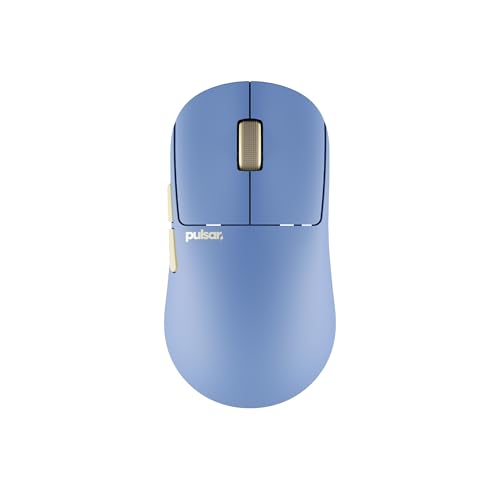
Pulsar X2N Crazylight Wireless Gaming Mouse, Mini (Ocean)

Pulsar X2N Crazylight Wireless Gaming Mouse, Mini (Jet Black)
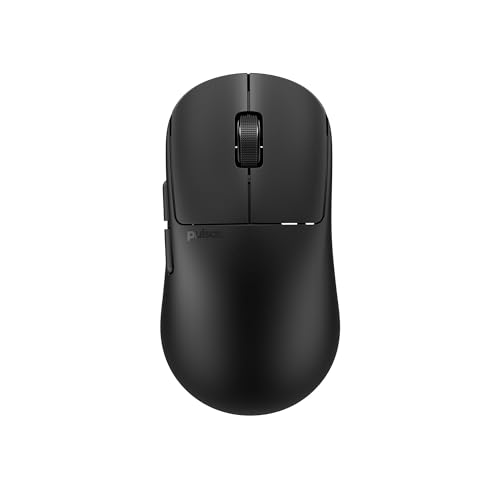
Pulsar X2N Crazylight Wireless Gaming Mouse, Medium (Jet Black)
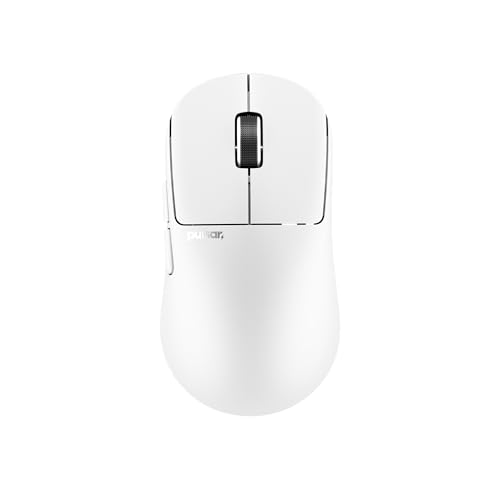
Pulsar X2N Crazylight Wireless Gaming Mouse, Medium (Uyuni White)

Uiosmuph G12 Slim Rechargeable Silent Mouse (Silver)
The Picks, Examined More Closely
The Mini Crazylight in Uyuni White is the kind of mouse that disappears in your hand during a long session. Its shell is engineered to weigh roughly 38g, which sounds almost too light until you stop fighting inertia during flick shots in Valorant. Compared with the bulkier Redragon M612 coming up next, this Pulsar takes a minimalist stance: fewer buttons, no RGB showpiece, all focus on speed.
You’ll feel the difference most if you play fingertip or claw grip, where every gram in your palm shows up at the end of a tournament bracket. The 2.4 GHz wireless connection keeps things locked in, and the white finish tends to age well on a clean battlestation.
Standout Benefits
- Weight around 38g makes micro-adjustments effortless during long ranked stretches.
- Mini form factor suits smaller hands and players who lift rather than palm the mouse.
- Minimalist shell skips the extra buttons that can get in the way during FPS play.
- Bright white finish adds a clean focal point to a darker battlestation setup.
- 2.4 GHz wireless path keeps input lag noticeably lower than Bluetooth-only alternatives.
Trade Offs To Consider
- The Mini size may cramp palm-grip players with larger hands, so trying the medium is wise.
- Lighter shells tend to feel less planted during desk-pushing flicks, a common report from players who prefer heavier mice.
Feature Snapshot
Whose Setup It Belongs On
Competitive FPS players with smaller hands or anyone chasing the lightest possible 2.4 GHz wireless gaming mouse will love this shell.
Swap It Out When
Palm-grip users with average-to-large hands should reach for the Pulsar X2N Crazylight Medium in Jet Black instead, since the larger chassis fills the hand better.
Where the Pulsar Mini aims for simplicity, the Redragon M612 swings in the opposite direction. It offers five onboard DPI (dots per inch, a measure of how sensitive the sensor is to movement) presets stretching from 500 up to 8000, three connection modes including 2.4 GHz wireless, and a remappable button layout that rewards tinkering. RGB lighting runs underneath, which is mostly cosmetic but does add personality for streamers running camera-facing desks.
For someone jumping between MMO macros and a quick FPS round, the ability to reassign side buttons through software makes daily rotation painless. It’s heavier than the Pulsar entries, so if speed is your obsession, look elsewhere.
A Few Strong Suits
- Five DPI presets cover sniping and sweeping flicks without opening the software each time.
- Triple-mode connection (2.4 GHz, Bluetooth, and wired) gives flexibility across laptops, desktops, and travel setups.
- Remappable side buttons let MMO and MOBA players map spells or build orders in seconds.
- Up to 8000 DPI ceiling offers headroom for high-resolution multi-monitor setups.
Worth Bearing In Mind
- The heavier chassis and added buttons push this toward MMO players rather than featherlight FPS purists.
- RGB lighting adds visual flair but can feel distracting in dark rooms and may be worth disabling.
Right Fit For
Tinkerers who like remapping buttons and switching between genres will find the M612’s flexibility hard to match at its tier.
Reach For A Different Pick When
Pure-FPS competitors chasing a sub-40g shell should pivot to the Pulsar Gaming Gears X2N Crazylight Mini, which trims the weight aggressively.
The Uiosmuph G12 in Matte Black is a different animal than the gaming-tuned mice above. It’s slim, quiet, and designed to vanish into a work-from-home setup without the aggressive angles of a typical FPS shell. The rechargeable battery (replacing disposable AAs) skips the trip to the store when cells die mid-project, and the silent left and right buttons keep late-night sessions from waking a partner.
You’ll give up some sensor performance compared with the Pulsar and Redragon, and the LED color shift is more decorative than functional. For casual play and productivity, though, it covers the basics without fuss.
Useful Highlights
- Silent click design lets you work or game at night without disturbing nearby sleepers.
- Built-in rechargeable battery removes the recurring cost and waste of disposable cells.
- Slim profile sits flat in laptop bags, which suits hybrid workers moving between locations.
- Color-shifting LED underglow adds a touch of personality without dominating desk lighting.
Honest Caveats
- The sensor and polling behavior are tuned for everyday use, not the demands of competitive FPS play.
- Slim, low-profile shapes can feel cramped during longer palm-grip sessions.
Quick Facts
Who It Suits Best
Students, remote workers, and casual players who need a quiet 2.4 GHz wireless mouse for mixed productivity and light gaming will appreciate the G12’s discretion.
Look Elsewhere When
Hardcore FPS players who need tournament-grade sensor performance should pivot to the Pulsar X2N Crazylight series instead, since those shells are tuned for competitive play.
This is the same G12 Slim platform reviewed above, repackaged in a green finish that pops against a neutral desk. The internal hardware, silent click mechanism, and rechargeable battery all carry over, so the buying decision here really comes down to aesthetic preference. Green is the kind of color that either ties into a themed battlestation or clashes hard, depending on the rest of your gear.
For shoppers who already know the G12 fits their hand, the only question is whether the color earns the swap. The matte black version reads more professional, while this green leans playful.
What Earns Its Place
- Vivid green finish stands out on a clean desk without needing RGB lighting.
- Silent click design carries over from the G12 platform, keeping late-night use quiet.
- Rechargeable internal battery avoids disposable cell swaps during long workdays.
- Slim form factor travels well inside laptop sleeves and backpacks.
Small Caveats
- Sensor performance stays geared toward productivity and casual play, not esports-grade tracking.
- The bright color shows smudges and fingerprints more visibly than darker finishes.
Made For
Anyone who already likes the G12 platform but wants a desk accent that signals personality over stealth will enjoy this finish.
Skip It When
Minimalists who prefer their gear to disappear visually should grab the Uiosmuph G12 Slim Rechargeable Silent Mouse in Silver instead, which reads quieter on a desk.
The Ocean finish on the X2N Mini is the same featherweight shell as the Uyuni White pick, just with a different color story. Pulsar targets the Mini Crazylight at players who want a small mouse that flits across the pad, and the deep blue finish leans into a calmer aesthetic than the bright white option above. Functionally, you get the same 2.4 GHz wireless path and minimalist button layout.
Pick this if you want a low-key color that hides smudges better than white. The Mini footprint still rewards smaller hands or a fingertip grip, so anyone with larger hands should look at the Medium variants covered later.
What Helps Most
- Deep Ocean finish hides fingerprints and desk grime better than lighter shells.
- Mini chassis keeps hand fatigue low during multi-hour competitive sessions.
- Minimalist button count reduces accidental presses during tense matches.
- 2.4 GHz wireless keeps the connection stable without Bluetooth pairing friction.
Less-Strong Areas
- Same Mini limitations as other small X2N shells, so palm-grip users may feel cramped.
- Cosmetics differ from the white variant, but the sensor and shell are otherwise identical, so this is a style choice rather than a performance upgrade.
Best Suited To
Style-minded competitive players with smaller hands who want a stealth-finish shell that pairs with darker battlestations will appreciate the Ocean option.
Consider Something Else When
If you want the same color story in a roomier chassis, the Pulsar X2N Crazylight Medium in Uyuni White offers similar aesthetic appeal with a larger footprint.
The Jet Black X2N Mini is the most understated variant in the Pulsar lineup, trading the bright Uyuni White and Ocean finishes for a matte black shell that practically vanishes on a dark pad. That makes it a favorite for tournament play, where distractions matter and a low-key profile keeps focus on the screen. The internal hardware mirrors the other Mini Crazylight variants, so the buy-in is purely aesthetic.
Expect the same featherweight feel and minimalist button count covered in pick one. Black is also the most forgiving color when it comes to wear, scuffs, and travel grime, so it tends to age well over the long haul.
Notable Gains
- Matte black finish ages gracefully and hides daily wear better than lighter shells.
- Stealth aesthetic fits serious tournament or studio setups without drawing attention.
- Mini Crazylight chassis keeps the mouse light enough for quick flicks and recovery.
- Minimalist button layout reduces mis-clicks during clutch moments.
Practical Considerations
- Identical internals to other X2N Mini variants, so no performance difference, only color.
- Smaller footprint may still feel tight for palm-grip users with average-to-large hands.
Technical Sheet
Who Should Grab It
Tournament players and competitive FPS enthusiasts who want a low-distraction, lightweight 2.4 GHz wireless gaming mouse will find the Jet Black Mini a clean fit.
A Better Fit Elsewhere
Anyone wanting the same stealth finish with a roomier shell should pivot to the Pulsar X2N Crazylight Medium in Jet Black, which keeps the matte look while adding length.
The Medium Crazylight in Jet Black solves the grip problem that the Mini variants can’t. At roughly 39g, it’s only slightly heavier than the Mini siblings, but the larger footprint fills a wider range of hand sizes, including most palm grips. Compared with the Mini in Jet Black, this version trades a tighter fit for better stability during desk-wide swipes.
It’s the most versatile Pulsar in the lineup, well suited to players who switch between grip styles or share their setup with family members. The black finish continues the tournament-friendly aesthetic covered above.
Everyday Wins
- Medium shell fits the broadest range of hand sizes and grip styles, from claw to relaxed palm.
- Sub-40g weight keeps the mouse competitive for FPS while supporting longer sessions comfortably.
- Jet Black matte finish hides wear and matches most desk setups without clashing.
- 2.4 GHz wireless avoids the pairing friction that Bluetooth-only mice sometimes hit.
A Few Limitations
- Slightly heavier than the Mini variants, which may matter to dedicated flick-shot players.
- Minimalist button count means MMO and MOBA players may still prefer the Redragon M612’s remappable side buttons.
Feature Snapshot
Perfect Match For
All-day gamers with average hand sizes and mixed grip styles will find the Medium Jet Black the most flexible Pulsar in the lineup.
Not Your Match When
Dedicated fingertip-grip players with small hands should reach for the Pulsar X2N Crazylight Mini in Uyuni White, which sits more naturally under a smaller hand.
The Medium Crazylight in Uyuni White combines the roomier chassis of the Jet Black Medium with the bright, camera-friendly white finish. Streamers and content creators gravitate toward this combination because the white shell photographs well on a clean desk. At roughly 39g, it still qualifies as one of the lighter mice in this roundup, even in its larger form factor.
You give up the smudge-hiding properties of darker finishes, but the trade-off is a premium, modern look that pairs nicely with light wood desks and pastel keyboard setups. Internals match the Jet Black Medium, so performance is identical.
The Good Stuff
- Bright white shell reads premium on camera and pairs well with light-themed setups.
- Medium footprint accommodates a wide range of hands and grip styles comfortably.
- Featherweight build keeps long streaming sessions comfortable on the wrist.
- 2.4 GHz wireless path supports competitive moments during gameplay segments.
Where It May Fall Short
- White finish tends to show fingerprints, smudges, and desk grime faster than darker shells.
- Same internals as other X2N Medium variants, so this is an aesthetic upgrade rather than a performance one.
Built With In Mind
Streamers, content creators, and white-themed battlestation builders who want a featherweight 2.4 GHz wireless mouse with strong camera appeal will appreciate this combination.
Where A Sibling Pick Shines
Anyone prioritizing a smudge-free, low-distraction look should pivot to the Pulsar X2N Crazylight Medium in Jet Black, which keeps the same size with a more practical finish.
The Silver G12 closes out the roundup as the most neutral finish in the G12 family. It carries the same silent click design, rechargeable internal battery, and slim profile as the Matte Black and Green siblings, just in a soft metallic tone that works well in shared workspaces. Frequent travelers who hop between coworking spaces, hotel desks, and home setups will find the low profile slides easily into laptop bags.
It’s not a competitive FPS tool, and shoppers looking for tournament tracking should pivot to a Pulsar entry. For productivity, casual play, and quiet operation, though, this Silver option threads the needle between style and discretion.
Good Reasons To Consider
- Soft Silver finish reads professional in coworking spaces and shared offices.
- Silent click mechanism keeps libraries, cafés, and shared rooms quiet during work or play.
- Rechargeable battery removes the need to carry spare disposable cells on trips.
- Slim form factor fits laptop sleeves and slim carry cases without bulging.
Practical Considerations
- The sensor is tuned for everyday tracking rather than the high-speed demands of competitive FPS.
- The slim, low-profile shape can feel cramped during long palm-grip sessions at a fixed desk.
Who Will Love This
Frequent travelers, hybrid workers, and remote professionals who want a quiet 2.4 GHz wireless mouse that travels well will find the Silver G12 a clean fit.
Consider Something Else When
Competitive FPS players should pivot to the Pulsar X2N Crazylight Mini in Jet Black, which offers tournament-grade tracking in a similarly travel-friendly shell.
What To Weigh Before Choosing a 2.4 GHz Wireless Gaming Mouse
Sensor and DPI Range
DPI (dots per inch) describes how far the cursor moves on screen per inch of physical mouse movement. Higher DPI gives faster cursor travel, but raw numbers mean little without a sensor that tracks cleanly. Look for stable tracking on your preferred pad surface, and remember that most FPS players land somewhere between 400 and 1600 DPI for muscle-memory aiming. The Redragon M612’s 500 to 8000 range gives you room to experiment, while the Pulsar shells focus on smooth tracking at lower, more controlled speeds.
Weight and Shell Size
Shell weight affects how the mouse feels during long sessions. Sub-40g mice like the Pulsar X2N Crazylight line reduce wrist fatigue and speed up recovery, but some players prefer the planted feel of a heavier chassis. Shell size matters just as much: Mini footprints suit smaller hands and fingertip grips, while Medium footprints accommodate a wider range of hand sizes. The Pulsar Medium Jet Black in this roundup is the most versatile fit for mixed grip styles.
Connection Stability
A 2.4 GHz wireless path through a USB dongle typically delivers lower latency than Bluetooth. Bluetooth-only mice can introduce input lag noticeable in competitive play, and pairing friction can slow down multi-device workflows. For pure gaming, prioritize a dedicated 2.4 GHz receiver. The Redragon M612’s triple-mode connection covers productivity flexibility, while the Pulsar entries keep the focus on that low-latency radio path.
Battery and Charging
Rechargeable internal batteries are now standard in this category, sparing you from disposable cell swaps. The Uiosmuph G12 family leans on internal rechargeables, while the Pulsar entries focus on long-lasting wireless performance. If you travel often, a slim shell with a USB-rechargeable battery, like the Silver G12, slips into a bag without adding bulk.
Smart Choices When Comparing These Picks
Pitfalls Shoppers Hit
The most common mistake is buying a Mini shell because it looks compact, only to find palm-grip play uncomfortable after a few hours. Test your grip style honestly before locking in a size. Another trap is assuming higher DPI always means better performance, since tracking quality and sensor calibration matter more than headline numbers. A 36,000 DPI sensor that jitters on your mousepad loses to a 16,000 DPI sensor that tracks cleanly. Finally, don’t overlook the dongle: a 2.4 GHz receiver that lives in the mouse body for travel is convenient, but easy to lose in a laptop bag.
What The Higher Tier Buys
Premium-tier mice in this category typically invest in lighter shells, refined sensor calibration, and longer battery life. The jump from a budget silent mouse like the Uiosmuph G12 to a featherweight Pulsar Crazylight is the difference between casual play and competitive-grade tracking. The premium also buys more consistent wireless performance under heavy CPU load, since better firmware tends to handle interference from other 2.4 GHz devices, like Wi-Fi routers and Bluetooth speakers, more gracefully. The upgrade is worth it for players who game daily and feel the difference in long sessions.
Frequently Asked Questions
What Is a 2.4 GHz Wireless Gaming Mouse?
A 2.4 GHz wireless gaming mouse uses a dedicated USB dongle that transmits on the 2.4 GHz radio band, which typically delivers lower latency than Bluetooth. That radio path is what makes these mice feel nearly as responsive as wired options during competitive play.
Are 2.4 GHz Wireless Mice Good for FPS Games?
Yes, modern 2.4 GHz wireless mice are widely used in competitive FPS play. The dedicated radio path keeps input lag low, and the freedom from a cable makes flick shots and recovery swipes feel smoother. Options like the Pulsar X2N Crazylight line are designed specifically for this use case.
How Long Do Wireless Gaming Mice Last on a Single Charge?
Battery life varies widely by model and usage, with light-use mice lasting weeks and RGB-heavy gaming mice lasting a few days between charges. The Uiosmuph G12 series uses sleep mode to extend runtime during idle periods, so leaving the mouse untouched for several minutes can meaningfully stretch battery life.
Do I Need a Mousepad for a Wireless Gaming Mouse?
A quality mousepad helps any optical sensor track consistently, especially at lower DPI settings where small surface variations show up as cursor drift. Hard pads tend to favor fast play, while cloth pads offer more control. Wireless mice work on most surfaces, but a dedicated pad removes variables from your aim.
Can a 2.4 GHz Mouse Work Without Its USB Dongle?
Most 2.4 GHz wireless mice require their specific USB dongle to function, since the dongle and mouse are paired at the factory. Bluetooth-equipped alternatives like the Redragon M612 can fall back on a Bluetooth connection when the dongle is missing, which is useful for travel or shared workstations.
The Takeaway
The right 2.4 GHz wireless gaming mouse comes down to your hand size, grip style, and whether your priority is competitive tracking or quiet everyday use. Featherlight Pulsar shells reward FPS players chasing fast flicks, while the Uiosmuph G12 family covers productivity and casual play without noise. Whichever direction you lean, the 2.4 GHz radio path keeps latency low enough that wireless no longer feels like a compromise for serious play.


