


Putting together a gaming setup on a budget means making smart calls about where every dollar goes. The components below cover the core of any affordable gaming build: graphics power, the case that holds it all, a solid power supply, and a few quality-of-life touches that make nightly sessions more comfortable. Whether you’re upgrading one part or mapping out a full first-time build, this list focuses on parts that punch above their tier.
The Shortlist At A Glance

msi Gaming GeForce GTX 1070 Ti 8GB GDDR5 Graphics Card

LIAN LI LANCOOL II MESH RGB Tempered Glass ATX Case

Lian Li O11D MINI V2 Compact ATX Mid-Tower Airflow Case
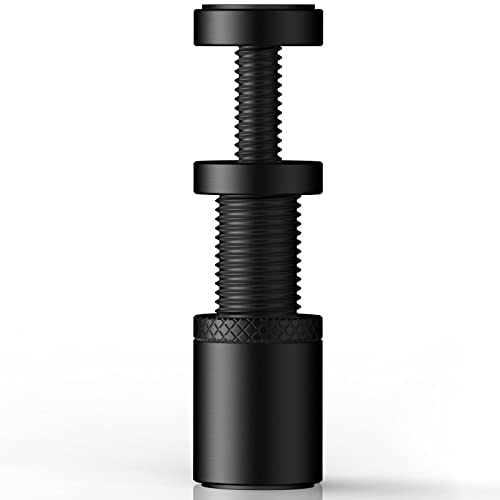
Oddtone GPU Support Bracket, Aluminum Anti-Sag Stand

Dracaena.io 12-Pack G1/4 90° Rotary Fittings, Silver

msi Gaming GeForce RTX 2060 Gaming Z 6GB Graphics Card
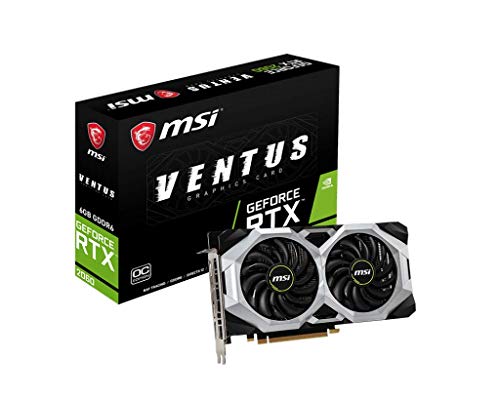
msi Gaming GeForce RTX 2060 Ventus 6G OC Graphics Card

EVGA GeForce GTX 1050 Ti 4GB GDDR5 Graphics Card

Blade Hawks RGB Gaming Headphone Stand HS18
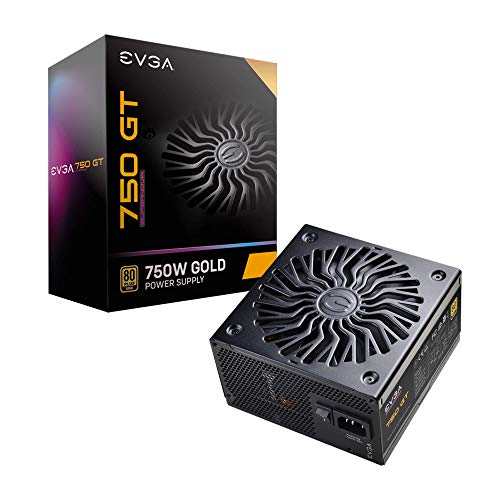
EVGA 750 GT 80 Plus Gold 750W Modular Power Supply
Why These Options Stand Out
The msi Gaming GeForce GTX 1070 Ti 8GB still earns a seat in budget-minded builds because it pairs NVIDIA’s Pascal-era (the graphics architecture used in the 10-series cards) muscle with a cooler that actually keeps up. With 8GB of GDDR5 memory and a 256-bit interface, it’s comfortable pushing 1440p in most competitive titles, and SLI support means you can pair two of them down the road if your budget opens up.
Outputs include three DisplayPort ports alongside HDMI and a DL-DVI-D connector, which covers triple-monitor setups without needing adapters. The Twin Frozr thermal design with dual TORX 2.0 fans is built for sustained load, useful for long streaming sessions or marathon play. In a market that has largely moved on, this card is a survivor worth considering for older or prebuilt systems that just need a meaningful boost.
Key Advantages
- 8GB of GDDR5 with a 256-bit memory interface handles 1440p gaming comfortably in most competitive titles.
- Twin Frozr cooling with dual TORX 2.0 fans is engineered for sustained thermal load, useful during long sessions.
- SLI support lets you add a second card later if your budget expands.
- Triple DisplayPort outputs make multi-monitor setups straightforward without adapters.
Honest Caveats
- Pulls around 180W, so your power supply needs solid headroom; a 500W minimum is recommended.
- Lacks the ray-tracing hardware (a rendering technique that simulates realistic lighting reflections and shadows) found on newer RTX cards, so modern lighting-heavy titles will need settings trimmed.
Feature Snapshot
Made For
Builders upgrading a prebuilt or older rig who want strong 1440p performance without chasing the newest GPU tier.
Consider Something Else When
The msi Gaming GeForce RTX 2060 Gaming Z 6G suits anyone who wants ray tracing and modern software support over raw 1440p muscle.
Compared to the first pick, which is all about what’s inside the case, the LIAN LI LANCOOL II MESH RGB is the housing that makes it all visible. A mesh front panel pulls in plenty of cool air, while 4mm tempered glass on both sides lets you show off the build. Constructed from 0.8mm SGCC steel (a common galvanized steel used in PC chassis), the frame feels solid without being a backbreaker to move.
Cooling flexibility is a highlight: the front bracket supports three 120mm or two 140mm fans, the top fits two 120mm or 140mm units, and a 360mm radiator fits up front for liquid-cooling builds. The case takes E-ATX boards under 280mm wide, standard ATX, and smaller M-ATX or ITX layouts, so most configurations drop in without drama. If your priority is airflow and showing off the internals, this is a sensible mid-tower pick.
Why It Works Well
- Mesh front panel delivers strong cold-air intake, which keeps GPU and CPU thermals in check during heavy loads.
- Both side panels are 4mm tempered glass, making the build easy to display and customize.
- Front bracket supports up to three 120mm fans or a 360mm radiator, giving liquid-cooling builds room to breathe.
- Accepts E-ATX (under 280mm), ATX, M-ATX, and ITX boards, so swapping standards later is painless.
Points To Keep In Mind
- The dual tempered glass panels mean more fingerprint management; owners commonly report wiping the glass during routine cleaning.
- Full-size E-ATX boards wider than 280mm won’t fit, which rules out some workstation-class motherboards.
Right Fit For
Builders who want cooling performance and a clean windowed look without paying premium-tier prices.
Look Elsewhere When
The Lian Li O11D MINI V2 is a better fit for compact desks where every inch of footprint matters.
Where the LANCOOL II MESH RGB is a roomy mid-tower, the Lian Li O11D MINI V2 shrinks the formula without giving up ATX compatibility. A 10-degree slanted bottom panel channels cool air directly at the GPU, which is the component that usually runs hottest in a gaming build. The protruding mesh side panel is a clever touch: it preserves the case’s compact footprint while still leaving room for a full-sized ATX power supply.
Despite the smaller size, motherboard support is broad, covering standard ATX along with M-ATX and ITX. The white finish also makes a clean canvas for RGB-heavy builds where you want the lighting to read clearly. If your desk space is the limiting factor, this case lets you keep the full-size GPU and PSU combo most affordable gaming builds rely on.
Positive Takeaways
- Slanted bottom intake directs cool air straight at the GPU, helping graphics cards stay under thermal throttling (the point where a chip reduces its own speed to avoid overheating).
- Full-sized ATX power supplies fit thanks to the extended mesh side panel, despite the compact footprint.
- Supports ATX, M-ATX, and ITX motherboards, leaving room for standard builds and smaller form factors.
- White finish gives RGB components a brighter, more visible canvas.
Worth Noting
- The compact dimensions leave less cable-routing room behind the motherboard tray, so neat builds take more planning.
- Smaller chassis volume can trap heat during extended heavy loads, depending on fan and radiator configuration.
Core Details
Best Suited To
Builders with limited desk space who still want a full-ATX build, especially in a clean white aesthetic.
Reach For A Different Pick When
The LIAN LI LANCOOL II MESH RGB suits anyone who prioritizes easy cable management and larger radiator support over a compact footprint.
Moving from cases to a smaller support piece, the Oddtone GPU Support Bracket tackles one of the most annoying realities of modern graphics cards: GPU sag, the slow downward droop a heavy card develops over time when its weight pulls on the PCIe slot. A solid all-aluminum frame, adjustable via screws, holds the card from underneath so the slot and connector aren’t carrying the full weight indefinitely.
Compared to the plastic brackets that ship with many budget cases, the metal construction avoids the cracking and aging that plastic tends to develop. The screw-adjustment design means it fits a range of card lengths and case layouts, so it works with both the longer cards used in the msi Gaming GeForce GTX 1070 Ti builds and smaller ITX setups. It’s a small, inexpensive part that quietly extends the life of more expensive components.
Advantages To Know
- All-aluminum body resists the cracking and wear that plastic GPU brackets tend to develop.
- Screw-adjustable design fits a wide range of GPU lengths and case layouts.
- Reduces long-term stress on the motherboard’s PCIe slot (the expansion slot graphics cards plug into), extending hardware life.
Small Caveats
- You may find the install takes a few extra minutes if your case has limited clearance under the card.
- Doesn’t add cooling; it’s a structural piece, not a thermal solution.
Who Will Love This
Anyone running a long, heavy card in a case without built-in anti-sag support, especially builders who keep their rigs for years.
A Better Fit Elsewhere
The Lian Li O11D MINI V2 already includes integrated anti-sag considerations, so this bracket is most useful in simpler mid-tower builds like the LIAN LI LANCOOL II MESH RGB.
Custom water cooling is a step beyond the air and AIO (all-in-one liquid cooler) setups most affordable gaming builds use, and that’s where the Dracaena.io 12-Pack G1/4 90° Rotary Fittings come in. G1/4 is the standard thread size used in PC water cooling, so these fittings drop into most loops. The 90-degree rotary design lets tubing pivot without kinking, which matters when routing around tight corners in smaller cases like the Lian Li O11D MINI V2.
Nickel-plated brass is the material of choice here, valued for its corrosion resistance in constant coolant contact. Twelve fittings in a pack means you can complete a small loop with extras on hand for future expansion. If you’re building your first custom loop or adding a second radiator, this pack covers the basics without locking you into a single aesthetic colorway.
What Stands Out
- Nickel-plated brass construction resists corrosion during long-term coolant exposure.
- Rotary 90-degree design lets tubing pivot without kinking, easing routing in tight cases.
- Twelve-pack quantity covers a basic loop with spares for future expansion or repair.
- Standard G1/4 threads fit the vast majority of PC water cooling components.
Areas To Watch
- Requires careful hand-tightening; over-torquing (tightening the fitting past its safe range) can stress acrylic (a hard, transparent plastic often used in water-cooling components) blocks in some builds.
- Coolant loop maintenance, like flushing and refilling, becomes part of routine ownership once you commit to custom cooling.
Perfect Match For
First-time custom-loop builders who want reliable fittings without paying for color-matched premium brands.
Swap It Out When
You’d rather avoid custom-loop maintenance, in which case the LIAN LI LANCOOL II MESH RGB’s radiator support is better paired with an AIO (all-in-one closed-loop cooler).
The msi Gaming GeForce RTX 2060 Gaming Z 6G is the card for builders who want modern features like hardware ray tracing without paying flagship prices. Built on NVIDIA’s Turing architecture (the GPU design generation that introduced dedicated ray-tracing cores), it brings real-time lighting effects to compatible games, a clear step up from the older Pascal-based GTX 1070 Ti covered earlier. The 6GB of GDDR6 memory and 192-bit interface are tuned for 1080p gaming with headroom for 1440p in many titles.
Cooling is handled by msi’s seventh-generation Twin Frozr design, with a brushed metal backplate and RGB lighting for builds where aesthetics matter. Core clocks reach 1830 MHz, which keeps frame rates steady during extended sessions. VR-ready output via HDMI makes it a sensible foundation for anyone planning to explore virtual reality on a budget.
The Upside
- Dedicated ray-tracing cores enable real-time lighting effects in supported titles, a feature the GTX 1070 Ti lacks.
- Sixth-generation GDDR6 memory at 14 Gbps delivers a noticeable bandwidth bump over GDDR5 in older cards.
- Twin Frozr cooling keeps thermals manageable during long sessions, useful for streamers and marathon players.
- VR-ready output via HDMI supports popular headsets without extra hardware.
Trade Offs
- Only 6GB of VRAM (video memory used to store image data for the GPU) limits texture packs in the most demanding modern titles, depending on the resolution.
- Runs slightly hotter than the Ventus variant, so case airflow, like the mesh front on the LANCOOL II, matters more.
Feature Snapshot
Who Should Grab It
Builders targeting 1080p ultra settings or 1440p medium with ray tracing enabled in supported games.
Where A Sibling Pick Shines
The msi Gaming GeForce RTX 2060 Ventus 6G OC fits better in builds that prioritize lower thermals and a quieter, more understated aesthetic.
Sitting alongside the Gaming Z variant above, the msi Gaming GeForce RTX 2060 Ventus 6G OC is the more reserved sibling. It shares the same RTX 2060 chipset, 192-bit memory interface, and 6GB of GDDR6, but trades some of the Gaming Z’s flash for a cleaner, industrial look. Neutral colors mean it slips into stealth-themed or office-friendly builds where RGB would feel out of place.
Cooling relies on a pair of TORX Fans 2.0 (msi’s fan design that combines traditional blade shapes with a dispersion fin for steady airflow) and copper heat pipes up to 6mm thick, which pull heat away from the base plate efficiently. Core clocks land at 1710 MHz, slightly under the Gaming Z’s 1830 MHz, but the trade shows up as quieter operation in most workloads. In most 1080p games, the performance gap is small enough that this card earns its keep for builders who value acoustics and a low-key aesthetic.
The Helpful Details
- Industrial dual-fan design fits neutral and stealth-themed builds without visual clutter.
- 6mm copper heat pipes pull heat efficiently from the base plate, keeping thermals stable.
- Slightly lower core clocks mean quieter operation in most gaming sessions.
- Same RTX 2060 chipset and 6GB GDDR6 as the Gaming Z, preserving ray-tracing capability.
Minor Gripes
- Lower boost clocks mean a small frame-rate trade-off compared to the Gaming Z, usually only a few percent.
- No RGB lighting, which may matter to builders who specifically want addressable (individually color-controllable) RGB on the card itself.
Built With In Mind
Builders with darker, minimal, or office-friendly builds who still want ray-tracing support.
Skip It When
The msi Gaming GeForce RTX 2060 Gaming Z 6G is the stronger pick for showcase builds where higher boost clocks and RGB lighting are the point.
The EVGA GeForce GTX 1050 Ti 4GB is the card for first-time builders who want gaming on a strict budget. Built on NVIDIA’s Pascal architecture, it delivers 1080p performance in many popular titles without demanding a power supply upgrade. DirectX 12 (the modern graphics API, or programming interface that games use to talk to your hardware) support and on-screen display readouts through EVGA’s PXOC software give it some modern conveniences, even if the silicon is older.
The single-fan layout keeps the card compact enough to fit in tighter cases that wouldn’t accept the longer RTX 2060 cards above. 4GB of GDDR5 memory is modest, but it’s enough for esports titles and many older AAA games at medium settings. For an entry-level rig that just needs to run games without drama, this is a low-fuss starting point.
Strengths Worth Knowing
- Doesn’t require a power supply upgrade, making it ideal for prebuilt systems with stock PSUs.
- Compact single-fan design fits smaller cases and HTPC (home theater PC) builds where longer cards won’t work.
- DirectX 12 support keeps it compatible with modern game engines, even at older hardware tiers.
Possible Compromises
- 4GB of VRAM (video memory) limits texture quality in newer AAA releases, so settings need trimming on demanding titles.
- No hardware ray-tracing support means you can’t use the lighting features available on newer RTX cards.
Whose Shelf It Belongs On
First-time builders and budget-focused gamers who want 1080p esports performance without replacing their power supply.
Not Your Match When
The msi Gaming GeForce RTX 2060 Ventus 6G OC is the better route for anyone planning to play modern AAA games at higher settings.
Stepping away from internal components, the Blade Hawks RGB Gaming Headphone Stand is a desk-side companion that pairs nicely with the rest of the build. Standing just over 11 inches tall, it accommodates most over-ear headphones from brands like Bose, Sony, Sennheiser, JBL, and AKG. The double-frame design and rubber-padded base keep the stand stable, so it doesn’t slide around when you grab your headset between rounds.
Beyond just holding headphones, the stand pulls double duty as a connectivity hub. Two USB ports and a 3.5mm AUX passthrough let you plug in dongles, charge a mouse, or route audio without reaching behind the PC. The RGB lighting along the base is PC-powered only, so it’ll only light up when the USB is connected to a running system, useful to know if you’re hoping for always-on ambient light.
What Earns Its Place
- Two USB ports and a 3.5mm AUX passthrough reduce cable clutter and keep peripherals within reach.
- Double-frame construction with rubber-padded base prevents sliding on smooth desk surfaces.
- Universal headphone fit covers mainstream over-ear models from most major audio brands.
- RGB lighting along the base adds a subtle desk accent without dominating the setup.
Less Ideal Details
- RGB lighting only activates when USB is connected to a powered PC, so it won’t work as a standalone desk lamp.
- Plastic construction is functional but lacks the premium feel of metal-bodied stands.
The Right Fit
PC-focused desk setups where headphone storage and quick USB access are daily needs, not display pieces.
Another Choice May Suit
For pure headphone storage with no hub functions, a wall-mounted hook is a simpler alternative, though it won’t add USB or AUX ports like this stand does.
Every other component on this list eventually depends on the power supply, and the EVGA 750 GT 80 Plus Gold 750W is a foundation that won’t bottleneck mid-range builds. The 80 Plus Gold rating (a certification measuring how efficiently a PSU converts wall power into DC power for your components) means at least 90% efficiency at 115V, which keeps heat output and electricity waste low under typical loads. Fully modular cabling means you only plug in the cables you actually need, a real benefit in clean builds like the ones the LIAN LI LANCOOL II MESH RGB supports.
Protection circuits cover over-voltage, under-voltage, over-current, over-power, short-circuit, and dual over-temperature scenarios. Inside, 100% Japanese capacitors (premium internal components known for long service life) form the backbone, and the fluid dynamic bearing fan (a fan design using a layer of oil to reduce friction and noise) pairs with EVGA’s Auto ECO Mode for quiet operation at lower loads. A compact 150mm depth helps the unit fit in tighter cases like the Lian Li O11D MINI V2 without forcing awkward cable bends.
Where It Excels
- 80 Plus Gold efficiency keeps heat and power waste low during typical gaming loads.
- Fully modular cabling means only the needed cables are installed, improving case airflow and tidiness.
- Compact 150mm depth fits smaller mid-tower cases without forcing cable strain.
- Auto ECO Mode with a fluid dynamic bearing fan keeps noise low during light workloads.
Factors To Consider
- 750W is more headroom than an EVGA GeForce GTX 1050 Ti build needs, so lighter rigs may not benefit from the full capacity.
- Higher-tier protection features add to the unit’s cost compared to entry-level Bronze-rated supplies.
Feature Snapshot
Right Fit For
Mid-range builders who want a clean, quiet, efficient foundation with enough wattage for future GPU upgrades.
Where Another Pick Suits Better
A lower-wattage Bronze-rated supply is a more sensible match for the EVGA GeForce GTX 1050 Ti if minimal cost is the priority.
Picking The Right Parts For Your Build
A budget gaming PC lives or dies by how well the components work together. The graphics card sets the ceiling for what you can play, the case sets how easy the build is to assemble and cool, and the power supply sets how safely everything runs. Match each part to your actual use case, not the highest spec on the shelf.
Matching The GPU To Your Monitor
Resolution drives the rest of the build. A 1080p monitor pairs naturally with cards like the EVGA GeForce GTX 1050 Ti for esports and lighter titles, or the RTX 2060 family for higher settings and ray tracing. Step up to 1440p and the GTX 1070 Ti becomes a relevant option, though the RTX 2060 still handles most games with settings trimmed. Pushing to 4K generally means looking at GPUs above this price tier, so it’s worth thinking about monitor size before the build.
Case Size And Cooling Layout
Mid-towers like the LIAN LI LANCOOL II MESH RGB offer easier builds and stronger fan support, while compact cases like the Lian Li O11D MINI V2 save desk space but demand more careful part selection. Airflow-focused mesh fronts and radiator support determine how well a hot GPU breathes, especially in warmer rooms or during summer gaming sessions.
Power And Headroom
A 500W PSU handles most entry-level builds, but stepping up to 650W or 750W gives room for future GPU swaps. The EVGA 750 GT is overkill for a GTX 1050 Ti, but it’s a foundation that won’t need replacing when you upgrade the graphics card later. Modular cabling is worth the small premium for clean builders, since unused cables stay in the box instead of blocking airflow.
Common Pitfalls And Where The Extra Money Goes
Mistakes Worth Dodging
Buying a powerful GPU and pairing it with a weak power supply is a frequent first-build error. The system may boot, but transient power spikes (brief, sharp jumps in power draw) from modern graphics cards can trip a marginal PSU. Another common slip is choosing a case that’s too small for the GPU length, which forces awkward returns. Always check clearance against the card specs before committing.
When Paying More Pays Off
Higher-tier power supplies earn their keep through better capacitors, tighter voltage regulation, and quieter fans. Premium cases justify the cost with stronger build quality, better cable management, and radiator support that budget cases can’t match. The honest read is that PSU and case upgrades tend to outlast multiple GPU generations, making them a smarter long-term investment than chasing the newest graphics card tier.
Frequently Asked Questions
What GPU should I pick for 1080p gaming on a budget?
The EVGA GeForce GTX 1050 Ti handles esports and lighter AAA titles at medium settings without needing a power supply swap. For modern features like ray tracing, the RTX 2060 family is the entry point.
Is a modular power supply worth it for a first build?
Fully modular supplies like the EVGA 750 GT let you leave unused cables in the box, which improves airflow and simplifies cable management. For clean builds, it’s a small premium that pays off every time you open the case.
Do I need a GPU support bracket?
If you’re running a long, heavy card in a case without integrated anti-sag support, yes. The Oddtone bracket reduces stress on the PCIe slot and helps the card sit level over time.
How important is case airflow?
Very. Mesh-front cases like the LIAN LI LANCOOL II MESH RGB pull in cool air that directly affects GPU and CPU thermals. Solid front panels trap heat, especially in compact builds.
Can a budget build handle ray tracing?
Yes, but with limits. The RTX 2060 family enables ray tracing in supported games, though you’ll likely need to drop other settings to maintain smooth frame rates at higher resolutions.
Final Verdict
Affordable gaming rigs come down to balance: pair a sensible GPU with a case that breathes, a power supply with headroom, and the small touches that make daily use easier. The picks above cover the core of that build, from graphics power down to the headset stand on your desk. Start with the part that limits your current setup, build outward from there, and your rig will grow with you.


