


A truly immersive setup starts with a display that pulls you into the world instead of just showing it to you. Curved panels wrap the action around your peripheral vision, soften the harsh angles of wide 16:9 games, and make long sessions feel less like staring at a wall. The trick is matching panel size, refresh rate, and resolution to the kind of games you play and the desk space you actually own. Whether you log into nightly Valorant matches or settle into a story-heavy RPG on weekends, the right curve changes the whole feel of the room. Below, the picks lean toward real-world ownership: what the spec sheet actually delivers, what trade-offs to expect, and who each one fits best.
Your Options, Compared

ASUS TUF Gaming VG328H1B 32” Curved Monitor

Sceptre Curved 24.5-inch Gaming Monitor 240Hz

Sceptre 24-inch Curved Gaming Monitor 180Hz

Sceptre 24.5-inch Gaming Monitor 240Hz 1ms

INNOCN 34″ Ultrawide 180Hz IPS Monitor

INNOCN 49″ Curved DQHD 240Hz Ultrawide
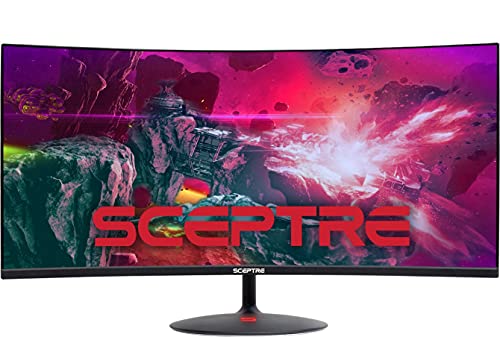
Sceptre 34-inch Curved UltraWide 100Hz

INNOCN 49″ Curved Ultrawide 32:9 144Hz

INNOCN 45C1R 5K2K Curved Ultrawide

INNOCN 40C1R Ultrawide 144Hz IPS
More Details On Our Top Picks
The 32-inch 1500R (a curve radius of 1500mm, meaning a fairly tight wrap) panel on the ASUS TUF VG328H1B sits in a sweet spot: large enough to fill your view, but not so wide that 1080p starts looking soft at normal desk distance. For someone logging nightly Valorant or Apex matches, the 165Hz refresh rate (how many times per second the image redraws) keeps motion crisp without demanding a flagship GPU.
Adaptive-Sync (a variable refresh feature that matches the display to your GPU to kill screen tearing) works with both NVIDIA GeForce and AMD Radeon cards, so the FreeSync Premium label is just the AMD side of that same conversation. For anyone who plays across multiple machines or shares the rig with friends, that cross-compatibility is genuinely useful.
Points In Its Favor
- 165Hz refresh rate keeps competitive games looking smooth without requiring top-tier hardware.
- 1500R curve wraps the action around your periphery without forcing an ultrawide footprint.
- ELMB (Extreme Low Motion Blur) technology pushes response time to 1ms MPRT (Moving Picture Response Time, how fast a pixel changes to remove blur), which is helpful for fast pans in FPS titles.
- Shadow Boost brightens dark corners of a scene without blowing out the highlights, so you spot campers in dim corridors.
- Adaptive-Sync works with both major GPU brands, removing the upgrade penalty later on.
Trade Offs
- 1080p resolution on a 32-inch panel means pixel density is moderate; you may notice softness on a desktop right up against the screen.
- The stand is functional but not height-adjustable, so most owners add a VESA mount or stack risers to get comfortable eye level.
Key Specs
Right Fit For
Competitive multiplayer players on mid-range hardware who want a large, smooth display without stepping up to 1440p.
Look Elsewhere When
Step up to the Sceptre Curved 24.5-inch Gaming Monitor 240Hz if your priority is pure refresh rate over panel size.
For twitch-reflex players, refresh rate trumps almost everything else, and the Sceptre C255B-FWT240 delivers a 240Hz ceiling in a 24.5-inch curved package. The 1500R curve is subtle on a screen this size, but the tight pixel grid means every frame stays sharp at arm’s length. If your GPU pushes frame rates into the triple digits, this panel actually shows you what your hardware is doing.
Unlike the larger ASUS TUF above, this one keeps things compact: easy on a small desk, easy to mount, and easy to keep at the right eye level. For someone running Counter-Strike or Valorant nightly, that combo of speed and size is a sweet spot many competitive players chase.
Why It Works Well
- 240Hz refresh rate gives competitive players a tangible edge in fast-paced shooters.
- 1ms response time keeps motion trails short during flick shots and quick turns.
- Built-in speakers handle basic game audio when you don’t want headphones on.
- Multiple DisplayPort and HDMI inputs let you switch between PC and console without swapping cables.
Points To Note
- To fully exploit 240Hz, your GPU needs to push frame rates that high; otherwise the panel sits underutilized.
- 24.5 inches feels small in a dark room if you’re used to immersive RPGs or sim racing.
Who Will Love This
Esports-first gamers who play on smaller desks and want every frame their GPU can produce.
A Better Fit Elsewhere
Skip this for the INNOCN 34″ Ultrawide 180Hz IPS Monitor if curved ultrawide immersion matters more than raw refresh rate.
The Sceptre C248B-FWT168 sits in a comfortable middle ground: 100% sRGB coverage (the full standard color gamut used for most web and game content) makes colors look right, while 180+Hz refresh keeps games feeling responsive. For someone moving up from an aging 60Hz office monitor, the jump is dramatic without breaking the budget.
Compared to the Sceptre 240Hz model, this one trades a bit of speed for better color coverage and a friendlier feature set. It’s the kind of display that handles a long RPG session and a weekend Apex grind without feeling compromised either way.
Well-Handled Touches
- 100% sRGB color coverage means games and streaming content look the way the artists intended.
- 180+Hz refresh rate is a meaningful upgrade over standard 144Hz displays for fast-action games.
- Built-in speakers are good enough for casual play when a headset isn’t convenient.
- AMD FreeSync support keeps frames aligned with compatible Radeon GPUs to remove tearing.
Honest Caveats
- 1080p on a 24-inch screen is comfortable, but text-heavy productivity work may feel cramped next to a 27-inch or larger panel.
- The stand tilts but doesn’t raise, so taller users might find themselves hunching for proper eye alignment.
Built With In Mind
Budget-conscious gamers who want a high-refresh curved display without paying for 240Hz they may not fully use.
Reach For A Different Pick When
Move to the ASUS TUF Gaming VG328H1B 32” Curved Monitor if a larger 32-inch screen matters more for immersion than peak refresh rate.
The E255B-FWD240 keeps things stripped down for speed: 240Hz, 1ms response, and FreeSync Premium on a flat 24.5-inch panel. For FPS players who care more about head-tracking an enemy than wrapping a curve around their peripheral vision, the flat layout means everything stays geometrically consistent, no warping at the edges during a hard turn.
It also doubles as a clean productivity display between matches. The 100% sRGB coverage keeps spreadsheets and photos looking natural, which is a quiet bonus if your gaming rig doubles as your work machine.
Useful Strengths
- 240Hz refresh rate gives competitive players a clear motion advantage in fast shooters.
- 100% sRGB coverage keeps colors accurate for content work between gaming sessions.
- Two DisplayPort and two HDMI inputs make it easy to run a PC and a console on the same panel.
- FreeSync Premium helps AMD GPU owners eliminate screen tearing without adding input lag.
Things To Consider
- The flat panel lacks the immersive wrap that a curved screen offers for single-player RPGs and sims.
- To benefit fully from 240Hz, your system needs a GPU that can push matching frame rates.
Perfect Match For
FPS mains and ranked-grinders who prioritize head-to-head competition over cinematic immersion.
Swap It Out When
Step up to the Sceptre Curved 24.5-inch Gaming Monitor 240Hz if you want the same speed wrapped in a subtle curve.
The INNOCN 34C1R shifts the conversation from “how fast” to “how much.” The 21:9 (a screen ratio wider than standard 16:9, giving you more horizontal space) ultrawide panel gives you the desktop real estate of two monitors without the bezel gap, and 3440×1440 WQHD resolution (a middle step between Full HD and 4K, with about 3.7 million pixels) keeps text sharp across the full width. IPS (In-Plane Switching) panel tech means colors stay accurate even when you lean to the side.
PIP (Picture-in-Picture) and PBP (Picture-by-Picture) modes let you run a gaming PC and a console on the same screen at once, which is genuinely useful for streamers or households sharing the display. Unlike the 1080p picks above, this one rewards you for having a stronger GPU.
Practical Pluses
- 21:9 ultrawide format gives racing and flight sims a wide field of view that 16:9 panels can’t match.
- PIP/PBP modes let you keep a game guide or chat window open without alt-tabbing out.
- 180Hz refresh rate and Adaptive-Sync compatibility keep motion smooth with G-SYNC capable NVIDIA cards.
- Height-adjustable stand supports 130mm of vertical movement plus tilt for ergonomic positioning.
Worth Noting
- WQHD resolution demands a mid-to-upper tier GPU for high frame rates at native resolution.
- 34-inch ultrawides need a deep desk: most setups work best with at least 28 inches of depth.
Feature Snapshot
Best Suited To
Sim racers, flight sim enthusiasts, and multitaskers who want a wide canvas for work and play.
Not Your Match When
Choose the Sceptre 34-inch Curved UltraWide 100Hz instead if you want a similar ultrawide format at a more accessible price point.
This is the kind of display that makes people stop in the aisle: 49 inches of 32:9 (a super-ultrawide ratio equivalent to two 16:9 screens side by side) curved screen with DQHD (Dual QHD) 5120×1440 resolution, running at 240Hz. For sim racers, flight sim fans, and anyone who wants their game world to wrap fully around their seat, the 1800R curve (a gentler radius than 1500R, better for very wide panels) does the heavy lifting.
Compared to the 34-inch INNOCN above, this one doubles your horizontal real estate. The catch is desk space and GPU muscle: you’ll need both. Owners commonly report that the panel works best at a 30+ inch viewing distance, so plan your setup accordingly.
Positive Takeaways
- 5120×1440 resolution gives you the equivalent of two 1440p monitors without the bezel gap.
- 240Hz refresh rate keeps fast sims and shooters smooth even on a panel this wide.
- 1800R curve wraps the entire field of view for genuine immersion in supported games.
- Tilt, swivel, and height adjustments come built into the stand.
Trade-Offs To Consider
- You’ll need a high-end GPU to push 240Hz at native 5120×1440 in modern titles.
- The 49-inch footprint demands a large desk and careful cable management behind it.
The Right Fit
Sim racers, flight sim pilots, and productivity power-users who want a single display to replace a dual-monitor setup.
Skip It When
Pick the INNOCN 45C1R 5K2K Curved Ultrawide if 49 inches feels excessive but you still want super-ultrawide immersion.
The C345W-2560UN is the gentle entry into ultrawide gaming. 2560×1080 (WFHD, a slightly wider Full HD resolution of about 2.3 million pixels) is easier on mid-range GPUs than 1440p, and the 100Hz refresh rate still feels noticeably smoother than a standard 60Hz office panel. For someone who works from home and games after hours, the 21:9 format handles spreadsheets and games with equal ease.
Unlike the INNOCN 34-inch 180Hz monitor above, this one keeps the price accessible and the system requirements modest. It’s not a pixel-density champion, but it covers the basics well.
Where It Delivers
- 21:9 ultrawide gives extra room for side-by-side documents or a wider gaming field of view.
- 100Hz refresh rate is a clean step up from standard 60Hz for casual play.
- Frameless design keeps the panel looking modern in a clean desk setup.
- DisplayPort and HDMI inputs support both PC and console connections.
Potential Drawbacks
- 2560×1080 resolution looks softer than WQHD when sitting close, especially on text-heavy work.
- 100Hz is modest for serious competitive play, where 144Hz+ is more common.
Quick Facts
Whose Shelf It Belongs On
Casual gamers and home office users who want ultrawide immersion without stretching to premium pricing.
Consider Something Else When
Choose the INNOCN 34″ Ultrawide 180Hz IPS Monitor if sharper text and faster refresh matter for your workflow.
The INNOCN 49C1G splits the difference between the 34-inch and 49-inch INNOCN picks. 3840×1080 across a 32:9 panel is essentially two 1080p screens fused into one, which makes it a natural fit for streamers running a game and a chat window side by side. HDR400 (a baseline HDR, or High Dynamic Range, tier that hints at deeper contrast) support adds a touch of extra pop in compatible titles.
Versus the higher-res INNOCN 49″ Curved DQHD 240Hz Ultrawide, this one is friendlier on the GPU and easier to drive with mainstream hardware. USB Type-C connectivity is a quiet win for laptop users who dock and go.
Where It Excels
- 32:9 super-ultrawide format gives streamers and multitaskers two screens without bezels.
- USB Type-C input simplifies laptop docking for hybrid work-and-play setups.
- 99% sRGB coverage keeps colors accurate for content creation between gaming sessions.
- HDR400 support adds a layer of contrast in supported games and movies.
Soft Spots
- 3840×1080 vertical resolution is short, so productivity users may find it limiting for stacked windows.
- 144Hz is solid but slower than the 240Hz 49-inch INNOCN above.
Made For
Streamers and multitaskers who want a single panel that handles game, chat, and reference content at once.
Another Choice May Suit
Pick the INNOCN 49″ Curved DQHD 240Hz Ultrawide if you want sharper text and faster refresh in the same screen size.
The 45C1R is a thoughtful middle ground in INNOCN’s ultrawide lineup: 45 inches (a 32:9 super-ultrawide screen size) at 5K2K 5120×1440, with a tighter 1500R curve that pulls the edges closer to your eyes. The 90W USB Type-C power delivery (charging your laptop through the same cable that carries the display signal) is the headline feature for anyone whose work laptop doubles as a gaming machine.
Compared to the 49-inch DQHD 240Hz INNOCN above, this one trades a few inches of width for a sharper pixel grid and easier laptop docking. PIP and PBP modes keep multi-source workflows simple.
Reasons It Performs
- 5K2K resolution gives a clean canvas for video timelines, trading charts, and wide game views.
- 90W USB-C power delivery charges a connected laptop while carrying the display signal.
- 1500R curve is tighter than the 49-inch DQHD model, which helps the wrap feel consistent.
- PIP/PBP modes support running two sources side by side on the same panel.
Some Limits To Know
- 120Hz refresh rate is modest for fast-paced competitive games.
- 45-inch super-ultrawide still demands a generous desk footprint and proper viewing distance.
Feature Rundown
Who Should Grab It
Hybrid work-and-play users who want one panel to dock a laptop, charge it, and still game well on evenings.
Where A Sibling Pick Shines
Move to the INNOCN 49″ Curved DQHD 240Hz Ultrawide if you want more screen area and faster refresh for serious sim play.
The 40C1R is the most desk-friendly of INNOCN’s ultrawides. At 40 inches, it adds about 18% more viewable area than a 34-inch panel without the overwhelming footprint of a 49-inch super-ultrawide. The 3440×1440 WQHD resolution stays sharp at this size, and the IPS panel keeps colors consistent across the screen.
Versus the INNOCN 34″ Ultrawide 180Hz IPS Monitor, this one is larger and slightly slower on the refresh front, but it adds 95% DCI-P3 (a wider color space than sRGB, common in cinema and modern HDR content) coverage for better HDR content. It’s a balanced pick for smaller setups.
Everyday Wins
- 40-inch size is a sweet spot: more immersive than 34 inches, less demanding than 49 inches.
- 95% DCI-P3 coverage handles modern HDR content and cinematic games with rich color.
- USB Type-C input supports laptop docking with a single cable.
- FreeSync Premium keeps the action smooth on compatible AMD GPUs.
Possible Compromises
- 144Hz refresh is a step down from the 180Hz 34-inch INNOCN, though still smooth for most genres.
- You may need a monitor arm or larger desk to position the 40-inch screen at proper eye level.
Core Details
Perfect Match For
Owners with smaller desks who still want ultrawide immersion and modern color performance.
Look Elsewhere When
Step up to the INNOCN 45C1R 5K2K Curved Ultrawide if you have room for a larger super-ultrawide canvas.
What To Weigh Before Choosing a Curved Gaming Display
Picking the right curved monitor comes down to how three variables line up: panel size, resolution, and refresh rate. A 32-inch 1080p screen feels roomy at arm’s length, but the pixel density drops fast if you push past that distance. 1440p panels (QHD/WQHD) hit a sweet spot for most mid-to-upper GPUs: sharper than 1080p, easier to drive than 4K. If your graphics card can push 240+ frames per second in your favorite shooters, a high-refresh 1080p or 1440p panel is the right match. For story-driven RPGs and sims, a 34-inch or 49-inch ultrawide tends to feel more transformative than raw speed.
Reading the Curve Number
The “R” value on a curved display refers to the radius in millimeters. A 1500R panel curves more aggressively than an 1800R panel, which matters more on larger screens. On a 24-inch display, the curve is subtle. On a 49-inch super-ultrawide, 1500R feels significantly more wrapping than 1800R. For most gamers, anything from 1500R to 1800R creates a comfortable wrap without distorting text or UI elements.
Matching Your GPU
Refresh rate only matters if your hardware can feed the panel. A 240Hz display running 90 frames per second looks almost identical to a 144Hz panel running the same. Run spec-check tools on the games you actually play before committing to a high-refresh option, especially at higher resolutions. For most people, a mid-range GPU pairs well with 1440p at 144-180Hz, while a flagship card unlocks 240Hz and 4K territory.
Ports and Practical Considerations
USB Type-C with power delivery is a quiet lifesaver for laptop users: one cable handles video, data, and charging. PIP and PBP modes are useful if you want a single panel for a PC and a console, or a game and a chat window. Finally, check the stand’s adjustability. A height-adjustable stand (or a VESA-compatible mounting pattern) saves you from a sore neck during long sessions.
Key Considerations Across These Picks
Where Shoppers Go Wrong
A common slip-up is chasing a massive 49-inch super-ultrawide without checking desk depth. Panels that wide need at least 30 inches of viewing distance, or the edges feel uncomfortably close. Another trap is pairing a 4K or 5K2K panel with a mid-range GPU and expecting high frame rates. Resolution eats GPU power faster than refresh rate does, and you’ll end up lowering settings to compensate. Measure your desk, check your hardware, and match the panel to both before buying.
What The Higher Tier Buys
Stepping from a 1080p 165Hz display to a 1440p 180Hz ultrawide usually costs more but pays you back in three ways: sharper text for everyday work, wider field of view in supported games, and more desk real estate for multitasking. Going further to a 49-inch super-ultrawide or 5K2K panel adds even more screen area, but the jump requires flagship-class hardware to drive it well. The honest read is that mid-range hardware owners get the best return on a 34-inch 1440p ultrawide, while top-tier rigs benefit most from super-ultrawide or 5K2K panels.
Frequently Asked Questions
Is a curved monitor better for gaming than a flat one?
Curved panels help your eyes take in the whole screen at once, which is especially useful on ultrawides and larger displays. For competitive FPS, a flat panel can keep geometry more consistent during fast turns, but most gamers find the immersion gain of a curve worth it for everything else.
What size curved monitor is best for a desk?
Most desks handle 27 to 34 inches comfortably. Super-ultrawides at 45 or 49 inches need deeper desks (30+ inches of viewing distance) and a bit of breathing room on either side. Measure before you buy.
Does refresh rate matter more than resolution?
It depends on the games you play. Fast competitive shooters benefit more from high refresh rate, while story-driven and visually rich games reward resolution and panel size. Many gamers find a 1440p display at 144-180Hz is the best middle ground.
Can a curved monitor be used with a console?
Yes, most curved gaming monitors include HDMI inputs that work with current-generation consoles. Just make sure the panel supports the resolution and refresh rate your console outputs for the smoothest result.
Do I need FreeSync or G-SYNC?
Adaptive-Sync (FreeSync on AMD, G-SYNC compatibility on NVIDIA) eliminates screen tearing and stuttering by syncing the display’s refresh to your GPU’s frame output. Most current GPUs benefit from it, and it’s worth having on any modern gaming monitor.
Wrap Up
The best curved monitor is the one that matches your desk, your GPU, and the games you actually play. Competitive players tend to land on smaller, high-refresh 1080p or 1440p panels. Sim fans and multitaskers tend to lean toward 34-inch or 49-inch ultrawides. Hybrid users often find the sweet spot at 40 inches with USB-C docking. Whichever path you choose, the picks above cover the most common ways gamers set up a curved display in 2026, and the trade-offs to expect from each.


