


Building a smooth two-screen gaming station comes down to two real decisions: what your second display actually does for you, and how cleanly it sits next to your main panel. You might want a portable screen that travels with your laptop to a friend’s place, or a heavy-duty arm that floats two large panels above a compact desk. Both paths lead to a more spacious, more comfortable command center, and both have trade-offs around size, weight, ergonomics, and cable management. The lineup below mixes travel-ready second screens with desk-mounting hardware, so the right setup depends on whether your gaming happens at one desk or many.
A Closer Look At The Lineup

cocopar 15.6 Inch 1080P FHD Travel Monitor with Cover Stand

VisionOwl 16 Inch 2.5K QHD 144Hz Travel Monitor
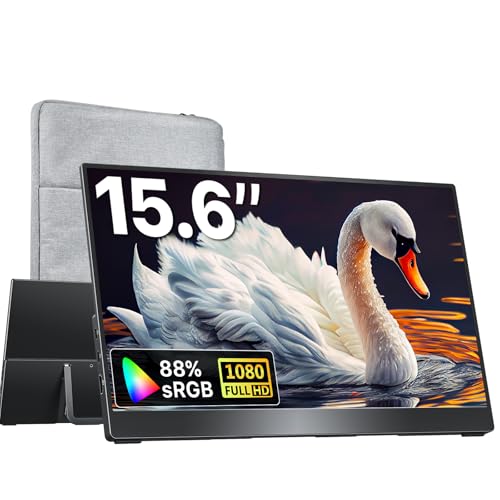
kksmart 15.6 Inch Portable Monitor with HDMI USB-C

VisionOwl 15.6 Inch IPS Touchscreen Travel Monitor

ARES WING Single Gaming Monitor Arm 24-57 Inch

ARES WING Dual Monitor Arm Desk Mount 17-49 Inch

ARES WING Heavy Duty Single Monitor Mount 13-49 Inch

ARES WING Single Gaming Monitor Arm with RGB

ARES WING Single Monitor Arm Desk Mount 17-49 Inch
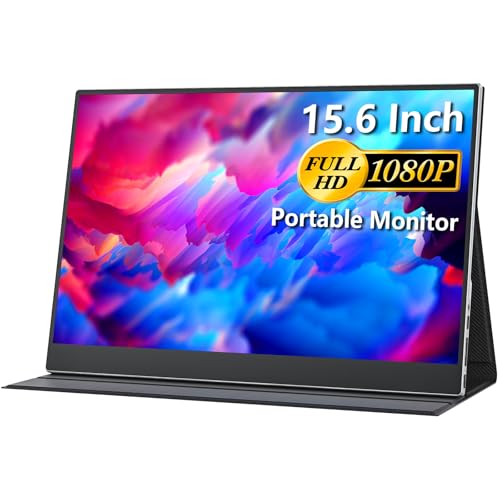
cocopar 15.6 Inch 1080P FHD Travel Monitor with Full Cover
More Details On Our Top Picks
A second screen that slips into a backpack next to a 15-inch laptop is genuinely useful, not a gimmick. The cocopar 15.6-inch panel runs at 1920×1080 with 85% sRGB color coverage, which is plenty for chat windows, browser dashboards, or a side monitor on a console. The folding cover doubles as a kickstand, so you avoid hauling a separate tripod, and both USB-C and HDMI inputs mean a single cable can carry the video signal from most modern laptops, MacBooks, or Surface devices.
For someone splitting time between home and a dorm, hotel, or friend’s place, the form factor matters more than the resolution. The IPS panel keeps colors steady even when you tilt the screen, and built-in speakers handle basic alert sounds so you don’t need to pack extra peripherals. You can also VESA-mount it to a clamp arm when it lands on a permanent desk, then unclip it for travel days.
What Earns Its Place
- USB-C and HDMI inputs cover most laptops, MacBooks, and current consoles
- Folding cover folds out into a stand, removing the need for a separate kickstand
- VESA-compatible back for permanent desk mounting
- IPS panel holds color accuracy even at tilted angles
- 85% sRGB coverage is solid for productivity and casual gaming
Things To Consider
- 60Hz refresh rate limits appeal for fast-paced competitive shooters
- 15.6 inches feels small when you already game on a 27-inch main panel
- Built-in speakers are fine for system sounds, not for immersive audio
Best Suited To
Traveling gamers and hybrid workers who want a portable second screen for console or laptop sessions on the road.
Look Elsewhere When
Competitive players chasing high refresh rates should look at the VisionOwl 16 Inch 2.5K QHD 144Hz Travel Monitor instead.
Where the first cocopar panel covers the basics, the VisionOwl 16-inch moves into proper gaming territory. The 2560×1600 QHD resolution and 144Hz refresh rate make fast motion look fluid, and the 16:10 aspect ratio gives you more vertical space than a standard 16:9 travel display. That extra height is the difference between a chat app that fits cleanly above a spreadsheet and one that gets clipped.
Competitive players pulling a small second panel to LAN events or a friend’s house will appreciate the smoothness more than the size bump. USB-C, HDMI, and HDR support make the panel flexible across laptops, MacBooks, and current-generation consoles, and the built-in kickstand keeps setup quick. VESA mounting remains available when you want a more permanent home for the screen.
Practical Advantages
- 144Hz refresh rate handles fast competitive games without obvious motion blur
- 2.5K QHD resolution sharpens small text in productivity apps
- 16:10 aspect ratio matches MacBook screens for cleaner extended-mode layouts
- HDR input support widens the range of compatible source devices
Points To Note
- Higher pixel count demands more GPU headroom than a 1080p portable
- Built-in speakers are functional but won’t replace a headset
- Premium panel positioning usually means a premium price
Right Fit For
Gamers who want fluid motion and sharp detail on a portable second screen, especially at tournaments or shared setups.
Skip It When
Casual players who mainly want chat or browser space should save budget with the kksmart 15.6 Inch Portable Monitor with HDMI USB-C.
Travel monitors don’t need to be expensive to be useful, and the kksmart 15.6-inch leans into that simple pitch. At roughly 1.5 pounds with a three-side frameless design, it slips into most laptop bags without much fuss, and the dual USB-C ports plus HDMI cover just about every modern source you can throw at it. The IPS panel keeps colors looking consistent from off-angle seats, which matters when you’re sharing a screen with someone sitting beside you.
For most home setups, this panel covers chat, music, a strategy guide, or a social feed while your main display runs the game. The built-in speakers handle the basics, and the VESA-compatible back panel means you can strap it to a desk arm once it lands on a permanent station.
Strengths Worth Knowing
- Lightweight build at roughly 1.5 pounds is easy to carry
- Dual USB-C ports reduce cable juggling with single-cable laptops
- Three-side frameless design looks clean in a dual-screen layout
- Broad device support for laptops, consoles, and Surface tablets
Trade Offs
- Refresh rate and resolution sit at basic 60Hz 1080p levels
- Built-in speakers are thin enough that you may want a separate audio option
- Kickstand is integrated, so desk-arm mounting needs the VESA plate
Who It Suits Best
Casual gamers and remote workers who want a budget-friendly second screen that travels well and handles most daily tasks.
Consider Something Else When
Competitive players chasing higher refresh rates should reach for the VisionOwl 16 Inch 2.5K QHD 144Hz Travel Monitor instead.
A touchscreen on a second monitor sounds like a luxury until you start dragging windows across it with a finger. The VisionOwl 15.6-inch IPS panel supports 10-point multi-touch on Windows, with single-finger gestures on macOS, which makes scrolling and sliding feel natural even without a mouse handy. The tempered glass surface adds scratch resistance, so the screen holds up to the kind of daily tapping that touchscreens actually receive.
Creators running drawing apps, designers sketching concepts, or anyone juggling scrubbable timelines will find the touch input genuinely useful. USB-C and HDMI inputs keep cable options flexible, and the built-in kickstand means you don’t have to bring extra mounting hardware. For most setups, the touch layer is the difference between a passive second display and an active workspace.
Why It Works Well
- 10-point multi-touch on Windows gives full finger control
- Single-finger gestures on macOS feel natural for scroll-heavy apps
- Tempered glass surface resists scratches and fingerprints better than soft coatings
- IPS panel keeps colors consistent for design work
Honest Caveats
- Touch support does not extend to consoles, since macOS gestures are limited
- Glossy glass surface can pick up glare in bright rooms
Made For
Designers, streamers, and Mac users who want direct finger control on a portable second display.
Not Your Match When
Console-only gamers should consider the cocopar 15.6 Inch 1080P FHD Travel Monitor with Cover Stand, which prioritizes simple plug-and-play use.
Feature Snapshot
A heavy monitor that just sits on a stand eats desk space, and that’s where a proper gas spring arm changes the equation. The ARES WING single arm carries up to 60 pounds across screens ranging from 24 to 57 inches, which covers everything from compact esports panels up to ultrawide curved flagships. Clamp and grommet mounting options fit most desks between 10 and 50mm thick, so installation is rarely a fight with the furniture.
For a single-panel battlestation, this arm lets you dial in monitor height and tilt precisely, which means less neck strain during longer sessions. Built-in cable management keeps the underside clean, and the VESA plate accepts 75×75, 100×100, 100×200, 200×100, and 200×200 patterns, which covers nearly every modern monitor you might mount on it.
A Few Highlights
- 60-pound weight capacity handles ultrawide flagships with confidence
- Wide VESA compatibility avoids needing adapters for most monitors
- Clamp and grommet options suit most standard desks
- Adjustable arm geometry reduces neck and shoulder strain over long sessions
Worth Noting
- Single-arm design only carries one display, which limits dual-monitor flexibility
- Heavier monitors at full extension can cause slight arm sag over time, a commonly reported issue
Perfect Match For
Single-monitor battlestation owners running a heavy ultrawide or curved panel and wanting ergonomic adjustment without desk clutter.
A Better Fit Elsewhere
Two-monitor desk setups should reach for the ARES WING Dual Monitor Arm Desk Mount 17-49 Inch instead.
Quick Facts
Most dual-monitor arms quietly bail on the largest screens, but the ARES WING dual mount is built around ultrawides up to 49 inches, including aggressively curved 1000R panels. Each arm holds up to 44 pounds, and the stacked configuration frees up desk real estate that two separate stands would normally consume. If you game on one ultrawide and keep chat or a stream preview on the other, this mount keeps both panels at the same height without a complicated installation.
The full-motion gas spring arms let you swivel, tilt, and adjust each panel independently, which is the small ergonomic detail that compounds over a long session. The 75 and 100mm VESA pattern support covers most mainstream panels, though monitors without VESA mounting will need a separate adapter. For most gaming desks, the trade-off is workspace above the desk in exchange for monitor footprint below it.
What Stands Out
- Each arm carries up to 44 pounds, enough for 49-inch ultrawides
- Full-motion gas spring allows independent screen positioning
- Stacked layout clears desk space that two stock stands would occupy
- Compatible with 1000R curved panels, which most generic arms cannot support
Points To Keep In Mind
- Monitors without VESA mounts require a separate adapter plate
- Clamp fit depends on a thick enough desk edge for stable mounting
Who Will Love This
Two-screen gaming setups running large panels, especially ultrawide owners who want a clean stacked layout.
Swap It Out When
Single-screen owners should consider the ARES WING Heavy Duty Single Monitor Mount 13-49 Inch, which offers more reach per arm.
For a curved single-screen battlestation, the ARES WING heavy-duty single mount reaches where stock stands can’t. It supports screens from 13 to 49 inches, with up to 40 pounds for flat panels and 31 pounds for curved displays. The gas spring action feels smooth when you nudge the screen, and the wide range of motion is the real ergonomic win for long sessions.
Clamp or grommet mounting fits desks between 10 and 45mm thick, which covers most standard gaming desks. Compatibility with Samsung G9-class screens (newer revisions) makes this a sensible pick for owners of aggressive super-ultrawides who need a mount that can actually hold the curve.
Everyday Advantages
- Gas spring motion holds position cleanly without drift over time
- Wide size range covers compact 13-inch panels up to 49-inch super-ultrawides
- Clamp and grommet mounting suit most desk thicknesses
- Full-motion arm allows pull-in, push-back, and rotation as needed
Some Limits To Know
- Curved screen weight cap is lower than flat panel rating
- Single-arm design only mounts one display
The Right Fit
Curved-monitor owners, especially those running Samsung G9-class panels, who want a flexible arm mount with smooth adjustment.
Another Choice May Suit
Two-monitor users running ultrawides should reach for the ARES WING Dual Monitor Arm Desk Mount 17-49 Inch instead.
Key Product Details
For battlestations where the look matters as much as the function, the ARES WING RGB monitor arm adds a layer of accent lighting to a heavy-duty mount. The arm carries up to 60 pounds across screens from 24 to 57 inches, so it accepts the same heavy ultrawide and curved flagships as the non-RGB version. The lighting ties the monitor back to the rest of the desk, which is the small detail that makes a coordinated setup feel finished.
Beyond the lighting, the practical side matches the standard single gaming arm. VESA compatibility covers 75×75, 100×100, 100×200, 200×100, and 200×200 patterns, and clamp or grommet mounting fits most desks. The streamlined structure and bold contours match the e-sports aesthetic, and cable management keeps the underside tidy enough to keep the lighting visible.
Noteworthy Benefits
- RGB accent lighting ties the monitor to the rest of the battlestation
- 60-pound capacity handles heavy curved and ultrawide panels
- Wide VESA compatibility avoids needing adapter plates
- Clamp and grommet options suit most desk thicknesses
Small Caveats
- RGB adds cost over the non-lit version, which may not suit every budget
- Lighting color is fixed in style, not always customizable
Built With In Mind
RGB-focused battlestation builders who want their monitor mount to match the rest of the lighting scheme.
Reach For A Different Pick When
Owners who want a clean non-lit mount should consider the ARES WING Single Gaming Monitor Arm 24-57 Inch instead.
The Numbers That Matter
Not every desk needs a flashy arm, and the ARES WING single monitor mount focuses on doing the basics well. The 18-inch extended column gives you more vertical travel than shorter arms, which matters when you want a monitor sitting well above a laptop or a stacked docking station. Up to 44 pounds of weight capacity and gas spring height adjustment cover a wide range of panels from 17 to 49 inches.
The quick-release VESA plate speeds up installation and removal, so swapping monitors doesn’t become a Saturday project. For mixed work-and-gaming desks where the same arm supports different panels throughout the year, the simplicity of the design and the broad VESA pattern support make this a sensible anchor point.
Notable Upsides
- 18-inch extended column offers more vertical reach than shorter arms
- 44-pound capacity supports ultrawide panels and heavier curved screens
- Quick-release VESA plate simplifies monitor swaps
- Gas spring action holds position without drift
A Few Limitations
- Single-arm design is not ideal for two-monitor layouts
- Limited lighting or cosmetic flourishes compared to RGB-equipped arms
Whose Shelf It Belongs On
Owners of one large monitor who want a workhorse mount with generous vertical reach and quick-release convenience.
Where A Sibling Pick Shines
Two-monitor desks looking for a coordinated pair should consider the ARES WING Dual Monitor Arm Desk Mount 17-49 Inch.
A second cocopar panel rounds out the list with a slightly different take on the travel-monitor formula. The full cover folds over the entire screen during transport, then doubles as a stand during use, which protects the panel from keys and cables rattling around in a backpack. The 1920×1080 IPS panel with 85% sRGB coverage handles productivity apps and casual gaming with the same color balance as the earlier cocopar, just with a more protective case design.
For commuters and hybrid workers who already carry a laptop and a charger, the all-in-one cover reduces the number of separate pieces you need to pack. USB-C and HDMI inputs cover laptops, MacBooks, and current consoles, and the VESA mount pattern lets you dock the panel at home when you’re not traveling.
Reasons It Performs
- Full-cover design protects the screen during transport
- Fold-out stand removes the need for extra accessories
- IPS panel with 85% sRGB color coverage for productivity and casual gaming
- USB-C and HDMI inputs cover most modern source devices
Possible Compromises
- 60Hz refresh rate limits competitive shooter appeal
- 15.6-inch size feels small next to a 27-inch main panel
Who Should Grab It
Mobile professionals and console gamers who want a durable, easy-to-pack second screen for hybrid setups.
Not Your Match When
Competitive players chasing high-refresh gaming should look at the VisionOwl 16 Inch 2.5K QHD 144Hz Travel Monitor instead.
Feature Overview
Picking the Right Second Display and Mount Combination
Choosing between portable panels and desk-mounted arms starts with a single question: where does your gaming actually happen? If you split time between home, work, and travel setups, a portable second screen like the VisionOwl 16-inch 2.5K or the kksmart 15.6-inch gives you the most flexibility, with USB-C and HDMI inputs covering most modern laptops and consoles. If your gaming stays at one desk, the real decision is the arm.
For a single heavy ultrawide, a single-arm mount with 60-pound capacity and wide VESA support handles the weight without sagging. For two-monitor layouts, a dual-arm mount with stacked orientation keeps the desk footprint small while letting each panel swivel and tilt independently. Refresh rate matters more on portable panels than on arms, since arms just hold whatever monitor you already own, and the main panel usually carries the bulk of fast-motion gaming.
Color accuracy, measured in sRGB percentage, becomes important for designers and creators who want predictable colors across both screens. VESA compatibility is the quiet detail that decides whether installation goes smoothly or requires an extra adapter plate, so checking your monitors’ mounting patterns before you pick an arm saves real time. Curved super-ultrawides, especially Samsung G9-class panels, demand mounts with high weight capacity and gas spring arms that hold the curve without drift.
Getting the Most From Your Setup
Traps First Timers Fall Into
A common slip-up is matching a portable panel to a desk-bound arm, or picking a 60Hz travel screen for fast competitive play. Refresh rate and panel type should align with how you actually game, not with what’s most portable. The second tripwire is ignoring VESA patterns until after the arm arrives, which often ends in waiting on an adapter plate. Measure your monitor’s mount pattern, check the arm’s supported patterns, and confirm the match before ordering. Clamp thickness is the third quiet detail: desks under 10mm or over 50mm won’t accept most standard clamps without a grommet or custom solution.
What The Higher Tier Buys
The jump from a basic portable monitor to a higher-tier travel screen usually means a faster refresh rate, sharper QHD resolution, and broader color coverage. For arms, the upgrade path leads to higher weight capacity, smoother gas spring action, and wider VESA support. Whether the upgrade is worth it depends on your monitor. A 27-inch 1080p 60Hz panel doesn’t need a premium 60-pound arm with full-motion gas springs, and a budget laptop doesn’t need a QHD 144Hz second screen. Matching the upgrade to the gear you already own keeps the spending honest. Where the higher tier pays off most is with ultrawide or super-ultrawide panels, which put real stress on mounts and benefit from a screen that can keep up with their refresh rate.
Frequently Asked Questions
Is a portable monitor enough for a second-screen gaming setup?
A portable monitor is enough if you only need a side panel for chat, browser, or a stream preview, since modern USB-C portable panels carry the video signal with a single cable. For main-display gaming, you still want a proper desktop monitor with a higher refresh rate.
What is VESA mounting, and why does it matter?
VESA is a standard pattern of mounting holes on the back of monitors and the corresponding plates on arms. Matching the VESA pattern between monitor and arm avoids adapter plates and speeds up installation, with 75×75 and 100×100 being the most common patterns.
Can one arm hold two monitors at once?
Yes, dual-arm mounts like the ARES WING Dual Monitor Arm Desk Mount support two monitors from a single clamp, with each arm carrying up to 44 pounds. The trade-off is that dual arms usually have lower per-arm weight capacity than premium single arms.
Do curved monitors need special mounts?
Curved monitors with aggressive 1000R curves put extra stress on the mount, since the weight distribution shifts forward. Heavier-duty gas spring arms with high weight capacity are recommended, and compatibility with Samsung G9-class screens should be confirmed before ordering.
Is RGB lighting on a monitor arm worth the cost?
RGB lighting on a monitor arm is worth the cost if your battlestation already includes RGB peripherals, since it ties the monitor into the rest of the lighting scheme. If the rest of the desk is plain, the lighting is decoration without much context.
Wrap Up
The right dual monitor setup depends less on specs on paper and more on the layout of your gaming days. Portable panels give you a flexible second screen that travels with a laptop, while desk-mounted arms unlock the kind of clean, ergonomic layout that turns a corner of a room into a real command center. Pick the screen type first, then choose an arm that matches the weight and VESA pattern of the panel you actually own.


