


A flat panel gets the job done, but a curved screen pulls you inside the game in a way that’s hard to go back from. After long sessions of first-person shooters, open-world RPGs, and sim racing, the wraparound geometry of a curved display reduces the constant eye refocusing that makes flat screens feel fatiguing. The picks below cover everything from compact 24-inch options for tight desks to ultrawide 49-inch giants that replace dual-monitor setups, with refresh rates ranging from 144Hz to 280Hz depending on the panel.
How The Shortlist Stacks Up
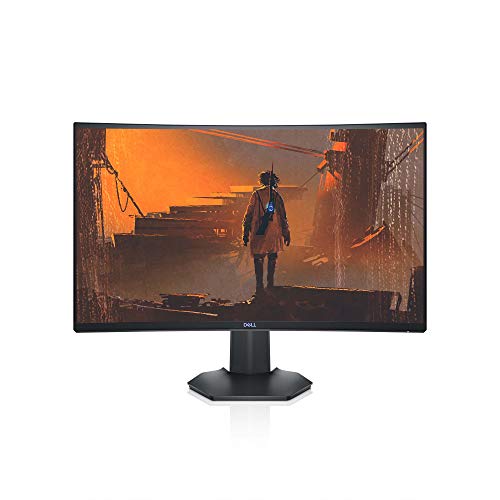
Dell S2721HGF 27 Inch Curved Gaming Monitor (Gray)

AOC C27G2Z 27 Curved Gaming Monitor 240Hz

msi MAG 274CF X24 27-inch FHD Gaming Monitor 240Hz
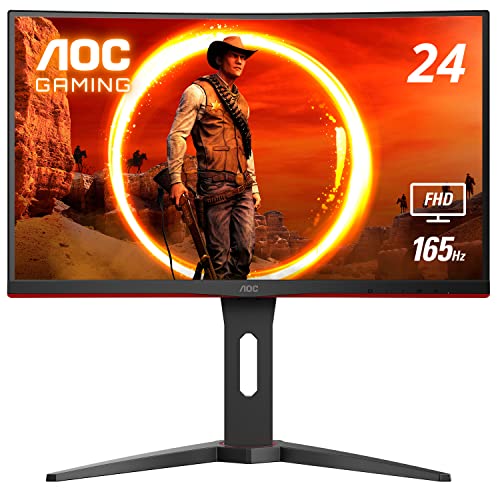
AOC C24G1A 24 Curved Frameless Gaming Monitor 165Hz
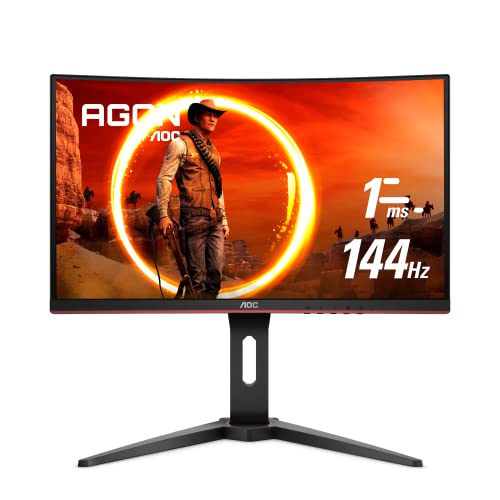
AOC C24G1 24 Curved Frameless Gaming Monitor 144Hz
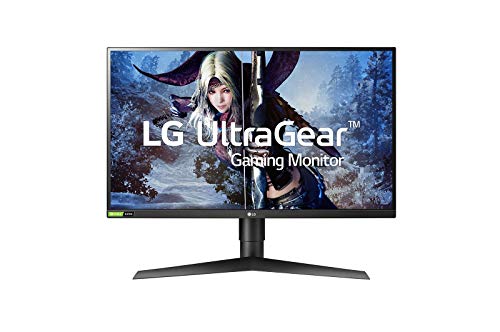
LG 27GL850-B 27 Inch Ultragear QHD Nano IPS Gaming Monitor

Z-Edge 27 inch Curved Gaming Monitor 280Hz

INNOCN 49C1R 49 Curved Ultrawide Gaming Monitor 5K2K

INNOCN 45C1R 45 Ultrawide Curved Gaming Monitor 5K2K

INNOCN 49Q1R 49 QD-OLED 5K2K 144Hz Ultrawide Curved Monitor
Meet The Standout Selections
The Dell S2721HGF is the kind of monitor most mainstream gamers can plug in and forget about. Its 27-inch VA panel uses a 1500R curve, which means the screen radius matches what your eyes naturally want at desk distance, and the 144Hz refresh rate gives you noticeably smoother motion than a standard 60Hz office display.
NVIDIA G-SYNC compatibility paired with AMD FreeSync Premium (a VRR, or variable refresh rate, technology that syncs the display to your GPU’s output) keeps tearing out of fast camera pans, and the height- and tilt-adjustable stand makes long sessions less punishing on your neck. For shoppers stepping up from a basic flat panel without crossing into premium territory, this Dell feels like a sensible middle-of-the-road choice.
Standout Benefits
- 144Hz refresh and 1ms MPRT response cut visible motion blur during twitch-heavy shooters
- 1500R curvature keeps the corners comfortable without feeling like a wraparound screen
- Height and tilt adjustments let you dial in a neutral posture over multi-hour raids
- Joystick-controlled OSD (on-screen display) menus are faster to navigate than the old row of hidden buttons
Things To Consider
- Full HD resolution at 27 inches means pixel density is modest, so text and HUD elements look softer than on 1440p panels
- VA panel contrast is strong, but viewing angles for color accuracy narrow when you lean off-center
Who It Suits Best
Esports-curious casual players who want smoother motion than their current 60Hz screen without paying for a 240Hz flagship.
Where Another Pick Suits Better
Color-accurate creative work calls for the LG 27GL850-B, which uses a Nano IPS panel with wider color gamut coverage.
Where the Dell above settles at 144Hz, the AOC C27G2Z pushes the same 27-inch screen size to a 240Hz refresh over DisplayPort 1.4, with a 0.5ms MPRT response that’s built for ranked FPS lobbies. The 1500R VA curve wraps your peripheral vision, which is genuinely useful when you’re tracking a flanker in Valorant or chasing a corner in Apex.
HDR support gives highlights a bit more pop in darker scenes, and AMD FreeSync Premium handles the syncing so frame drops don’t translate to screen tearing. If your graphics card pushes well above 144 frames per second and you want a monitor that can keep up, this AOC is a strong pairing for high-refresh builds.
Positive Points
- 240Hz ceiling is a meaningful step up from 144Hz for players who can sustain high frame rates
- 0.5ms MPRT response keeps fast crosshair flicks readable without smearing
- 1500R curve matches the sweet spot for single-monitor desk viewing
Worth Noting
- HDR performance is modest since the panel’s peak brightness is limited
- Full HD at 27 inches produces the same softer pixel density as the Dell above
- Stand adjustability is more limited than the Dell’s full height and tilt range
At A Glance
Made For
Competitive FPS players with mid-to-high-tier GPUs who can actually push frames at 240Hz.
Consider Something Else When
Sim racing and open-world explorers should consider the INNOCN 49C1R ultrawide for far more horizontal screen real estate.
MSI’s MAG 274CF X24 targets the same 240Hz tier as the AOC above but pairs it with HDR Ready tuning and a focus on competitive FPS, RPG, and flight/racing sims. The 0.5ms GtG (gray-to-gray) minimum response time keeps colors crisp during rapid transitions, which matters when you’re scanning a battlefield for a pixel-sized enemy.
For shoppers running into the upper frame rates their GPU can deliver, this MSI is built to match. The included HDMI and VGA ports give older or secondary devices an easy path in, and VESA mount compatibility means you can swap the included stand for an arm mount if you prefer a cleaner desk.
Notable Upsides
- 240Hz refresh with 0.5ms response is well-suited to fast-paced competitive genres
- HDR Ready mode adds contrast depth in supported games and films
- VESA mount support keeps desk-mount arm options open
Points To Note
- Tilt-only stand lacks height adjustment out of the box, so a monitor arm becomes more useful
- VGA port is a legacy holdover that most modern gaming PCs won’t need
Right Fit For
Tournament-style players who care about raw refresh rate over resolution sharpness.
Not Your Match When
Creators editing photo or video content will be better served by the LG 27GL850-B’s Nano IPS color accuracy.
The AOC C24G1A swaps the 27-inch form factor for a 24-inch class panel with a 23.6-inch viewable area, which fits comfortably on smaller dorm and bedroom desks where a 27-inch screen would crowd your keyboard. The 1500R curve is the same geometry as its bigger sibling, so the immersion factor is preserved.
With 165Hz available over DisplayPort 1.2 and 144Hz supported on HDMI, this monitor gives mid-range GPUs room to breathe. The three-sided frameless design also makes it a strong candidate for a multi-monitor battlestation if you decide to expand later.
Notable Gains
- Compact 24-inch footprint leaves room for speakers, mic arms, or a wider keyboard
- 165Hz refresh with FreeSync Premium keeps the experience smooth for casual to mid-level play
- Three-sided frameless bezels create a near-seamless look in dual or triple setups
Minor Gripes
- 1ms MPRT response uses backlight strobing, which can dim the image slightly
- Smaller screen means less peripheral vision wrapped by the curve
Best Suited To
Students and apartment dwellers working with limited desk depth who still want a smooth, curved experience.
Skip It When
Sim racing fans chasing cockpit immersion should look at the INNOCN 45C1R’s wider 32:9 ultrawide canvas instead.
The AOC C24G1 is the gentler entry point in this lineup, trading some of the higher-tier refresh and ergonomic flexibility for a price tag that won’t intimidate first-time curved-monitor shoppers. Its 144Hz refresh over a 1500R VA panel still feels like a real upgrade over a standard 60Hz office display.
For someone who games a few nights a week, plays a mix of competitive and story-driven titles, and doesn’t need 240Hz or wide color gamut, this AOC covers the basics without overpromising. The 3-year zero dead pixel warranty also signals the brand’s confidence in long-term panel reliability, which matters when you’re investing in a screen you’ll stare at for years.
Everyday Perks
- 144Hz refresh is a noticeable step up from 60Hz without straining mid-range GPUs
- 1500R curve provides a taste of wraparound immersion at an entry-level price
- Three-year zero dead pixel warranty adds long-term peace of mind
Trade Offs
- Lacks the 165Hz ceiling and full ergonomic adjustments of the C24G1A above
- 1080p resolution is the minimum for gaming today and limits future upgrade headroom
Who Will Love This
First-time curved-screen shoppers who want a reliable, no-fuss upgrade from an older flat panel.
A Better Fit Elsewhere
For shoppers who want a 27-inch alternative in the same budget zone, the Dell S2721HGF delivers more screen real estate and G-SYNC support.
The LG 27GL850-B is where this list starts to bend toward creative pros and serious enthusiasts. A Nano IPS panel (a type of in-plane switching screen with enhanced backlight for wider, more accurate color) hits a much wider color gamut than the VA panels elsewhere in this roundup, and the 2560 x 1440 QHD resolution (sometimes called 1440p) gives you nearly 80 percent more pixels than 1080p. That density shows up in everything from in-game textures to readable HUD elements.
NVIDIA G-SYNC compatibility and a 1ms response keep the gaming credentials intact, and the IPS panel holds its color when you lean off-axis. For shoppers who edit video on the same screen they game on, this LG is a credible dual-purpose pick.
What Earns Its Place
- QHD resolution sharpens text, HUDs, and texture detail noticeably over 1080p
- Nano IPS panel delivers strong color accuracy for both gaming and creative work
- 1ms response with G-SYNC compatibility keeps motion clean
Points To Keep In Mind
- IPS panels typically produce deeper blacks on VA screens, so dark-room contrast is a slight compromise
- Refresh rate ceiling is below the 240Hz options in this list, so pure FPS players may want to look elsewhere
Quick Facts
Perfect Match For
Hybrid creatives who game and edit photo or video on the same panel and want accurate color without skipping a real gaming refresh rate.
Another Choice May Suit
Hardcore sim racers chasing the widest field of view should look at the INNOCN 49Q1R’s 49-inch QD-OLED canvas instead.
The Z-Edge 27-inch monitor pushes past the 240Hz ceiling shared by the AOC and MSI options, offering a 240Hz base refresh that overclocks to 280Hz when your GPU can sustain it. The 1ms MPRT response time keeps motion readable during quick flick shots, and AMD FreeSync support (a frame-syncing technology that matches display refresh to GPU output) prevents the tearing that high frame rates can otherwise introduce.
For competitive players running a top-tier GPU and looking for every frame advantage in titles like Counter-Strike or Valorant, this Z-Edge is built to extract that final bit of responsiveness. The 1080p resolution keeps GPU demands reasonable, so your frame counter can actually hit the monitor’s ceiling.
A Few Strong Suits
- 280Hz overclocked refresh is currently among the highest you can get in this category
- 1ms MPRT response keeps fast motion readable during flick-heavy aim
- 1080p resolution keeps the frame rate load realistic for top-tier GPUs
Honest Caveats
- Overclocking to 280Hz is GPU-dependent; mid-range cards may not see the full benefit
- 1080p at 27 inches trades pixel density for frame rate, which some shoppers may find soft
Who Should Grab It
Competitive FPS enthusiasts with high-end graphics cards who prioritize frame rate over visual sharpness.
Look Elsewhere When
Shoppers wanting an ultrawide workspace replacement should look at the INNOCN 45C1R’s 32:9 5K2K panel.
The INNOCN 49C1R steps into a different category entirely. With a 49-inch diagonal, 32:9 aspect ratio, and 5120 x 1440 resolution (often called 5K2K or “dual-QHD”), it effectively replaces two 27-inch QHD monitors sitting side by side, without the bezel gap in the middle. The aggressive 1800R curve wraps your entire field of view, which is what makes it shine in sim racing and flight games.
HDR400 support, USB Type-C input, and a height- and tilt-adjustable stand round out the package. For shoppers who want a single-cable solution to drive a laptop and a wide gaming canvas, the USB-C port is a practical perk.
A Few Highlights
- 49-inch 32:9 panel replaces a dual-monitor setup without a center bezel
- 1800R aggressive curve envelops peripheral vision for cockpit-style immersion
- USB Type-C input simplifies laptop connectivity
A Few Limitations
- 120Hz refresh ceiling is below the 240Hz+ tiers for pure FPS players
- 49-inch footprint demands deep desk space, often 30 inches or more
- Some older games don’t natively support 32:9 aspect ratios without modding
Feature Snapshot
Built With In Mind
Sim racing and flight sim fans who want a panoramic cockpit view without the hassle of multiple aligned monitors.
Reach For A Different Pick When
FPS players chasing maximum frame rates should consider the AOC C27G2Z or the Z-Edge 280Hz monitor instead.
The INNOCN 45C1R is the middle sibling between the 49C1R above and conventional 16:9 monitors. At 45 inches diagonal with a 32:9 aspect ratio and 5120 x 1440 resolution, it offers a similar dual-QHD canvas in a slightly more desk-friendly footprint, with a less aggressive 1500R curve.
Where this monitor really earns its keep is the 90W USB Type-C Power Delivery (a charging standard that powers your laptop through the same cable that carries the display signal), which means a single cable can drive the panel and charge a connected laptop. PIP (picture-in-picture) and PBP (picture-by-picture) modes let you split the canvas for multitasking or running two inputs side by side, which is handy for streamers and remote workers who game.
What It Does Well
- 90W USB-C Power Delivery charges a laptop through the same cable as the display signal
- PIP and PBP modes handle multiple inputs without a KVM (keyboard-video-mouse) switch
- 45-inch size is more manageable than a 49-inch panel on a smaller desk
Soft Spots
- 120Hz refresh rate doesn’t match the 144Hz ceiling of the 49Q1R below
- Built-in speakers are present but, like most monitor audio, modest in output
The Right Fit
Laptop-driven workstation gamers who want one display to handle both work apps and immersive gaming.
Swap It Out When
Shoppers who want deeper contrast and faster pixel response should consider the INNOCN 49Q1R QD-OLED monitor.
The INNOCN 49Q1R is the flagship of this shortlist, and the reason is the QD-OLED panel (quantum-dot OLED, which pairs organic self-emissive pixels with a quantum-dot layer for wider color and higher brightness than traditional OLED). QD-OLED combines the per-pixel dimming (each pixel turns off individually for true black) of OLED with the brightness boost of quantum dots, producing the deep blacks and punchy highlights that make HDR content feel genuinely cinematic.
Add a 0.03ms response time, 144Hz refresh, and a 5K2K 32:9 canvas, and you have a monitor that handles single-player RPGs, sim racers, and even fast-paced shooters without compromise. HDMI 2.1, KVM functionality, and a built-in USB hub (a panel of extra USB ports that lets you plug peripherals straight into the monitor) make it a true command center for a high-end desk.
Practical Pluses
- QD-OLED panel delivers true blacks and high peak brightness for impactful HDR
- 0.03ms response is functionally instant, with no perceptible motion blur
- 144Hz refresh strikes a strong balance for both immersive and competitive play
- Built-in KVM and USB hub reduce cable clutter on the desk
Factors To Consider
- QD-OLED panels can be sensitive to long static UI elements like HUDs or productivity toolbars, a concern known as burn-in risk, so varied content and built-in panel refresh cycles are worth using
- 49-inch footprint needs a deep desk, ideally 30 inches or more of clearance
Spec Overview
Whose Shelf It Belongs On
Enthusiasts building a no-compromise desk setup who want a single display for gaming, creative work, and multitasking.
Where A Sibling Pick Shines
Shoppers on tighter budgets or with shallower desks will find the AOC C24G1A a friendlier entry point.
What Matters Most Before Choosing Curved Monitors For Gaming
Screen Size And Curve Radius
Curved monitors typically come in three main sizes for gaming: 24-inch class, 27-inch, and ultrawide 32:9 panels measuring 45 to 49 inches. The curve radius, measured in R-values like 1500R or 1800R, indicates how aggressively the screen bends. A 1500R curve is often considered the sweet spot for single-monitor desk viewing, while 1800R pairs with larger ultrawides. Match the curve to your desk depth: a 49-inch ultrawide at 1800R wants roughly 30 inches of clearance to feel natural.
Refresh Rate And Response Time
Refresh rate (how many times the screen redraws per second) and response time (how quickly a pixel can change color) are the two numbers that define how smooth motion looks. A 144Hz panel feels dramatically smoother than 60Hz, and 240Hz or 280Hz takes that further for competitive players. Response times under 5ms keep motion blur minimal, and premium options like 0.5ms or 0.03ms essentially eliminate it. Pair high refresh with FreeSync or G-SYNC support to prevent screen tearing.
Resolution And Pixel Density
1080p remains the most accessible, but at 27 inches, the pixel density (pixels per inch, or PPI) is on the softer side. QHD (2560 x 1440) sharpens detail noticeably and pairs well with mid-to-high-tier GPUs. Ultrawide 5K2K (5120 x 1440) replaces dual-monitor setups, but only if your graphics card can push enough frames at that resolution. If you can run it, the extra horizontal space is transformative for racing and flight sims.
Panel Type And Use Case
VA panels (vertical alignment) typically offer the deepest contrast and curve immersion, making them favorites for narrative and atmospheric games. IPS panels (in-plane switching) deliver wider viewing angles and stronger color accuracy, which is helpful for content creation. OLED and QD-OLED panels sit at the top for contrast and response, with the trade-off of higher cost and a need to manage static UI exposure.
Key Considerations Across These Picks
Pitfalls Shoppers Hit
The most common mistake is buying a monitor bigger than the desk can support. A 49-inch ultrawide on a 24-inch deep desk forces you to sit too close, defeating the curve’s purpose. The other is chasing 240Hz without a GPU that can actually push 240 frames per second in your favorite games. High refresh only helps if your hardware can keep up.
Where The Extra Money Goes
Stepping up to QHD resolution, QD-OLED panels, or USB-C docking adds meaningful capability. The payoff shows up in sharper text, deeper HDR, and cleaner cable management. For shoppers who split time between work and play on the same screen, the upgrade to a feature-rich ultrawide often pays back in daily convenience, not just gaming fidelity.
Frequently Asked Questions
What Is The Best Curved Monitor Size For Gaming?
For most desks, 27 inches with a 1500R or 1800R curve is the comfortable sweet spot. Ultrawide 32:9 panels at 45 or 49 inches offer the most immersion but require deeper desks and more GPU horsepower to drive.
Is A 144Hz Curved Monitor Good Enough For Competitive Gaming?
For many players, yes. 144Hz provides noticeably smoother motion than 60Hz and is enough for most ranked play. Moving to 240Hz or 280Hz adds refinement for top-tier competitive titles, but the practical difference shrinks for casual sessions.
Do Curved Monitors Reduce Eye Strain?
The wraparound geometry reduces the constant refocusing your eyes do at the edges of a flat screen, which can help during long sessions. Comfort also depends on proper height, distance, and lighting in your setup.
Can Curved Monitors Be Used With Consoles?
Most curved gaming monitors include HDMI inputs that work with current-generation consoles. Keep in mind that consoles typically cap frame rates well below what a 240Hz or 280Hz monitor can deliver, so the refresh headroom is only useful for PC gaming.
Are Ultrawide Curved Monitors Worth It For Gaming?
For sim racing, flight sims, and open-world RPGs, ultrawides provide genuine immersion that a 16:9 panel can’t match. The trade-off is desk space and the need for a strong GPU to drive the wider resolution.
The Takeaway
Your pick ultimately comes down to what you play and how your desk is set up. Competitive FPS players get the most from 240Hz or 280Hz 1080p panels, sim racers and explorers will love the 32:9 ultrawides, and creative gamers benefit most from the LG’s Nano IPS color accuracy. Match the monitor to the games and the GPU you actually have, and the upgrade will pay back every time you sit down.


