


Curved gaming displays earned their spot in serious battlestations by solving a simple problem: flat panels force your eyes to track constantly across wide viewable areas, and that fatigue adds up over a long session. A well-curved screen matches the natural arc of your vision, so corners stay legible without constant refocusing. The picks below cover everything from compact 24-inch budget models to QD-OLED ultrawides that swallow your whole desk, and each one earned its place by balancing panel type, refresh rate, and curvature with realistic ownership concerns.
A Quick View Of The Lineup
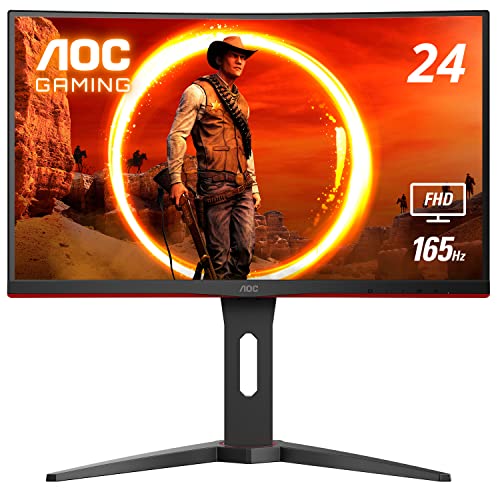
AOC C24G1A 24″ Curved Frameless Gaming Monitor 1500R 165Hz

Sceptre C275B-1858RN 27″ Curved 165Hz FreeSync Gaming Monitor

INNOCN 49C1R 49″ Curved 5K2K 120Hz Ultrawide Monitor
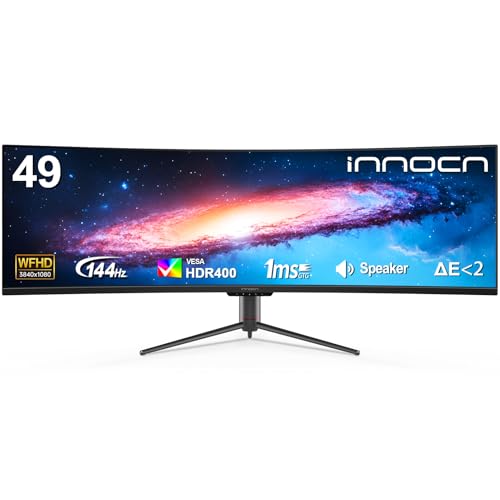
INNOCN 49″ Curved Ultrawide 144Hz 32:9 Productivity Monitor
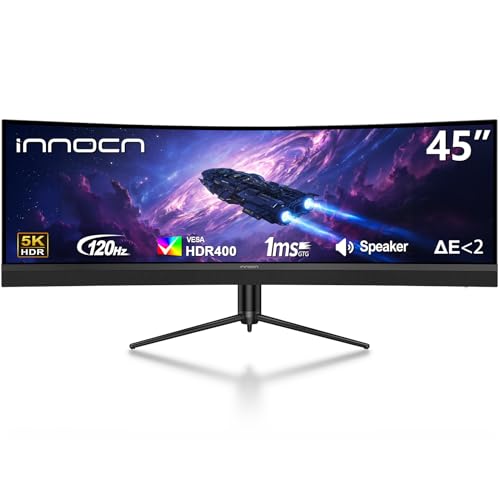
INNOCN 45″ 5K2K 120Hz Ultrawide Curved Gaming Monitor

INNOCN 40″ WQHD 144Hz IPS Ultrawide FreeSync Monitor

INNOCN 45C1R 45″ 5K2K 120Hz Ultrawide Curved Gaming Monitor

INNOCN 49Q1R 49″ QD-OLED 5K2K 144Hz Ultrawide Curved Monitor

INNOCN 49C1G 49″ Curved 144Hz 32:9 Ultrawide Gaming Monitor
INNOCN 40C1U 40″ 5K 100Hz Ultrawide IPS Monitor for Laptop
Inside Each Recommended Option
The AOC C24G1A earns its spot as the small-desk option, pairing a 1500R curvature (the lower the number, the tighter the curve) with a 165Hz refresh rate you can drive through a DisplayPort cable. Its 24-inch class VA panel, 1920×1080 resolution, and 1ms MPRT response make fast-paced shooters feel responsive, and FreeSync Premium keeps frame tears out of the picture when your GPU dips below the ceiling.
You sit closer to a 24-inch screen than to a 27-inch one, and that physical reality is what makes the aggressive 1500R bend actually feel useful rather than gimmicky. The included stand offers height, swivel, and tilt, and the three-sided frameless design is a thoughtful touch for anyone planning a dual or triple-monitor rig in a tight room.
Positive Takeaways
- The 1500R curve wraps a 24-inch screen in a way your eyes actually notice during long sessions.
- 165Hz over DisplayPort is overkill for casual play but quietly perfect for competitive shooters.
- Height-adjustable stand with swivel and tilt removes the need for a separate monitor arm on day one.
- Three-sided frameless bezels make a side-by-side setup look clean rather than chunky.
- FreeSync Premium support over a 48 to 165Hz range smooths out frame-rate dips without manual tweaking.
Things To Consider
- VA panel contrast is strong, but viewing angles are narrower than IPS, so off-center seating shifts color noticeably.
- 1080p on 24 inches is comfortable, though the pixel density is modest by today’s standards.
Who It Suits Best
Competitive FPS players working with a single small desk and a mid-range GPU benefit most from the C24G1A’s tight curve and fast refresh.
Where Another Pick Suits Better
Shoppers who want a larger canvas at a low price should consider the Sceptre C275B-1858RN, which gives you a 27-inch screen for not much more.
The Sceptre C275B-1858RN is a 27-inch curved monitor aimed at the entry-level tier, and it does a few things unusually well for its class. You get a 165Hz ceiling over DisplayPort, 144Hz over HDMI, and AMD FreeSync Premium, all wrapped in an 1800R curve. The edge-less frame design helps it look more expensive than it is.
Compared to the AOC C24G1A above, this is a different bet: a bigger screen with a slightly gentler curve and built-in speakers, aimed at people who want immersion without committing to a high price. The 1080p resolution spread across 27 inches is less sharp than the 24-inch pick, so you can pick up individual pixels at a normal viewing distance, though for many shoppers the trade still works in favor of screen real estate.
What Helps Most
- 1800R curve is gentle enough to stay comfortable during long sessions but still noticeable in flight sims and racing games.
- 165Hz ceiling is high for the price tier, which is rare at this screen size.
- Built-in speakers save desk space for setups that don’t need a dedicated audio rig.
Worth Noting
- 1080p across 27 inches means visible pixel structure on spreadsheets and dense UI elements.
- Color accuracy is fine for games but not tuned for serious photo or video work.
- Owners commonly report the stand offers tilt only, with no height or swivel adjustment out of the box.
Made For
First-time curved-monitor owners and casual gamers who want a big screen with a high refresh ceiling at a low entry cost.
Look Elsewhere When
Content creators who need accurate color should look at the INNOCN 40C1U, which pairs 5K resolution with an IPS panel for sharper text and better color.
The INNOCN 49C1R is the kind of monitor that quietly replaces two 27-inch screens on your desk. Its 5120×1440 resolution across 49 inches gives you a 32:9 aspect ratio (a super-wide format that mimics two standard monitors placed side by side), and the 1800R curvature brings the far edges of the panel into your natural field of view. You also get HDR400 support and a claimed 99% sRGB coverage on the VA panel.
Connectivity is broader than the smaller picks above, with USB-C, DisplayPort, and HDMI inputs, plus built-in speakers. The 120Hz refresh ceiling over DisplayPort 1.4 keeps fast motion in single-player games smooth, and for sim-racing or flight sims the wide canvas is genuinely transformative, letting you see peripheral instruments and side mirrors without alt-tabbing.
Where It Helps
- 5K2K resolution spread across 49 inches gives sharp text and a wide workspace for timelines or trading dashboards.
- 1800R curve keeps the far edges readable, which matters when the screen is this wide.
- USB-C, DisplayPort, and HDMI inputs cover laptops, desktops, and consoles from one panel.
- Built-in speakers reduce cable clutter for a clean productivity-and-gaming hybrid desk.
Trade Offs
- 120Hz is solid for this resolution but trails the 144Hz options in the same list, and high-frame competitive play still benefits from the smaller picks above.
- 49 inches demands a deep desk, around 30 inches or more, for the curve to sit at the right distance.
- VA contrast is good, but HDR400 is entry-level HDR, not a true cinematic experience.
Feature Snapshot
Best Suited To
Sim-racing, flight sims, and productivity users who want one ultrawide screen to replace a two-monitor rig.
Swap It Out When
Anyone chasing true OLED blacks should look at the INNOCN 49Q1R, which uses a QD-OLED panel for far deeper contrast.
The INNOCN 49″ ultrawide at 3840×1080 is a different kind of 32:9 panel, with a lower pixel count than the 5K2K option above, which means cheaper pricing and lower GPU demands. The 144Hz refresh rate is a step up from the 5K2K model’s 120Hz, and screen-split features built into the firmware let you treat the panel as two virtual monitors without losing the seamless curve.
For someone running side-by-side documents, browser windows, and chat during the day, then gaming at night, the lower resolution is a reasonable compromise. Text is softer than on the 5K2K sibling, but you get faster motion and a noticeably friendlier price tag.
Useful Touches
- Built-in screen split functionality saves you from installing third-party virtual display tools.
- 144Hz ceiling outpaces the 5K2K INNOCN 49C1R, smoothing fast motion more effectively.
- USB-C, DisplayPort, and HDMI inputs cover a wide range of source devices.
Points To Note
- 3840×1080 across 49 inches produces softer text than denser panels, which matters for spreadsheet-heavy work.
- VA panel viewing angles are narrower than IPS, so off-center seating can shift color toward the edges.
Right Fit For
Hybrid work-and-game users who want a wide canvas, screen-split workflows, and a higher refresh rate at a more accessible tier.
Consider Something Else When
Shoppers prioritizing pixel density for editing or trading work should look at the INNOCN 40C1U, which delivers 5K sharpness in a more compact 21:9 form factor.
The 45-inch INNOCN 5K2K slots between the 49-inch ultrawides and traditional 16:9 monitors, with a 32:9 aspect ratio and 1500R curvature. The tighter curve pulls the corners closer to your natural line of sight than the 1800R panels above, which is helpful for a screen this physically wide. The USB-C port delivers 65W of power to a connected laptop.
Compared to the larger 49-inch options, the 45-inch version feels more manageable on a standard desk, and the resolution is identical, so pixel density actually goes up a bit. HDR400 support, PIP and PBP modes (picture-in-picture plus picture-by-picture for showing two sources at once), and height adjustment round out the feature set.
Notable Gains
- 1500R curve is noticeably tighter than the 1800R options, which improves corner visibility on a wide panel.
- USB-C with 65W power delivery cleans up a laptop dock setup to a single cable.
- PIP and PBP modes let you show two input sources side by side on the same screen.
Honest Caveats
- 65W of USB-C power is enough for many thin laptops but not enough for high-wattage workstations.
- 120Hz at 5K2K requires a strong GPU to push frame rates in modern games.
Who Will Love This
Editors and creators who edit on one side and game on the other, with a single USB-C cable running to a laptop.
Not Your Match When
Gamers chasing the deepest blacks should consider the INNOCN 49Q1R, which pairs the same resolution family with a QD-OLED panel.
The INNOCN 40-inch WQHD ultrawide is the only IPS option in this list, and that panel choice changes the experience meaningfully. IPS (in-plane switching) panels keep color and contrast consistent from wider angles than VA, which matters when you sometimes lean or share the screen. The 3440×1440 resolution over 21:9 hits a sweet spot for many GPUs.
The 144Hz ceiling with AMD FreeSync Premium, plus a USB-C input with 90W of power delivery, makes this a versatile choice for designers and streamers who want accurate color without giving up smooth motion. HDR400 support and PIP/PBP modes are also part of the package.
Standout Benefits
- IPS panel keeps color accurate from the edges, which is useful for collaborative viewing.
- 3440×1440 is friendlier to mid-range GPUs than 5K2K, so you can actually push high frame rates.
- USB-C with 90W of power delivery can run a full-sized laptop from one cable.
Points To Keep In Mind
- IPS contrast trails VA panels, so dark scenes look grayer in dim rooms.
- 21:9 is wide, but the 40-inch screen still feels less cinematic than the 49-inch 32:9 options in this list.
Perfect Match For
Designers, streamers, and color-sensitive creators who want a balanced ultrawide with strong USB-C power delivery.
Skip It When
Gamers prioritizing immersion in dark single-player titles should look at the INNOCN 49Q1R, where the QD-OLED panel excels in low-light scenes.
The INNOCN 45C1R is a near-twin of the 45-inch model earlier in this list, with the same 5120×1440 resolution, 1500R curve, and 32:9 aspect ratio, but a key upgrade: 90W of USB-C power delivery instead of 65W. That extra wattage is the difference between a thin ultrabook and a full-size workstation laptop charging cleanly from a single cable.
For owners who already plug a laptop into an external display all day, the 90W input is a real practical win. You also get PIP/PBP modes and built-in speakers, so this screen can act as a docking station in addition to a gaming display.
What Pays Off
- 90W USB-C power delivery handles most 14 to 16 inch creator and gaming laptops from a single cable.
- Same tight 1500R curve as the sibling 45-inch model, so corner visibility stays strong.
- PIP and PBP modes handle two input sources cleanly for productivity workflows.
Some Limits To Know
- 120Hz at 5K2K is solid but trails the 144Hz options on this list.
- Built-in speakers are functional, not room-filling, so a separate audio setup still improves immersion.
Built With In Mind
Laptop-first users who want one cable for power, display, and data, and who appreciate the tighter 1500R curve over wider 1800R panels.
Reach For A Different Pick When
Buyers who want even tighter pixel response and deeper blacks should consider the INNOCN 49Q1R QD-OLED model instead.
The INNOCN 49Q1R is the only QD-OLED in this roundup, and that panel technology is the headline: a quantum-dot OLED layer delivers near-instantaneous pixel response, a measured 0.03ms transition, and the deep blacks OLED is known for. You also get the full 5120×1440 resolution at 144Hz, plus a built-in KVM (keyboard-video-mouse) switch, which lets you toggle between two computers with one set of peripherals.
Compared to every VA option above, the difference in dark-scene performance is significant. Night-driving sims, horror games, and starfields show the kind of contrast VA panels simply can’t match. You also get HDMI 2.1, which makes the panel a serious candidate for high-end console gaming.
What Earns Its Place
- QD-OLED panel produces the deepest blacks and highest contrast in this roundup, a clear win for cinematic games.
- 144Hz at 5K2K is the highest combined resolution-and-refresh in this list.
- Built-in KVM switch removes the need for a separate peripheral switch between two computers.
- HDMI 2.1 support makes the panel console-friendly at high refresh rates.
Where It Is Less Suited
- OLED panels can be sensitive to long static UI elements, so owners commonly use built-in panel refresh and pixel-shift tools.
- 49 inches of QD-OLED demands a deep desk, and the price reflects the panel technology.
Key Attributes
Whose Shelf It Belongs On
Enthusiast gamers and content creators who want the best contrast and motion clarity in this roundup, and who are willing to manage OLED care habits.
A Better Fit Elsewhere
Buyers prioritizing value and simpler maintenance should look at the INNOCN 49C1G, which uses a VA panel at a much friendlier tier.
The INNOCN 49C1G sits in the friendliest tier of the 32:9 lineup, with a 3840×1080 resolution across 49 inches, a 144Hz refresh ceiling, and the same 1800R curve as the 5K2K sibling. For shoppers stepping into ultrawide gaming for the first time, this is a reasonable way to experience the format without committing to the higher pixel count.
You also get a 99% sRGB claim, HDR400 support, USB-C, DisplayPort, and HDMI inputs, plus built-in speakers and a height-and-tilt-adjustable stand. It’s the same general feature set as the 5K2K 49-inch option, scaled down to a softer pixel grid and a friendlier price.
Where It Excels
- Lower resolution means mid-range GPUs can push high frame rates more easily than on 5K2K panels.
- Built-in speakers and a complete input set make it a one-cable solution for laptops.
- 144Hz ceiling is the same as the QD-OLED flagship, so motion feels responsive.
What To Weigh
- 1080p stretched across 49 inches is the softest pixel density in this roundup, and you can see pixel structure at normal seating distance.
- VA contrast is solid, but it can’t match the OLED option above for true dark-scene performance.
Who Should Grab It
First-time ultrawide owners who want the wide format for gaming and split-screen productivity without the 5K price tag.
Where A Sibling Pick Shines
Shoppers wanting sharper text for office work should consider the INNOCN 40C1U, which delivers 5K resolution in a 21:9 form factor that suits a smaller desk.
The INNOCN 40C1U closes the list with the highest pixel density in the roundup, a 5120×2160 5K panel in a 21:9 aspect ratio (wider than standard 16:9 but narrower than the 32:9 ultrawides). The IPS screen, FreeSync support, and claimed factory calibration under Delta E 2 (a measure of color accuracy, where lower numbers mean truer color) make it a natural fit for photo and video work.
The 100Hz refresh rate is modest compared to the gaming flagships above, but for laptop-driven productivity and casual gaming it’s a real upgrade from 60Hz. USB-C, HDMI, and DisplayPort inputs plus a height-adjustable stand complete a panel aimed at people who plug a MacBook or creator laptop into one main screen.
Everyday Perks
- 5K resolution across 40 inches produces the sharpest text and UI in this roundup.
- IPS panel combined with factory color calibration supports serious photo and video editing.
- 21:9 aspect ratio fits more naturally on a smaller desk than 32:9 alternatives.
Practical Considerations
- 100Hz refresh is fine for productivity but trails the 144Hz gaming options above.
- IPS contrast is weaker than VA, so dark scenes in films and games look grayer than on the OLED panel.
The Right Fit
MacBook and creator-laptop owners who want one screen with sharp text, accurate color, and a single-cable USB-C connection.
Another Choice May Suit
Gamers who prefer immersion over pixel density should consider the INNOCN 49C1R, which trades some sharpness for a wider 32:9 canvas.
Factors Worth Weighing Before Choosing a Curved Gaming Monitor
Curve depth is more than a marketing number. The “R” rating describes the radius of the curve in millimeters, so 1500R bends more sharply than 1800R. Tighter curves feel more enveloping on smaller screens, while gentler curves suit ultrawides and multi-monitor setups. Match the curve depth to your screen size, or the panel will feel either too flat or too bendy at normal viewing distance.
Panel technology changes the experience far more than the curve alone. VA panels (vertical alignment) deliver strong contrast and deep blacks, which makes them well suited to cinematic single-player games and dark scenes. IPS panels keep color consistent across wide angles, which helps when you sometimes lean or share the screen. QD-OLED combines the best of both, with pixel-level dimming and quick response, though OLED panels benefit from basic care habits like pixel refreshers and avoiding very long static UI sessions.
Refresh rate and resolution need to be balanced. A 144Hz panel at 1080p is easier to drive than 144Hz at 5K2K, so pairing ambition with a realistic GPU budget avoids wasted specs. FreeSync Premium support across the listed range keeps motion smooth when frame rates dip.
Connectivity matters more than most shoppers expect. USB-C with 90W of power delivery turns a monitor into a docking station for laptop users, while HDMI 2.1 unlocks high refresh rates on modern consoles. KVM support, PIP and PBP modes, and built-in speakers all reduce the number of accessories needed on a clean desk.
Slip Ups and Where the Extra Money Goes
Traps First Timers Fall Into
Chasing the largest screen size without checking desk depth is the most common mistake in this category. A 49-inch ultrawide needs around 30 inches of clearance to sit at the right distance for the curve to feel natural. Measure first, and check that your existing stand or arm can handle the weight and VESA mount pattern.
Another misstep is assuming all curved panels feel the same. A 1500R screen on a 24-inch display feels tighter than the same 1500R on a 49-inch panel, and the immersion shift is real. Where possible, view the screen size in a store or showroom before committing to the larger pick.
When Paying More Pays Off
The jump to QD-OLED, like in the INNOCN 49Q1R, costs more for three concrete benefits: true blacks from pixel-level dimming, near-instantaneous pixel response, and broader HDR impact in supported games. For cinephile gamers who play a lot of single-player or atmospheric titles, that upgrade reads on the screen immediately.
Higher resolution ultrawides cost more because of the panel, the backlight, and the GPU muscle required to drive them. The 5K2K picks reward users running productivity apps and detailed 3D work, where the extra pixels translate to more visible workspace. For pure competitive play at high frame rates, the 1080p and 1440p picks often make more sense.
Frequently Asked Questions
What is the best screen size for a curved gaming monitor?
Screen size depends on desk depth and how close you sit. A 24 to 27 inch panel works for desks under 28 inches deep, while 32:9 ultrawides of 45 or 49 inches need 30 or more inches of clearance for the curve to feel natural.
Is OLED worth the extra cost for gaming?
QD-OLED panels offer the deepest blacks and the fastest pixel response in this roundup, which is a real upgrade for cinematic and atmospheric games. The trade-off is that OLED panels benefit from basic care habits, including built-in pixel refreshers and avoiding very long static UI sessions.
What does the R number mean on a curved monitor?
The R number is the radius of the curve in millimeters, so 1500R bends more tightly than 1800R. Tighter curves feel more enveloping on smaller screens, while gentler curves are common on larger ultrawides.
Do all curved monitors support FreeSync or G-Sync?
Most modern curved gaming monitors in this list support AMD FreeSync, with several offering FreeSync Premium for a wider range. NVIDIA G-Sync compatibility is generally confirmed case by case, so checking the official compatibility list is worthwhile if you run an NVIDIA GPU.
How important is USB-C power delivery?
USB-C power delivery matters most for laptop users, since a single cable can carry display signal, data, and enough wattage to charge the laptop. 65W covers thin ultrabooks, while 90W handles most 14 to 16 inch creator and gaming laptops.
Closing Remarks
The right curved gaming monitor comes down to a few honest trade-offs: how much desk space you actually have, what your GPU can realistically push, and whether you value contrast, color, or pure speed most. The compact AOC and Sceptre picks handle smaller setups well, the INNOCN ultrawides replace dual-monitor rigs in one panel, and the QD-OLED 49Q1R is the clear pick for shoppers who want the best image quality in the roundup. Match the screen to your real use case, and the format earns its space on your desk.


