


A 27-inch gaming monitor is the sweet spot for most desks, big enough to feel immersive, small enough to fit in a bedroom or shared office, and far more capable than the screens of a few years ago at the same money. The challenge is sorting through marketing claims, jittery spec sheets, and panel types to find a screen that actually holds up during long sessions. This roundup focuses on nine accessible 27-inch options that pair solid refresh rates with the features casual and competitive players actually use.
The Leading Options At A Glance
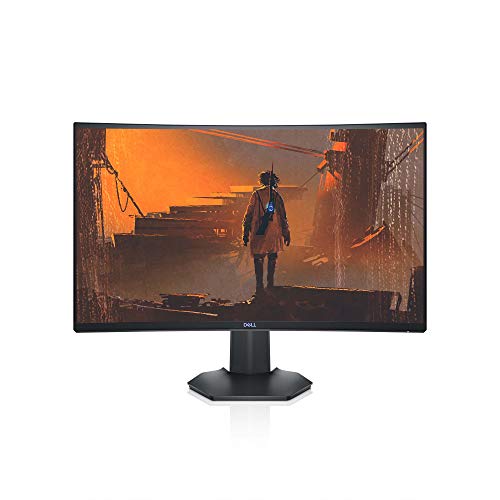
Dell S2721HGF 27 Inch Curved 144Hz Gaming Monitor

msi MAG 274CF X24 27-inch 240Hz Gaming Monitor
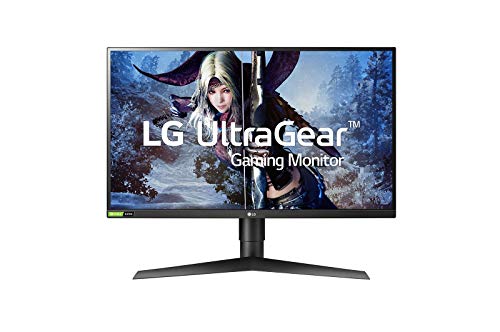
LG 27GL850-B 27 Inch Ultragear QHD Nano IPS Gaming Monitor

acer KB272 Hbi 27″ Full HD Zero-Frame Gaming Office Monitor

Sceptre Curved 27″ FHD 165Hz Gaming Monitor (C275B-1858RN)
Sceptre Curved 27″ FHD 165Hz Gaming Monitor (C275B-1858RN)

INNOCN 27″ QD-OLED 2K QHD 280Hz Gaming Monitor (2780s)
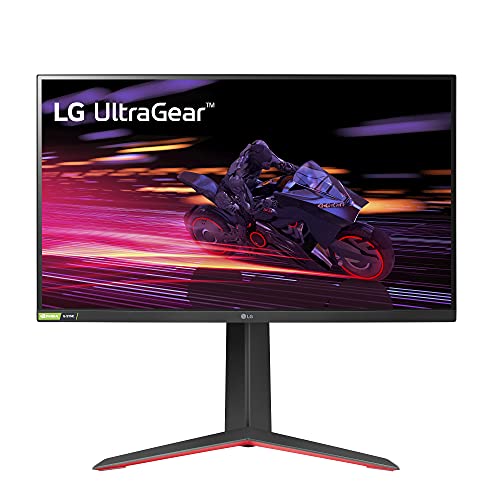
LG 27GP750-B 27” Ultragear FHD IPS 240Hz Gaming Monitor

ViewSonic VA2756A-MHD 27 Inch Full HD IPS 120Hz Monitor

Alienware AW2720HF 27 Inch 240Hz IPS Gaming Monitor
Inside Each Recommended Option
The Dell S2721HGF wraps a 1500R curve around a Full HD panel, which means the screen bends just enough to fill more of your side vision without feeling fishbowled at a normal desk distance. A 144Hz refresh rate (how many times the image redraws per second) and a 1ms MPRT response time (how fast a pixel can change color, measured in moving-picture mode) keep fast camera pans readable in shooters and open-world titles. Nvidia G-SYNC Compatible certification and AMD FreeSync Premium handle the variable refresh rate (VRR) work, syncing the panel to your GPU so frames don’t tear. For story-driven games, RPG menus, and long streaming sessions, the curve does the heavy lifting.
Where the S2721HGF earns its place is in the comfort details. Height and tilt adjustments let you nudge the screen to eye level instead of craning your neck, and the back-mounted joystick makes menu diving quick. The VA panel (a type of LCD that delivers deeper blacks than IPS at the cost of slightly slower pixel transitions) gives darker scenes more depth than typical TN screens from a few years ago. For a mixed library of single-player and competitive games, this is a sensible all-rounder.
Real Benefits
- 1500R curve draws you into racing, flight, and RPG environments without distorting the desktop
- 144Hz with 1ms MPRT keeps enemy movement legible during fast turns
- G-SYNC Compatible and FreeSync Premium prevent screen tearing (horizontal split lines caused by mismatched frame delivery) across both major GPU brands
- Height and tilt adjustment support proper ergonomic positioning during long sessions
- Rear-mounted joystick and shortcut buttons speed up OSD navigation
Points To Keep In Mind
- VA panels can show slight smearing in dark transitions during very fast motion
- Full HD resolution looks crisp at 27 inches, but text-heavy productivity work feels softer than QHD
Whose Shelf It Belongs On
Single-player and casual competitive gamers who want a curved, ergonomic screen that handles AAA and esports without breaking the budget.
Look Elsewhere When
Competitive FPS players chasing the absolute smoothest motion should consider the msi MAG 274CF X24 instead, since its 240Hz panel favors esports over cinematic depth.
Speed is the headline on the MSI MAG 274CF X24, and the numbers back it up. A 240Hz refresh rate and 0.5ms GtG response (the time it takes one pixel to shift from one gray shade to another) make this monitor a natural fit for Valorant, Counter-Strike, and Apex players who care about every frame of input lag. AMD FreeSync Premium keeps the picture stable when frame rates swing, and the HDR-ready designation gives you a taste of expanded contrast in supported games. For a bedroom battlestation or a compact desk setup, it delivers genuine esports feel without forcing a step into premium pricing.
Unlike the curved Dell above, this one uses a flat panel, which competitive players generally prefer for crosshair consistency. The tilt-only stand is a real limitation, so plan on a VESA mount (a standardized rear mounting pattern that fits third-party arms and stands) or a riser if you sit low at the desk. The included HDMI and VGA ports cover modern GPUs and older office machines, but serious esports players will want to run DisplayPort for the full 240Hz.
The Practical Payoff
- 240Hz refresh and 0.5ms GtG response translate directly to smoother aim tracking
- FreeSync Premium reduces stutter when frame rates drop below ceiling
- Flat panel keeps crosshair placement predictable across the screen
- HDR-ready pipeline brightens supported games without a full HDR600 panel
Trade Offs
- Tilt-only stand means you’ll likely add a monitor arm for proper height
- VGA port is a leftover from office duty and won’t carry the full 240Hz signal
- Color accuracy is solid for gaming but not tuned for color-critical creative work
Feature Snapshot
Made For
Competitive FPS and esports players on a tight budget who want genuine 240Hz motion and don’t need factory color calibration.
Swap It Out When
Anyone who splits time between gaming and photo or video work should consider the LG 27GL850-B, since its QHD Nano IPS panel (a wide-gamut in-plane switching screen with nanoparticle-enhanced backlighting) trades some speed for noticeably sharper detail.
The LG 27GL850-B is the resolution upgrade in this lineup. QHD (2560 x 1440) on a 27-inch Nano IPS panel (a wide-gamut in-plane switching screen with nanoparticle-enhanced backlighting) gives you noticeably sharper text and finer texture detail than the Full HD picks above, which matters for sprawling open worlds and detailed UI work. A 1ms response and Nvidia G-SYNC compatibility keep the gaming side honest, and LG’s UltraGear line has earned a reputation for color accuracy that holds up in side-by-side creative work.
Where this monitor separates itself from the Dell and MSI options is in the productivity crossover. The sharper pixel density makes spreadsheets and timelines easier on the eyes, and the IPS panel (in-plane switching, a type of LCD known for accurate color and wide viewing angles) preserves color from the edges of the screen, useful for couch co-op or showing a friend what you’re doing. It’s a flexible pick for people who want one screen that handles gaming and content creation without compromise.
The Upside
- QHD resolution on 27 inches delivers a visible jump in sharpness over FHD
- Nano IPS panel covers wide color gamut for richer game and movie scenes
- 1ms response and G-SYNC compatibility keep motion smooth across GPU brands
- IPS viewing angles stay accurate even when leaning or sharing the screen
Honest Caveats
- QHD demands more GPU horsepower, so older graphics cards will struggle to feed it at high frame rates
- IPS glow (a faint bright haze in dark scenes near screen corners) is common on this panel type and visible in dim rooms
Best Suited To
Gamers and creators who want one screen that handles both detailed creative work and responsive play without stepping into premium pricing.
Not Your Match When
Hardcore esports players chasing 240Hz on a budget GPU should consider the Alienware AW2720HF, since its FHD panel pushes frame rates more easily at high refresh.
The Acer KB272 Hbi is a monitor that knows what it’s trying to be. A 100Hz refresh rate sits comfortably above the 60Hz baseline, and AMD FreeSync keeps casual gaming smooth without a premium tax. The zero-frame bezel design (bezels are the plastic borders around the screen; “zero-frame” means the border is so thin the panel appears to go nearly edge-to-edge) makes it a strong choice for dual-monitor setups where thick borders break the visual flow, and the tilt adjustment covers the basics for everyday positioning.
For students, remote workers, and casual gamers, this is the kind of screen you can set up once and forget about. The included HDMI and VGA ports handle both modern and older laptops, which is handy in shared households. Compared to the Sceptre below, the KB272 trades curve and 165Hz for a cleaner flat panel and Acer’s typically solid office ergonomics. If you mostly play indie games, MMOs, or story-driven titles, the smoother 100Hz is a meaningful upgrade over a basic office screen.
The Case For It
- 100Hz refresh and FreeSync smooth out everyday gaming and scrolling
- Zero-frame bezels make multi-monitor desks feel less cluttered
- Low Blue Light filter (a mode that shifts the image toward warmer tones) helps during long work or study sessions
- 1ms VRB (Visual Response Boost, Acer’s backlight strobing technology for clearer motion) reduces perceived motion blur
Less Ideal Details
- Tilt-only stand means no height or pivot adjustment out of the box
- Color and contrast are tuned for office work, not cinematic punch
Key Product Details
Perfect Match For
Students, remote workers, and casual gamers who want one reliable screen for coursework, browsing, and weekend gaming without overpaying.
A Better Fit Elsewhere
Gamers who want a curved, faster panel for the same general use case should consider the Sceptre C275B-1858RN, since its 165Hz refresh and 1800R curve lean more toward immersive play.
The Sceptre C275B-1858RN is one of the most accessible ways to get a curved 27-inch gaming monitor on a tight budget. The 1800R curve (a measurement of how tightly the screen bends; lower numbers mean a more aggressive curve) is gentler than the Dell’s 1500R, but still wraps the edges of your vision enough to make racing games and open-world RPGs feel more present. A 165Hz refresh over DisplayPort and 144Hz over HDMI gives you a real speed bump over standard 60Hz screens, and AMD FreeSync Premium keeps the image stable when frame rates fluctuate.
Built-in speakers are included, which is a small but useful perk for dorm rooms or shared desks where a separate speaker setup isn’t practical. Edge-less bezels keep the look clean in side-by-side configurations, and the machine-black finish tends to blend into most setups. If you primarily play on console or have a mid-range GPU that won’t push QHD frame rates, this Sceptre is a sensible step up from a basic office display.
Everyday Perks
- 165Hz refresh via DisplayPort and 144Hz via HDMI for smoother gameplay than 60Hz
- 1800R curve adds immersion for racing, RPG, and simulation titles
- Built-in speakers cover basic audio without a separate setup
- FreeSync Premium reduces stutter when GPU frame rates vary
Worth Bearing In Mind
- Built-in speakers are convenient but lack the depth of a dedicated pair
- Color accuracy leans toward gaming punch rather than creative work
- Tilt-only stand means no height or pivot adjustment
Feature Rundown
Right Fit For
Budget-conscious gamers and console players who want a curved, high-refresh screen that handles both gaming and casual streaming without extras.
Consider Something Else When
Anyone who needs sharper text for productivity or creative work should consider the LG 27GL850-B, since its QHD resolution is a meaningful upgrade for spreadsheets and design tasks.
The INNOCN 2780s is the enthusiast pick in this group, and the QD-OLED panel is the headline feature. QD-OLED (Quantum Dot Organic LED) combines the perfect blacks and per-pixel dimming of OLED with a quantum-dot color layer for higher brightness and a wider color volume, so dark scenes stay deep while bright highlights pop. Pair that with a 280Hz refresh, 0.03ms response, and 2560 x 1440 resolution, and you have a monitor that handles both HDR cinematic games and twitchy competitive play without compromise.
For hybrid setups that include console gaming, the HDMI and DisplayPort inputs cover a PC plus a PS5 or Xbox, and the height, pivot, and tilt adjustments let you dial in posture for marathon sessions. Built-in speakers take the pressure off in a pinch. OLED care matters here, so most owners will want to enable the panel’s pixel refresh and auto-dimming routines to reduce burn-in risk (permanent image retention caused by leaving static UI elements on screen too long) on things like HUDs and browser windows.
What Makes Sense
- QD-OLED panel delivers true blacks and vivid HDR highlights in supported games
- 280Hz refresh and 0.03ms response cover both cinematic and competitive play
- Height, pivot, and tilt adjustments support proper ergonomic setup
- Console-friendly input set covers PC plus current-generation consoles
Practical Considerations
- OLED panels benefit from routine pixel-refresh care to manage burn-in risk on static UI elements
- Built-in speakers are convenient but not a substitute for a real audio setup
Technical Highlights
Who Will Love This
Enthusiast gamers and hybrid PC-plus-console households who want QD-OLED visuals, high refresh, and flexible ergonomics in one screen.
Where A Sibling Pick Shines
Strictly competitive players on a tighter budget should look at the LG 27GP750-B, since its 240Hz IPS panel costs less and sidesteps OLED burn-in care entirely.
The LG 27GP750-B is the IPS counterpoint to the VA and TN panels elsewhere in this roundup. With a 240Hz refresh, 1ms GtG response, and sRGB 99% color coverage, it serves both fast-paced gaming and color-aware work like photo editing or design review. Nvidia G-SYNC compatibility and AMD FreeSync Premium keep tearing at bay regardless of which GPU brand you run, and HDR10 support gives compatible games a more dynamic look without requiring a top-tier HDR1000 panel.
The ergonomic stand is a real strength here. Tilt, height, and pivot adjustments let you rotate the screen into portrait mode for coding, reading, or long documents, which most budget monitors skip. Compared to the Alienware AW2720HF covered later, this LG trades a bit of brand styling for broader adjustment and HDR10, making it a flexible choice for hybrid desks. You may find the IPS glow worth noting in very dark rooms, but for daytime and mixed-lighting setups, the color accuracy is a clear win.
Points In Its Favor
- 240Hz refresh and 1ms GtG response handle competitive play with ease
- IPS panel with sRGB 99% coverage supports both gaming and creative work
- Tilt, height, and pivot adjustments cover a full ergonomic setup
- HDR10 support brightens compatible games and movies
Small Caveats
- IPS glow is a known characteristic of the panel type and visible in dim rooms
- Full HD resolution is easy to drive but softer than QHD for text-heavy work
Who Should Grab It
Gamers who split their screen time between competitive titles and creative or office work, and want IPS color without giving up speed.
Skip It When
Buyers who want a deeper curved experience for cinematic single-player games should look at the Dell S2721HGF, since its 1500R curve adds immersion that a flat IPS panel can’t match.
The ViewSonic VA2756A-MHD is the screen that quietly does both jobs. A 120Hz IPS panel (a noticeable step above the 60Hz most office monitors still ship with) keeps Windows scrolling, browser tabs, and casual games feeling smoother, while the matte anti-glare surface (a screen coating that scatters reflections to reduce mirror-like shine) handles bright overhead lighting without constant squinting. Three-sided thin bezels keep the look clean, and the included HDMI, DisplayPort, and VGA ports cover everything from a modern laptop dock to a legacy office PC.
Eye-care features like flicker-free backlighting and a blue light filter help during long workdays, and the built-in speakers handle meeting audio without headphones. For a home office that becomes a gaming den after hours, this is a low-fuss upgrade over the screen that probably came with your PC. Compared to the Acer KB272, you trade a slightly higher refresh for richer IPS color and broader connectivity.
Benefits That Matter
- 120Hz IPS panel smooths both work and casual gaming
- Anti-glare surface holds up under bright office lighting
- Three input options (HDMI, DisplayPort, VGA) cover modern and legacy hardware
- Eye-care features reduce fatigue during long work sessions
Things To Weigh
- 120Hz is a meaningful upgrade over 60Hz, but slower than dedicated gaming panels
- 250 nits of brightness is comfortable indoors but struggles in sun-drenched rooms
- Built-in speakers are functional for calls but thin for music or game audio
Quick Facts
The Right Fit
Home office users who game on the side and want one IPS screen that handles spreadsheets, video calls, and weekend play without compromise.
Another Choice May Suit
Hardcore competitive gamers should consider the Alienware AW2720HF, since its 240Hz refresh rate delivers smoother motion than this 120Hz panel.
The Alienware AW2720HF is the polished alternative in the 240Hz tier. A true 1ms IPS response in extreme mode was a real engineering win when this panel launched, because IPS screens were traditionally considered too slow for serious competitive play. Native 240Hz over DisplayPort means your GPU is the only bottleneck, and AMD FreeSync support (with compatibility on many Nvidia cards) keeps the image free of tearing during sudden frame drops. The Lunar Light finish gives the desk a more distinctive look than the standard black or gray panels in this roundup.
For Valorant, Apex, and Counter-Strike players, the IPS color helps spot enemies in shadowy corners better than older TN screens (twisted nematic, a fast but color-narrow panel type once common in esports monitors) ever did, while keeping motion smooth. The rear joystick and shortcut buttons make profile switching quick when you jump between esports and single-player sessions. Compared to the MSI MAG 274CF X24 covered earlier, this Alienware trades a slight response-time edge for IPS color and a more refined stand design.
Practical Advantages
- 240Hz native refresh with 1ms response handles competitive shooters and racing sims
- IPS panel preserves color accuracy across the screen, useful for spotting distant details
- Lunar Light finish and clean stand design elevate the desk aesthetic
- Rear joystick plus assignable shortcut buttons speed up OSD navigation
A Few Limitations
- Full HD resolution is easy to drive but less sharp than the LG 27GL850-B’s QHD
- IPS glow can show in very dark rooms, common to the panel type
- FreeSync support is officially AMD-focused, so Nvidia users may need manual setup
Built With In Mind
Competitive gamers who want IPS color, true 240Hz motion, and a more refined design than the usual matte-black gaming panels.
Where A Sibling Pick Shines
Buyers who want a sharper image for both work and play should consider the LG 27GL850-B, since its QHD Nano IPS panel delivers visibly more detail at the same screen size.
What To Weigh Before Picking Your 27-Inch Gaming Screen
A monitor is one of the few pieces of gaming hardware you look at every single session, so the panel choice matters more than the box suggests. Start with the resolution and refresh rate pairing that matches your GPU. Full HD at 144Hz or higher is the easy sweet spot for mid-range cards, while QHD at 144Hz or more rewards stronger GPUs with noticeably sharper detail. If your graphics card is older or you mostly play indie and AAA single-player titles, a 100Hz or 120Hz panel is a meaningful jump over 60Hz without overtaxing the system.
Panel type shapes the daily experience more than most spec sheets admit. IPS screens (in-plane switching) deliver the best color and wide viewing angles, which is why they dominate hybrid work-and-play setups. VA panels (vertical alignment) push deeper blacks for cinematic games, while TN panels (twisted nematic) are the fastest but color-narrowest, increasingly rare at this size. For most shoppers, IPS or QD-OLED is the right call unless you specifically want a curved VA panel for racing and RPGs.
Connectivity is the detail people forget until the box is open. Confirm the monitor has the ports your PC or console actually uses, and remember that HDMI 2.0 caps at 144Hz for 4K, while DisplayPort is typically required to hit 240Hz on FHD or QHD. Height, tilt, and pivot adjustments aren’t luxuries either; proper ergonomic positioning prevents neck strain during long sessions, and a VESA-compatible back (the standard mounting hole pattern on the rear of the monitor) lets you add a monitor arm later. Eye-care features like flicker-free backlighting and blue light filters quietly add up over months of daily use.
Key Considerations Across These Picks
Traps First Timers Fall Into
The most common mistake is chasing a high refresh rate without checking the connection. A 240Hz monitor running over an older HDMI cable silently drops to 60Hz or 144Hz, and the buyer blames the panel. Always use the included DisplayPort cable for high-refresh PC gaming, and check that your GPU has a port that supports the full bandwidth. Another pitfall is buying a curved monitor for competitive FPS play; the curve can subtly shift crosshair placement at the screen edges, and most esports players prefer flat panels for that reason.
The Case For Spending Up
Stepping up from a 144Hz FHD panel to a 240Hz QHD or QD-OLED screen usually brings three real gains. First, sharper text and texture detail from higher pixel density make both games and productivity work easier on the eyes. Second, smoother motion at 240Hz reduces the input lag feel, even in casual games where you wouldn’t expect it to matter. Third, better HDR and color volume on premium panels make single-player worlds look more cinematic. The upgrade pays off most for people who already have a mid-to-high-tier GPU capable of feeding the extra pixels.


