


You don’t need to drop a paycheck on a display to enjoy fast, fluid gameplay. A sensible panel with a high refresh rate, low response time, and adaptive sync support can handle shooters, MOBAs, and racing sims without breaking your budget. The trick is knowing which corners were trimmed and which ones weren’t.
These ten monitors span 24 to 27 inches, mostly Full HD, mostly curved, and mostly pushing 144Hz or beyond. Some lean into esports speed, others favor color and comfort. Each one earns its spot for a specific kind of gamer.
The Picks In Brief

AOC 27″ Curved Gaming Monitor FHD 240Hz

ASUS TUF Gaming VG27VH1B 27″ Curved Monitor

MSI MAG 274CF X24 27″ Gaming Monitor 240Hz
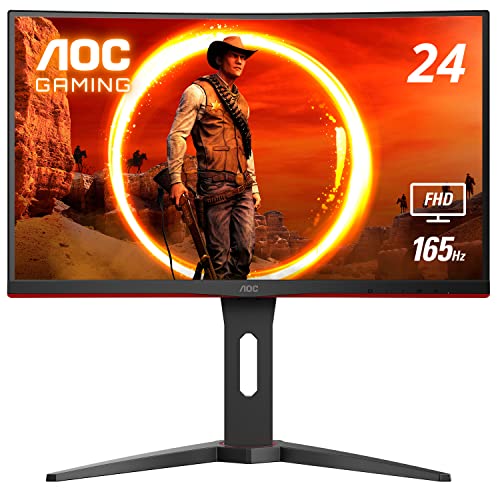
AOC C24G1A 24″ Curved Frameless Gaming Monitor

Sceptre Curved 27″ FHD 165Hz Gaming Monitor

ASUS TUF Gaming VG27VQ 27″ Curved Monitor
2-Pack Curved 27″ FHD 100Hz Monitor

Acer Nitro 27″ Curved 280Hz Gaming Monitor
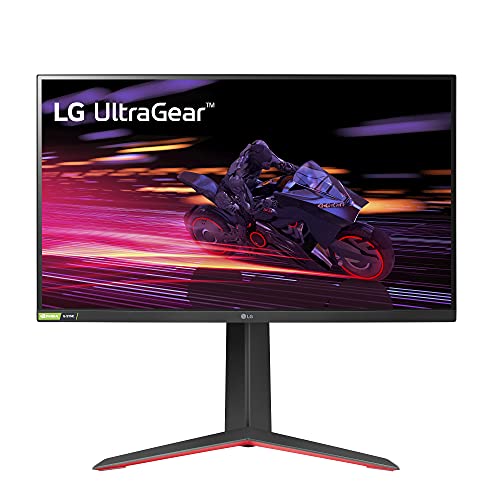
LG 27GP750-B 27″ Ultragear IPS Gaming Monitor
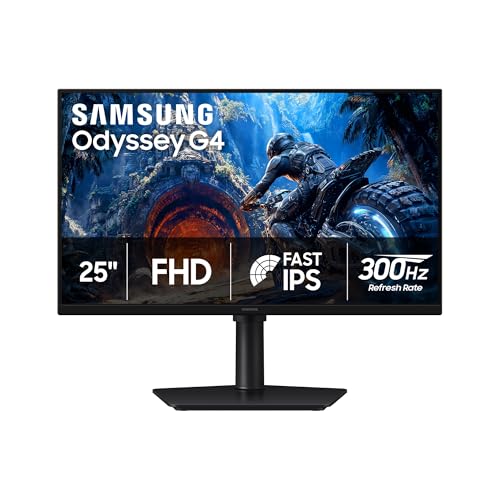
Samsung 25″ Odyssey G4 Gaming Monitor
More On The Choices That Made The List
The AOC C27G2Z is built for gamers who count milliseconds. A 240Hz refresh rate (delivered over DisplayPort 1.4) and a 0.5ms MPRT response time make it one of the speedier budget panels on the market. The 1500R curve keeps the edges from feeling stretched in fast-paced shooters, and FreeSync Premium helps the panel stay in sync with your GPU when frame rates wobble.
It’s a 27-inch VA panel, so contrast tends to look deeper than IPS alternatives at this tier. For competitive Valorant, Apex, or CS2 sessions, the speed overshadows any minor color trade-off. You may notice the stand is fairly basic compared to the MSI and ASUS entries later on, but VESA mounting gives you a clean upgrade path.
What It Does Well
- 240Hz refresh rate is genuinely fast for the category, useful for tracking fast-moving targets in FPS titles.
- 0.5ms MPRT response minimizes smearing during whip-pans and quick flicks.
- 1500R curve adds a subtle wraparound effect without making the image feel warped.
- FreeSync Premium keeps tearing in check across a wide frame rate range.
Worth Noting
- VA panels here can show slight ghosting in dark scenes, a common trait at this price tier.
- 240Hz requires a DisplayPort 1.4 connection; HDMI tops out lower.
- The included stand only tilts, so ergonomic adjustment is limited without a VESA arm.
Key Specs
Who It Suits Best
Competitive players running mid-to-high range GPUs who want esports speed without the premium price.
Look Elsewhere When
The AOC C24G1A is a better match for tight desks where a 24-inch panel simply fits better.
The TUF Gaming VG27VH1B is a sturdy all-rounder that prioritizes longevity. The TUF line carries a reputation for tougher components and stricter validation cycles, which matters if your display runs long daily sessions. A 165Hz refresh rate (with 144Hz support) covers most AAA and competitive titles comfortably, while FreeSync Premium and ELMB work together to keep fast scenes readable.
Compared to the AOC C27G2Z, this one trades raw speed for build polish and ASUS’s eye-care filtering. If you game into the late hours or grind long workdays followed by play, the comfort features earn their place.
Standout Benefits
- Extreme Low Motion Blur reduces perceived smearing during sudden camera turns.
- FreeSync Premium support smooths frame pacing when your GPU dips below the cap.
- Eye Care features ease fatigue during long sessions.
- TUF build validation suggests higher durability for everyday use.
Points To Keep In Mind
- 165Hz is solid but trails the 240Hz AOC and Acer options for pure esports speed.
- ELMB can slightly dim the image when active.
- Only HDMI and D-Sub are listed, so check that your GPU has the right output for 165Hz.
Made For
Gamers who value panel durability and eye comfort over bleeding-edge refresh rates.
Consider Something Else When
The Acer Nitro XZ270 suits competitive players who want the highest refresh rate in this lineup.
MSI’s MAG 274CF X24 takes a straightforward approach to speed. The 240Hz panel pairs with a 0.5ms response time (GtG minimum) for clean motion in FPS and racing sims, while HDR Ready support brings a touch of extra contrast to single-player games. AMD FreeSync Premium keeps frame delivery smooth when your system can’t quite hit the ceiling.
Versus the ASUS TUF VG27VH1B reviewed earlier, the MSI leans harder into raw speed and away from comfort features. The trade-off is a faster-feeling display in twitchy genres, which most younger players tend to prefer.
What Works In Its Favor
- 240Hz refresh rate matches the AOC at the top of this list.
- 0.5ms minimum GtG response handles rapid color transitions cleanly.
- HDR Ready tuning adds dimension to supported games and movies.
- Tilt and VESA compatibility give you ergonomic flexibility.
Trade Offs
- HDR Ready is a software-level enhancement rather than true HDR brightness.
- VGA port inclusion is unusual; modern GPUs won’t use it.
- Color accuracy out of the box may need a quick OSD tweak for photo work.
Feature Snapshot
Right Fit For
Action and FPS fans who want 240Hz speed with HDR Ready support at a comfortable price.
Skip It When
The Samsung Odyssey G4 makes more sense for a smaller 25-inch desk where 300Hz refresh is a priority.
The AOC C24G1A proves you don’t need a 27-inch panel to get an immersive curve. Its 1500R curvature wraps around your field of view at a smaller 24-inch scale, and the 165Hz refresh rate (delivered over DisplayPort) keeps fast games feeling responsive. A height-adjustable stand is rare at this tier, and the three-sided frameless design makes multi-monitor builds look clean.
Against the AOC C27G2Z reviewed above, this one trades panel size for ergonomics. You may find the smaller canvas more comfortable in a dorm room or compact battlestation where every inch of desk space matters.
The Good Stuff
- 165Hz refresh rate over DisplayPort 1.2 keeps motion smooth.
- Height, swivel, and tilt adjustments support healthier posture during long sessions.
- FreeSync Premium with LFC helps when frame rates fluctuate in demanding scenes.
- Frameless edges make multi-monitor arrays feel like a single wide display.
Small Caveats
- 23.6-inch viewable area is smaller than the 27-inch competition.
- VA panel may show some smearing in dark transitions.
- 165Hz is solid but slower than the 240Hz picks above.
Best Suited To
Compact desk owners and multi-monitor builders who want a curved, ergonomic display without the bulk.
Another Choice May Suit
The AOC C27G2Z is the better fit when 27 inches of screen and 240Hz speed both matter to you.
Sceptre’s C275B-1858RN targets gamers who want modern speeds without overspending. The 165Hz refresh rate over DisplayPort (144Hz over HDMI) covers most action titles, and built-in speakers save desk space for setups that lack a separate audio rig. AMD FreeSync Premium support helps when frame rates wobble.
Where the AOC C27G2Z leans toward esports purists, the Sceptre balances gaming and everyday media. The 1800R curve is gentler than the 1500R options above, which some users find easier on the eyes for mixed work and play sessions.
What Pays Off
- 165Hz via DisplayPort keeps modern titles feeling responsive.
- Edge-less bezels look clean in dual-monitor setups.
- Built-in speakers remove the need for a desk audio system.
- Gentler 1800R curve suits long mixed-use sessions.
Honest Caveats
- Built-in speakers deliver convenience, not depth; external audio is recommended for immersion.
- 1800R is a softer curve than 1500R competitors, which some gamers find less enveloping.
- Color accuracy out of the box tends to need minor OSD adjustment for content work.
Spec Overview
Who Will Love This
Entry-level gamers and casual players who want 165Hz smoothness, modern bezels, and simple audio in one package.
Not Your Match When
The MSI MAG 274CF X24 is the better pick if you want 240Hz and HDR Ready support in a similar size.
The TUF Gaming VG27VQ is the older cousin of the VG27VH1B reviewed above, and it shares much of the same DNA. A 165Hz refresh rate pairs with a 1ms MPRT response time, and ELMB technology helps keep fast camera pans from turning into a blur. FreeSync support rounds out the adaptive sync story for both AMD and compatible NVIDIA cards.
Versus the Acer Nitro XZ270 later in this list, the VG27VQ trades raw refresh speed for image clarity processing. Fast-paced single-player games like Devil May Cry or Doom Eternal benefit noticeably from ELMB.
Everyday Perks
- ELMB reduces motion blur during whip-pans in single-player action games.
- 165Hz refresh (with 144Hz support) handles most modern titles well.
- FreeSync compatibility covers both major GPU brands at the entry adaptive sync tier.
- TUF-grade build quality suggests solid long-term reliability.
Areas To Watch
- ELMB and FreeSync typically can’t run simultaneously, which limits feature stacking.
- 165Hz trails newer 240Hz and 280Hz picks for raw speed.
- Eye care filtering helps comfort but can slightly mute image punch.
Perfect Match For
Single-player action fans who want a smooth, blur-resistant picture for cinematic games.
Where Another Pick Suits Better
The LG 27GP750-B is a stronger fit if IPS color accuracy and NVIDIA G-SYNC compatibility matter more.
This two-pack delivers a matched pair of curved 27-inch monitors for users who need extra screen real estate. The 100Hz refresh rate and 1ms response are modest compared to the 165Hz and 240Hz picks above, but the dual-HDMI setup, 100% sRGB coverage, and built-in speakers make each panel equally useful for work and play.
Compared to the Sceptre single-screen entry reviewed earlier, the trade is speed for quantity. Two of these on a wide desk create a productive command center that doubles as a gaming setup for casual and indie titles.
Practical Advantages
- Two monitors in one purchase doubles your workspace without buying separately.
- 100% sRGB coverage supports accurate color for general content work.
- Dual HDMI inputs make connecting a laptop and a console simple.
- Built-in speakers keep each station self-sufficient.
Possible Compromises
- 100Hz falls well short of the 144Hz, 165Hz, and 240Hz picks for high-speed gaming.
- Match quality between the two panels can vary slightly unit to unit.
- No VESA mount in some bundles, so check before committing to a multi-arm setup.
Built With In Mind
Work-and-game hybrid users who want a matched dual-monitor array for productivity and light gaming.
Reach For A Different Pick When
The AOC C24G1A is a smarter choice for a single-monitor battlestation where speed and ergonomics matter more.
The Acer Nitro XZ270 is the speed champion of this roundup. A 280Hz refresh rate tops the AOC and MSI 240Hz panels above, and the 27-inch curved form factor keeps the experience immersive at high frame rates. For daily competitive sessions in Valorant, CS2, or Apex Legends, every extra hertz counts.
Versus the Samsung Odyssey G4 reviewed last in this list, the Acer goes wider at 27 inches and offers a more enveloping curve. You trade a bit of pixel density for raw motion smoothness.
A Favorable Mix
- 280Hz refresh rate is the highest in this roundup at a budget-friendly tier.
- Curved 27-inch design fills your peripheral vision during long sessions.
- Nitro build targets gamers specifically with gamer-oriented OSD controls.
- Wide viewing angles help when sharing the screen for co-op play.
Factors To Consider
- 280Hz demands a strong GPU to actually feed those frames.
- Color tuning leans toward gaming, not professional content work.
- Stand adjustability varies by region; check before buying for ergonomic flexibility.
Whose Shelf It Belongs On
Daily esports players with powerful GPUs who want the highest refresh rate at this price tier.
A Better Fit Elsewhere
The LG 27GP750-B is the smarter pick if IPS color and tilt/height/pivot adjustment matter more.
The LG 27GP750-B is the IPS standout in this list. Where most budget gaming panels use VA tech, this UltraGear display delivers wider viewing angles, more accurate color out of the box, and strong HDR10 support for content. A 240Hz refresh rate and 1ms GtG response time keep gaming performance competitive with the AOC and MSI entries above.
Versus the ASUS TUF VG27VQ reviewed earlier, the LG is a different kind of gaming display. It’s tuned for gamers who also stream, edit, or create, rather than purely chasing high refresh.
Bright Spots
- IPS panel delivers wider viewing angles and better color than typical VA gaming displays.
- NVIDIA G-SYNC Compatible plus AMD FreeSync Premium support both major GPU brands.
- Tilt, height, and pivot adjustments support ergonomic setups.
- Thin bezels suit clean single or multi-monitor builds.
Less Ideal Details
- IPS contrast can’t match deeper VA blacks for moody games.
- 240Hz is excellent, but the Acer Nitro above edges it at 280Hz.
- IPS glow can appear in dark scenes at the panel corners.
Quick Facts
Who Should Grab It
Gamers who also edit, stream, or do creative work and need accurate color alongside speed.
Swap It Out When
The Acer Nitro XZ270 is the better call for pure esports speed seekers who don’t need IPS color.
The Samsung Odyssey G4 is the smallest and fastest display in this roundup. A 25-inch frame keeps the pixel density sharp at 1080p, and a 300Hz refresh rate over DisplayPort (1ms GtG response) leads every other pick on raw speed. NVIDIA G-SYNC compatibility and FreeSync Premium support both major GPU brands, which is a nice bonus.
Versus the AOC C24G1A reviewed earlier, the Samsung is slightly larger and dramatically faster. The 300Hz ceiling makes a real difference in CS2 and Valorant where milliseconds decide rounds.
Strengths Worth Knowing
- 300Hz refresh rate is the highest in this lineup, useful for fast-twitch titles.
- 25-inch screen size keeps pixel density tight at 1080p.
- Full G-SYNC compatibility plus FreeSync Premium covers both GPU ecosystems.
- 1ms GtG response handles rapid color transitions cleanly.
Some Limits To Know
- 25 inches is small if you also work on the same screen for long hours.
- 300Hz requires a powerful GPU and DisplayPort cable to reach full speed.
- Samsung’s gaming OSD is feature-rich but can feel busy to first-time users.
Right Fit For
Competitive gamers with smaller desks and powerful GPUs who want maximum refresh in a compact frame.
Where A Sibling Pick Shines
The AOC C24G1A makes more sense for a multi-monitor array where ergonomics and matching bezels matter.
Choosing The Right Panel For Your Setup
A few attributes carry more weight than the rest. Refresh rate, measured in hertz (Hz), tells you how many times per second the image updates. Anything 144Hz and up feels meaningfully smoother than 60Hz in motion-heavy games. Response time, listed in milliseconds (ms), measures how quickly a pixel can change color. Lower is better, and under 5ms is generally safe for gaming. Adaptive sync, either AMD FreeSync or NVIDIA G-SYNC, matches the display’s refresh to your GPU’s output, killing the screen tearing that comes from mismatched timing.
Why Panel Type Matters For Your Games
VA panels tend to deliver deeper contrast, which helps moody single-player games look richer. IPS panels offer wider viewing angles and more accurate color, useful if you also stream or edit. TN panels are the fastest historically but rarely appear in modern budget gaming picks. Curvature, measured by the R value (1500R is more curved than 1800R), is personal. Tighter curves feel more enveloping, but some users find them disorienting for office work.
When 240Hz And Up Actually Pays Off
High refresh rates shine most in competitive FPS, racing sims, and fighting games where frame-to-frame motion carries information. If you mostly play slower-paced RPGs, strategy games, or indie titles, a 144Hz or 165Hz panel often feels just as good and leaves money for other gear. The honest read is that diminishing returns kick in around 240Hz for most players.
Port Matching And Cable Realities
Refresh rate is only as good as your connection. Many budget panels cap at 144Hz over HDMI and require DisplayPort for the full ceiling. If your GPU only has HDMI outputs, check the spec sheet carefully. Some monitors also include legacy ports like VGA or D-Sub that are useful for older PCs but irrelevant for modern gaming.
Shopping Smart Across These Picks
Mistakes Worth Dodging
Chasing the highest refresh number without a GPU that can feed it. A 280Hz panel running at 90 frames per second is just an expensive 90Hz display. Run a quick check on your current system’s average FPS in your most-played game before deciding. Another common slip is ignoring stand ergonomics, then discovering the monitor only tilts when you actually need height adjustment for a healthier posture.
Where The Extra Money Goes
Premium tier panels typically invest in better factory color calibration, higher HDR brightness tiers, USB-C connectivity, and sturdier stands with full ergonomic adjustment. They also tend to use better binning, which can mean cleaner panel uniformity out of the box. If you game in a bright room, edit photos, or want a single USB-C cable to drive the display from a laptop, the upgrade often justifies itself.
Frequently Asked Questions
Is 1080p still worth buying in 2026?
For 24 and 27-inch panels at typical desk distances, 1080p remains sharp enough for gaming and saves a meaningful amount on both the monitor and the GPU needed to drive it. Higher resolutions look better for productivity and single-player cinematic games, but 1080p is still a smart pick for esports.
Do I really need adaptive sync?
For most gamers, yes. FreeSync and G-SYNC eliminate screen tearing without the input lag that comes from traditional V-Sync. If your budget allows, get a panel with either feature. The practical difference in feel is noticeable in any game where frame rates fluctuate.
Can these monitors work with consoles?
Most support HDMI input at 60Hz, which is the standard console output. Some accept higher refresh rates over HDMI for compatible devices. Check the individual spec sheet for HDMI version and supported refresh if console play matters.
What’s the difference between MPRT and GtG response times?
MPRT (Moving Picture Response Time) measures how long a pixel remains visible during a transition, often using backlight strobing. GtG (Gray to Gray) measures how fast a pixel changes between two shades. The two specs aren’t directly comparable, so look at them in the context of the manufacturer’s own testing.
How long do budget gaming monitors typically last?
Owners commonly report 5 to 7 years of solid use from modern LED panels at this tier. The most common failure points are the power supply board and the backlight, both repairable through warranty support in many cases. Treat the panel gently and avoid screen burn-in by using a screensaver during long idle periods.
The Takeaway
The right monitor depends on the games you play, the GPU you have, and the space you sit at. Competitive players chasing every frame will lean toward the Acer Nitro or Samsung Odyssey G4. Mixed-use gamers who also create content will prefer the LG 27GP750-B. Budget-first setups that just need smooth Full HD will find the Sceptre and AOC picks easy to live with. The honest read is that any of these ten will serve you well; the differences come down to which trade-offs match your routine.


